Hi all,
I recently purchased the Aqara FP300 presence sensor, partly based on it being listed as a supported device on the Homey website. I’m running Homey Pro 2023 and have paired it via Zigbee using the Aqara app.
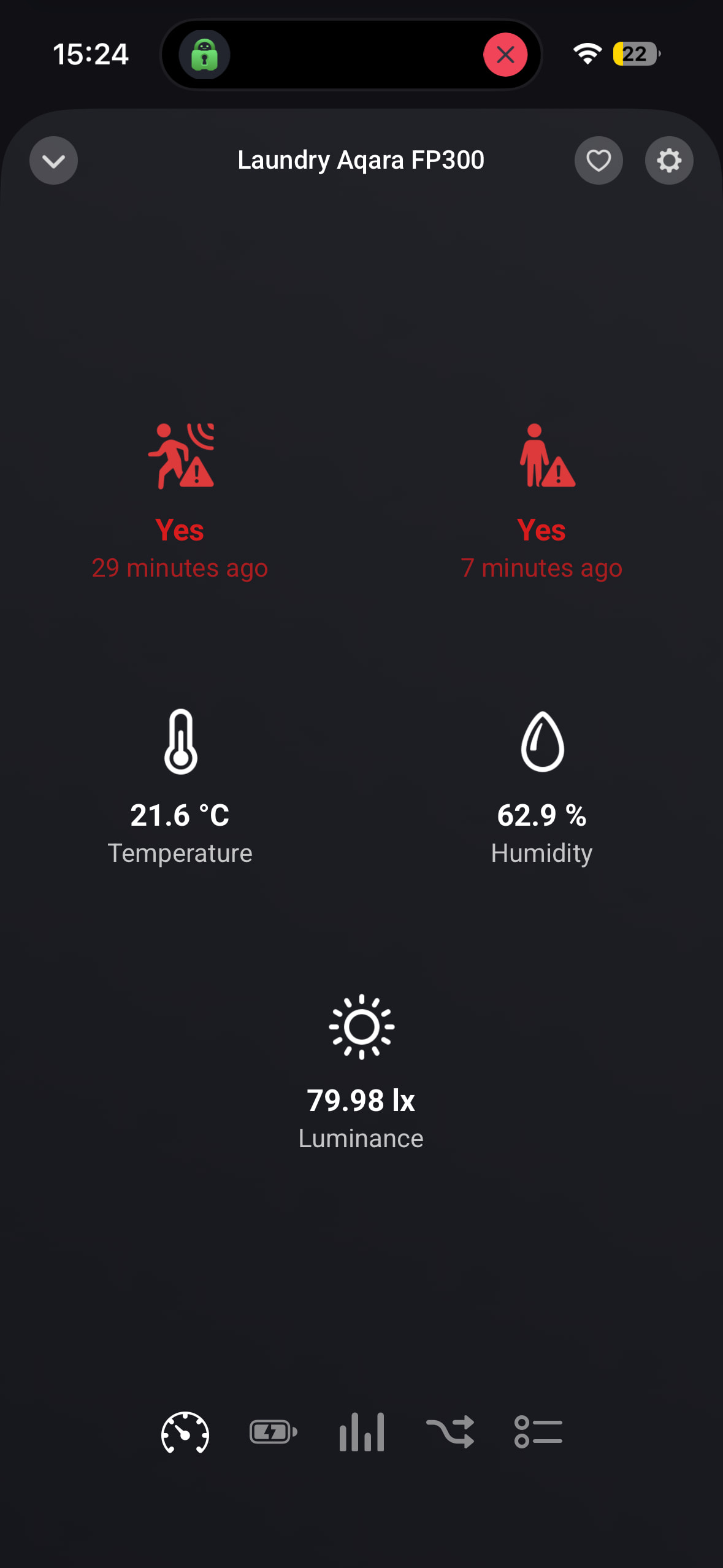
The sensor pairs successfully and shows an initial presence/no presence state, but it never updates after that — no matter what I do in front of it. I’ve tried the following:
-
Restarted the Aqara app multiple times
-
Re-paired the sensor multiple times
-
Tested the sensor right next to the Homey Pro (so signal isn’t the issue)
-
Updated the FP300 firmware to latest via the Aqara Home app on my phone (connected via Bluetooth)
-
Checked the Zigbee developer tools — the sensor shows TX/RX activity (399 TX, 11% error rate) so it is communicating
The sensor works correctly in the Aqara Home app, confirming the hardware is fine. I also tested via Matter, but that only exposes basic motion detection and loses the presence/zone functionality.
Running:
Is this a known issue with the FP300 Zigbee integration? Any fix or workaround would be appreciated.
Update: I should also mention that I experienced the same issue with the Sonoff SNZB-06P presence sensor prior to purchasing the FP300 — it also paired successfully but never updated its status in Homey. The FP300 was purchased specifically as a replacement after the SNZB-06P didn’t work. The fact that two different presence sensors from different manufacturers show the same behaviour makes me wonder if this is a broader issue with how the Aqara (or Sonoff) app handles presence state change reporting on Homey Pro mini.
Thanks
Given the TX error rate: how far is the sensor located from your Homey or other mains powered Zigbee device(s) that might act as a router/hop for the sensor?
Hi there,
I tested it right alongside the router and it was giving the same poor performance.
Just to be sure: by router I don’t mean your WiFi/internet router, but another Zigbee device that serves as a Zigbee router in the Zigbee mesh network. Like a Zigbee smart plug.
How far is the FP300 located from your Homey and are there any Zigbee routers in between that distance?
Yeah, sorry I meant the Homey.
You need a zigbee router device (mains powered: light bulb, smartplug, switch etc.) between Homey Pro and your zigbee end device (your FP300).
Connecting a zigbee end device (battery powered) directly to Homey Pro not always works.
Thanks that’s helpful. I have a few devices, but it doesn’t seem to be working. See the attached screengrab.
Anything else you would particularly recommend?
IKEA and Aqara are often not compatible and are not following Zigbee standards to the letter.
I would try with an Aqara router device or another brand. Or even better:
I ended up buying an Aqara Hub E1 (very inexpensive) for all my Aqara devices and connect to Homey via matter. Works like a charm.
Ps! I have two FP300
ah good to know. With the FP300s connected via matter, does it expose the presence awareness to Homey? When I tried that, it only showed motion.
I had thought buying Homey would eliminate the need for additional hubs, but seemingly not. 
I do have an Aqara M100 hub but it keeps losing connection too and needs to be unplugged replugged all the time.
It shows presence, but it is labelled motion.
You also might want to investigate a more fundamental aspect: looking at your screenshot, for almost all your Zigbee devices Homey reports a relatively high transmission error rate. Ideally the error rate should be 0/very low and the error percentage should decline over time. If the error percentage stays constant or increases, it means your Zigbee network has issues and Homey might not be able to reliably communicate with those devices.
Keep in mind that communication of battery powered devices (end devices), like the FP300, normally goes via mains powered router devices. If Homey has trouble with communicating to those router devices, it also affects communication with the end devices linked to the router device.
Common causes are:
- Distance between router devices and Homey is too great. You’ll need more router devices (like a smart plug) in between;
- Overlap between your WiFi and Zigbee channel. Check this article: ZigBee and Wi-Fi Coexistence. If so, you might consider switching to a different WiFi channel for the 2.4 GHz band;
- Incompatible combination of Zigbee implementation by some brands, like the IKEA/Aqara example mentioned above. Consider adding/replacing one or more router devices (like a smart plug) of/with a different brand to your Zigbee network.
Also check this post for Zigbee troubleshooting: Advanced Zigbee Troubleshooting on Homey.
Anyone having issues to keep te connection with Matter. Mine drops connection basically every day or so. Sometimes I am able to repair, often I have to reinstall. It often goes wrong in the second step of the repair/install where you see the 3 circles device-wifi-homey (if I do recall correctly). More often than not, I get an error that connection is not possible. Installing it in Apple Home first (which goes fine most of the times) and than connecting it to Homey: same problem. Both Homey and the Apple devices are in the same VLAN. Even after the latest firmware update (13.1.5 which is supposed to fix Matter issues) I lost connection 2x in one day).
There is HomePod mini 3 meters away with uninterrupted line of sight. Tried to update the firmware by doing the Zigbee/thread swap to no avail (I don’t have dedicated Zigbee hub, Homey is supposed to take care of that…).
Finally gave up and switched to Zigbee. First impression is that this is much more stable (and more detailed information). But I trying use Matter as much as possible as this was supposed to be the way forward?!
I wander if Matter is ever going to deliver on its promise..
I am not a matter user myself, but based on what I read on this and other forums, Matter is a hit-and-miss thing. Also, if it does not work, it is difficult for the ordinary user to troubleshoot. So is seems that Matter (and/or the way it is implemented by brands) still needs to further mature.