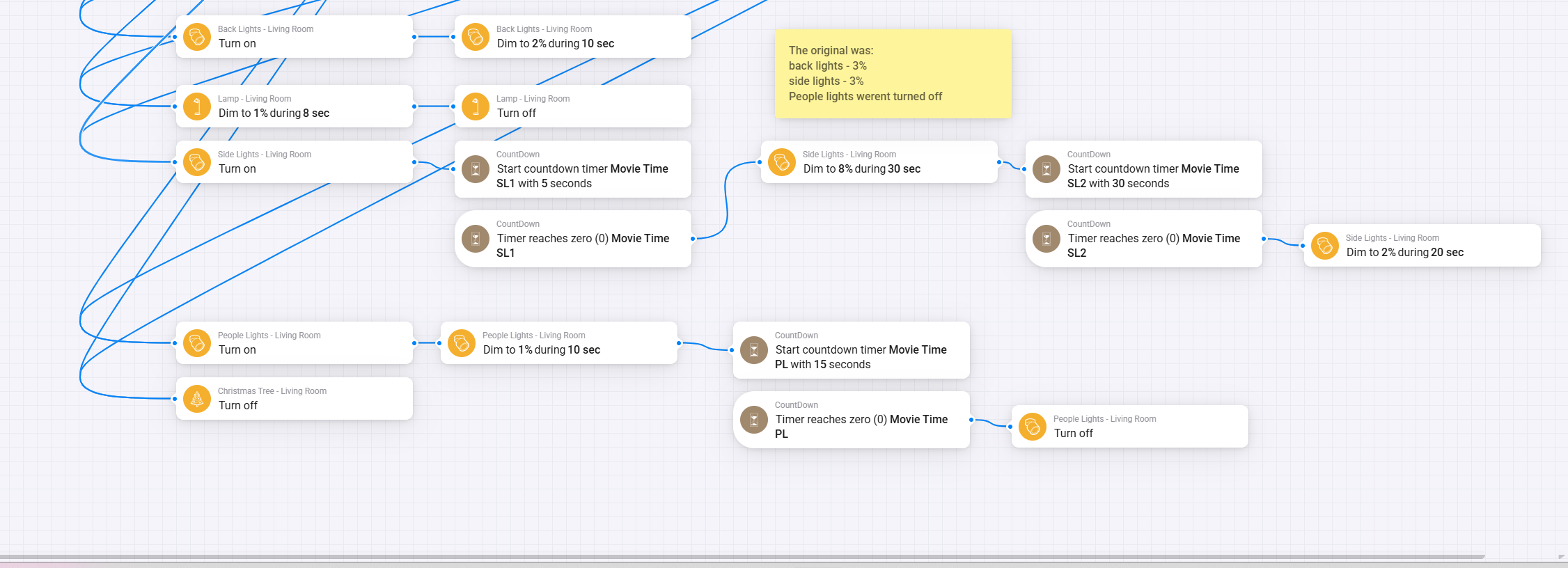
I have some lighting routines that I use in my living room that take a while to complete so as to give a more sophisticated feel. (screenshot below)
I use Alexa to trigger them, so for example when I say “Alexa, its movie time” the lights don’t all just turn off instantly, instead they fade to black over a period of 50 seconds, but different lighting groups do it at different speeds.
If I then decide I that I want to turn the lights on full again say 10 seconds into the routine, then for the next 40 seconds the lights keep turning off, there is no ‘abort’ option on the flow once has been started.
The only way I can think to work around this, is to use the Countdown app to start a ‘Movie Time’ countdown timer for 50 seconds, and then at every step in the routine add an AND to check if the ‘Movie Time’ count down is greater than 0, then proceed to the next step of the automation. And then in each of the different lighting routine flows I have add a THEN at the beginning to set the timer on the other routines to 0. the problem with this however, is that each step of the flow that has already begun will sill complete, meaning some of the lights will still continue dimming.
So; is there a better way?
Also does anybody know how I’m supposed to make suggestions to Athom, as I feel like adding THEN triggers to the Flow app to stop or pause a flow would be useful. theres already a THEN to start a flow, but no THEN to stop a flow.
Why not just create a separate Chronograph timer for each timer you currently use?
e.g. Side Light turn on - start Chronograph timer 5 seconds - IF timer has expired THEN …
There is also a Stop card for the timer.
You can also use the Chronograph app to create transitions to dim to, for example, 8% in 30 seconds, and you can stop this also with a card.
https://homey.app/nl-nl/app/nl.fellownet.chronograph/Chronograph/
Thanks Mike, I think I had looked at that app when I first got my Homey and couldn’t make sense of what It did.
Looking at it now with a little more knowledge of how this works than I had back then, I think that may well be exactly what I’m looking for. There seems to be an option to cancel a transition using homey script. I’ll have a toy around with it tomorrow.
Thanks very much 
Just did some testing:
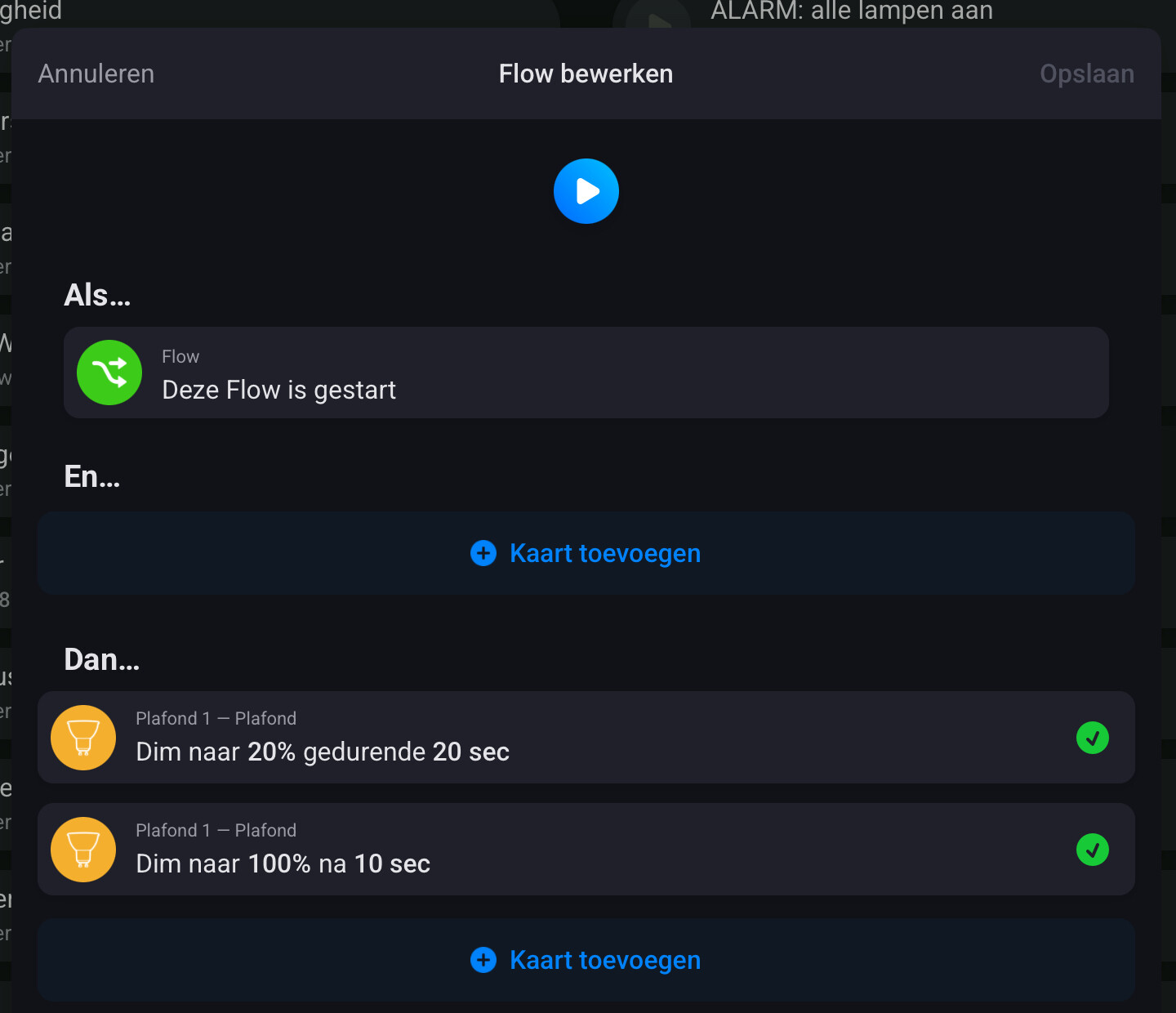
A ‘dim to 20% during 20 seconds’-card is overruled after 10 seconds by the ‘dim to 100%’-card.
So to abort this first card you only have to give the lamp a new instruction.
A ‘wait’-card can not be overruled. Once started it will continue and also start the cards that follow.
So (long)waiting cards should be avoided and replaced by timer cards
Thanks for your help with this people. I couldn’t make any sense of the chronograph app unfortunately, however Wim made me realise that I only need to replace the ‘wait’ card with a Then Start countdown timer, and then a WHEN counttown timer reaches zero card to progress with the next step.
Then place a THEN ‘pause countdown timer’ at the beginning of all the other lighting routines which then stops them from continuing.
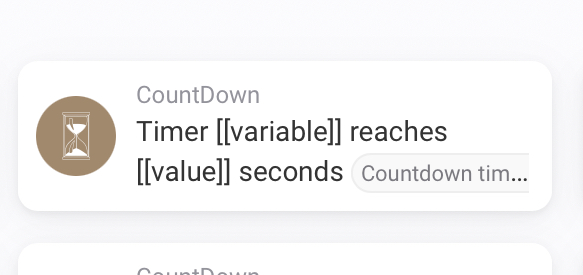
You can build this flow with only one timer if you use this card:
If one of the blinds is open start a timer of 53 seconds. Else start a timer of 50 seconds.
When there is 52 seconds left on timer close blinds.
When there is 49 seconds left on the timer start first sequence
When there is 44 seconds left on the timer start second sequence
And so on.
Now you have only one timer to stop.
You’re quickly becoming my favourite internet person!
You could probably also use the countdown app? It works pretty easy and very good.
I think he already did. If i look at his flows.
Yeah, was a little busy when seeing this.