And here two screenshots without a reset in-between, showing both should be perfectly possible (after stopping homey and restarting the last one defaults back to 3 rows)


By the way @Harwin , if I change the font size, homey does a restart and changes the sizes, however, only after I force restart homey myself after that, does it show the correct combination of icon sizes and text size…
Hello,
I am disappointed. Nothing changed for me.
I am still stuck with 3 big emptyfull tiles/row though I have selected the min font size (and restarted HP to be sure)
Runnning on Honor Magic 6 lite (Android 14) with a screen max resolution of 2652x1200
Reverting to the web app where I get 5 tiles/row 
EDIT : I DO get 4 tiles/row if I select the “Devices” screen but still 3 on the “Home” screen
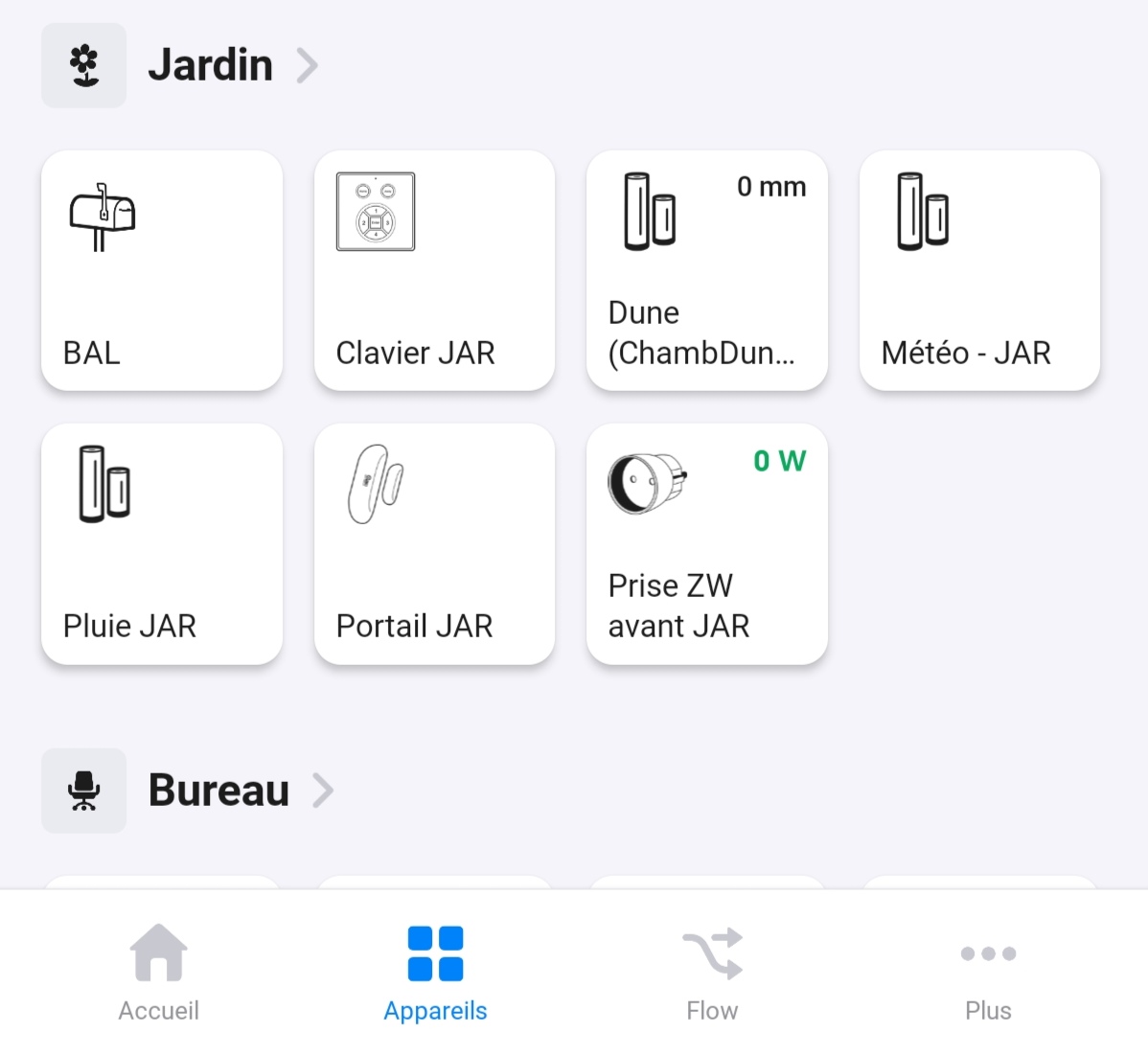

On my Galaxy S 22 Ultra, there is also another option under display called “Screen Zoom”, I also had to change this to get 4 tiles aligned to each other.
Changing the screen resolution which is another option in the Galaxy S settings does not impact it. 4 tiles aligned to each other works with QHD+ (3088 1440), FHD+ (23161080) and even HD+ (1544*720).
To recap, in order to see 4 tiles, I had to change both the font size AND the “Screen zoom”. I hope there is a similar setting on your Honor Magic 6.
I have “font size” and “display size”. Both are at minimum and I’m still stuck with those pesky 3 tiles/row 
One last attempt on my side 
The number of tiles/row in Homey seems very related to the amount of apps/row displayed in the app drawer in Android.
After reading the article below, I was wondering if you have not previously enabled “Magnification gestures”? Make the app icons larger on HUAWEI phones | HUAWEI Support UK
According to Huawei:
When this feature is enabled, the app icons on your home screen are enlarged
Which can then cause Homey App to only display 3 tiles/row
I think it’s worth a shot looking at it
Thanks for your hints Didier 
I just checked, the accessibility/magnification is off AND I have 5 apps/row in my Android drawer
Pls put this back to original! The tile size and icons/value/text doesn’t match anymore. Looks like shit. Changing text size on phone just for Homey still makes odd looking tiles and completly fucks up other app presentations. Must be able to give users option to select how many tiles in row they want to be used instead, and not linked to phone text size setting for auto adjusting.
Hi @Yankie, thanks for taking the time to share your thoughts! I understand the recent changes to the tile layout and size can feel like a big adjustment. We designed these updates to align with overall accessibility and usability standards, which sometimes means relying on system-wide settings like text size to provide a more consistent experience across different devices.
While we might not be able to implement tile customizations in the way you suggested, we’re always open to hearing about specific challenges you’re facing. That helps us refine future updates and find a balance that works for as many users as possible. Thanks again for helping us improve!
Hi ricercar, thank you for sharing the details and screenshots—they’re really valuable for pinpointing this issue! It looks like there’s indeed an inconsistency in how the tiles display between the ‘Home’ and ‘Devices’ screens, which isn’t intended behavior.
Our team is on it and looking into how we can make the layout consistent across all screens. Thanks again for helping us catch this!
@Harwin , though I really appreciate the effort to make the tile size scalable, I agree with Ricecar that the current implementation is really a step back. To get the same amount of visibility I had, I now need to make make txt size even smaller, which system wide is really not usable. Current settings vs visibility is the below.
For info. The last picture is how it used to be without the need to extremely scale
Normal settings
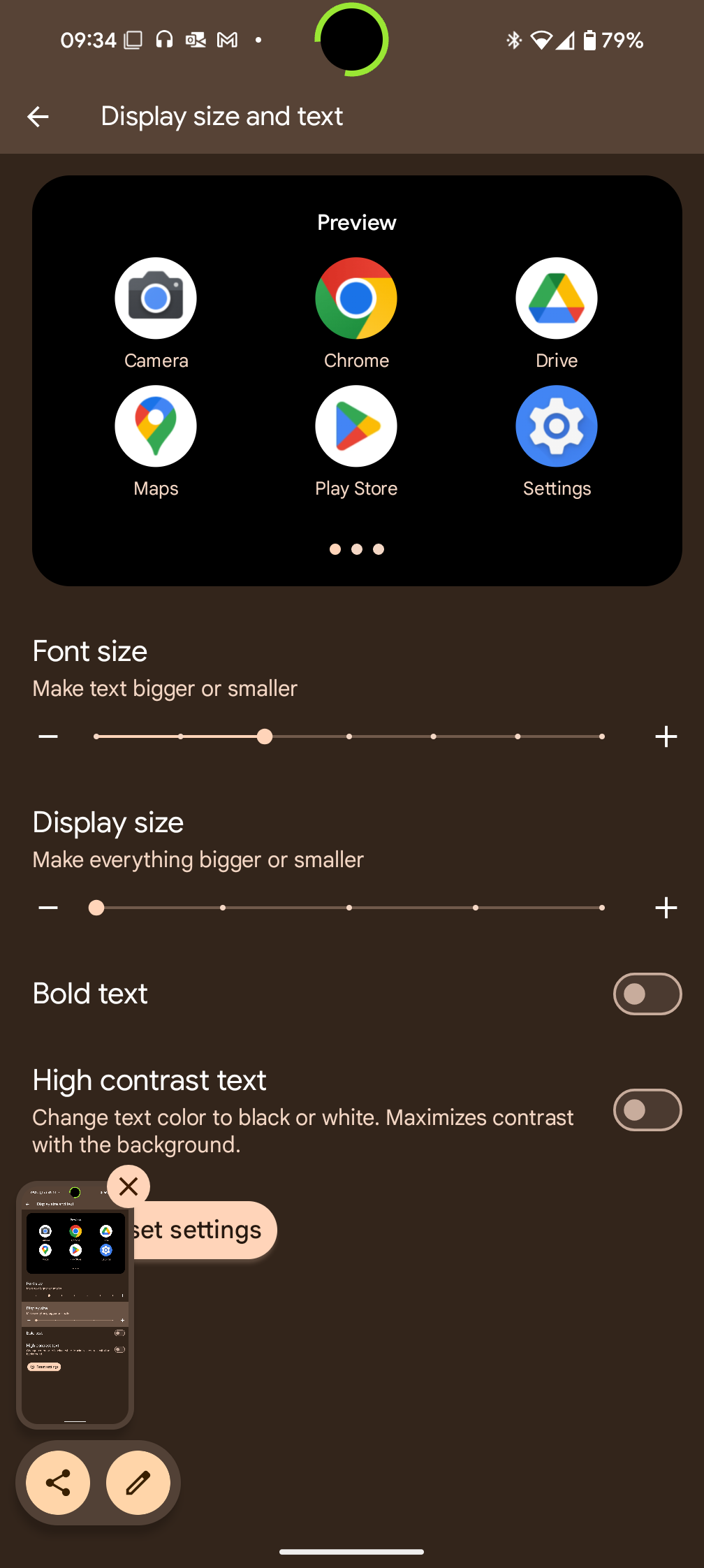
result

I need to go to really small settings

To get

Hi @Harwin, fully understand your goal, but the scale ratio of tile vs icon/value/text in the tile does not match and the tile info just looks odd now. It doesn’t help to adjust on the text size in the phone settings, the ratio is still wrong. I assume this update is only sent out to beta testers yet. I believe you will get a lot of heat from other users if this comes out to all. For me this render the tiles usless on my phone now.
@Harwin I tend to agree with others that this is not ideal and an independent control in Homey would be more preferable than relying on system wide settings. I also had to change the system wide settings in Android to display more icons in Homey but then everything else in my Android is too small. By putting this control outside system settings, everyone can make their own choices otherwise some will complain it’s too large and others will complain it’s too small.
Hello Harwin,
To be thorough, I have added widgets to the home page which might explain why it still has 3 tiles/row as it still does in the dashboard on my Magic 6.
I suppose that the new configuration doesn’t extend to the dashboard and home+widgets.
Keep the good work going 
Hi @Yankie could you share a screenshot with the odd looking tiles so I can reproduce the issue you are facing?
Hi @Harwin, attached one picture from home tab with normal tiles. My text/label is either on 1 line or 2 lines. Yes, I’m aware I use long names on components, but it makes it easy to find correct input/tags in flow. Second picture is from “Enheter” tab (Norwegian), those tiles with previously text on 1 line is now on 2 lines, and those who was on 2 lines is now not showing all text.


And if I increase one step on the text size, I will have 3 tiles in a row, but still the text is not showing like before.

Hi @Harwin, now something happened with my phone… Have the same text/font size setting at minimum and display size at second lowest as before, but now I only get 3 tiles in a row and the tiles are back as “normal”. I can’t see that Homey app just got updated. If this will stay like this (not 4 tiles in a row) then I’m happy!
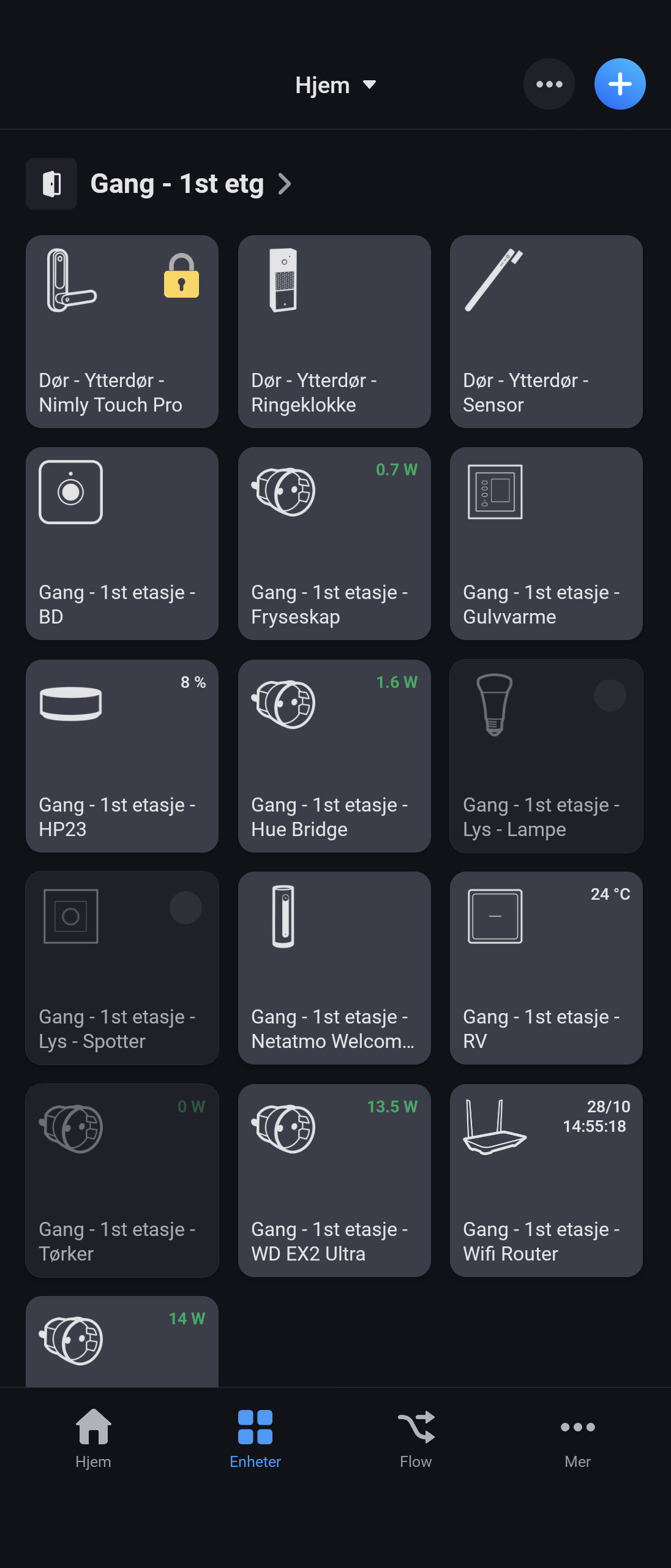
Edit 1930 hrs: it did not last. Now back to 4 tiles in a row. And I did not change anything.
Hello,
I am still stuck with 3 tiles/row on the Home page (and 4 tiles/row on the Devices).
Could you please modify the Home page settings too ?
