Hello everybody,
I have tried to solve the problem below, read lot from the web, tried many partitions but nothing to solve it!
So i’m working to write another code from the beginning including the touch screen. (With an optionnal setting to disable it if someone do not need).
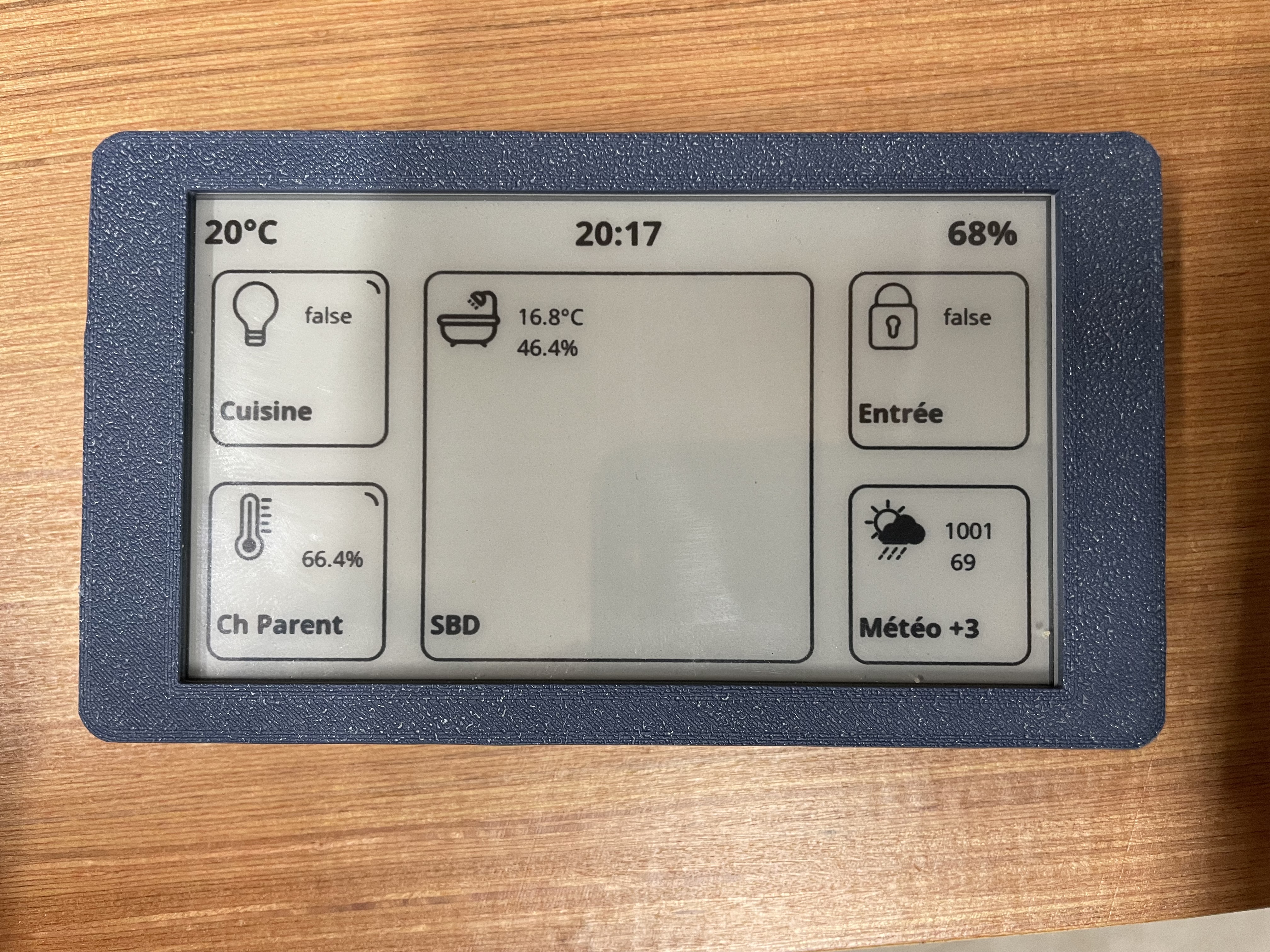
Now that I know the product a little better since version 1.x, it’s time for a v2… And I was thinking of an appearance in the style of Homey’s dashboard, like this:
Hi,
that is very good news! The Homey-look is a good idea. No need for the weather, as you can integrate it as a device, e. g. via the Openweather App from Ronney.
The name of the flows should be coustomisable and there should be enough space for it (10 characters?)
Looking very much forward to V2!
Regards Thilo
Finally, i did not implement the flows because the areas were too small to be precise in order to trigger the desired flow
It work with or without a touch screen (with configurable option)
It is possible to pair zones in order to obtain a larger display for a device (I saw that some of you displayed a long value)
Zones are no longer updated one by one. All values are retrieved before displaying the entire screen (the display of values does not take longer and this avoids gray areas after cleaning)
Actions are reduced to 1 per zone
It is possible to trigger Homey actions if you click on a device
Each device has an option to make it “clickable” or not
A marking appears for clickable devices. It is also possible not to make this marking visible
Installation is simpler because you just need to download the.bin file to work. (the method with Arduino IDE will still work, I will make the code available on Github as for v1) You will then just have to connect to the wifi created by the ESP which will open a page to enter your local identifiers for your wifi.
Updates are done via a web page, no need to connect the ESP to a computer
The “Screen Repair” function remains as on V1 and it is also possible to trigger it with a long press at the top of the screen
It is possible to wake up the ESP either by timer, or by pressing the screen, or both.
The header is free to display except the part for the battery
To do (or idea to do):
Provide a display by combining 3 and/or 4 zones, or fullscreen
Add an option so that the ESP asks Homey if he should come out of Deep Sleep or not?
Add parameter screens (e.g. for shutters to display up, down, stop)
Use the buttons on the board. (for other pages? For action shortcuts?..)
Screensaver? (Clock? Image? Device full screen?..)
Looks very nice. I would like to set font size in the tiles (so I can read what’s on the screen without my reading glasses .)
And maybe possibility to edit the title row (for weather info….)
Hello, I take note of the font sizes.
All values are customizable, there are no more restrictions with the weather because Thilo’s remark is not stupid at all:
so header is customizable too. You can write what you want everywhere ecxept the battery area.
Values are automatically truncated if they are too large relative to the size of the tile.
Hello,
v2 is available here.
I havent finish to write installation/user guide but it think there are all the information you need to install it.
I will complete the guide quickly.
Enjoy
PS in guide, i forgot “Header” card. It’s mandatory.
Sorry! On arduino IDE, go to → file → examples → AsyncElegantOTA → Demo.
It will open a window with the code.
Change SSID and PASSWORD in this and upload.
First time I made the setup with the card on top of the flow.
It reboots and stays in the screen mentioned above.
I made a some then cards with a manual trigger.




 .)
.)


 )
)


