Homey SHS Self Hosted Server

UPDATE 12-12-2025

Here’s a summary of what we know so far:

  • There is a reference in the Web App code to subscription. There should also be a Lifetime subscription, if the code in the second post is true.
  • The internal model id is “shs”, which means “Self Hosted Server“
  • There’s a domain name (homeyshs.net) that was created 1 month ago. It has 2 subdomains (raspberrypi.homeyshs.net and ota-api.homeyshs.net). Both currently point to a GitHub IP and only have a script to redirect to the homepage. The ota-api is also used by Homey Pro, but there it is firmware.athom.com for older Homey Pro’s and ota-api.homeypro.net for the newer ones.
  • There’s a github commit in an official Homey repository which mentions the shs model number, created 1 week ago
  • There is a NAS icon hosted on the Homey Web App site, see below. This is the icon for the Self Hosted Server in the list of Homeys (the list that appears when you click your profile picture in the web app.

############################################

I found this while reverse engineering the Homey web app:

https://my.homey.app/assets/homey-shs-6b43ecb8.svg

const g8e = “/assets/homey-cloud-52fc1fbf.svg”
, v8e = “/assets/homey-bridge-home-f2512176.svg”
, y8e = “/assets/homey-pro-3b052695.svg”
, b8e = “/assets/homey-pro-2023-fill-0a5d73b0.svg”
, w8e = “/assets/homey-pro-mini-ac108847.svg”
, x8e = “/assets/homey-shs-6b43ecb8.svg”
, Die = “/assets/log-out-a6217b29.svg”
, e0 = “/assets/external-link-793363fd.svg”;

It appears like that should be shown in this list:

Homey SHS… Is that Self Hosted Solution or something like that?

2 Likes

Wait a minute, it’s a subscription service, Homey Self Hosted Server?

    createHomeySelfHostedServer: {
        path: "/homey/shs",
        method: "post",
        private: !0,
        parameters: {}
    },
    updateHomeySelfHostedServerSubscription: {
        path: "/homey/shs/{homeyId}/subscription",
        method: "put",
        private: !0,
        parameters: {
            homeyId: {
                in: "path",
                type: "string",
                required: !0
            },
            type: {
                type: "string",
                in: "body"
            },
            expiresAt: {
                type: "string",
                in: "body"
            }
        }
    },
    transferHomeySelfHostedServerLifetimeLicense: {
        path: "/homey/shs/{homeyId}/transfer-lifetime-license",
        method: "post",
        private: !0,
        parameters: {
            homeyId: {
                in: "path",
                type: "string",
                required: !0
            },
            newHomeyId: {
                type: "string",
                in: "body"
            }
        }
    },
    updateHomeySelfHostedServerCustomHostname: {
        path: "/homey/shs/{homeyId}/custom-hostname",
        method: "put",
        private: !0,
        parameters: {
            homeyId: {
                in: "path",
                type: "string",
                required: !0
            },
            customHostname: {
                type: "string",
                in: "body"
            }
        }
    },
    deleteHomeySelfHostedServerCustomHostname: {
        path: "/homey/shs/{homeyId}/custom-hostname",
        method: "delete",
        private: !0,
        parameters: {
            homeyId: {
                in: "path",
                type: "string",
                required: !0
            }
        }
    },
    subscriptionInactive: {
        title: "Subscription Expired",
        subtitle: "Please re-activate your Homey Self-Hosted Server subscription to continue."
    },
2 Likes

A github commit on the Homey repo also mentions the Homey Self Hosted Server

1 Like

Hmm

I could try to send a request via Postman to create one in my account, but I don’t know what I would need to run on my server to connect it

I checked some domains and noticed that homeypro.net is for the new Homey pro’s (I found references to it on this forum) and from my own 2019 I know that uses connect.athom.com. I also know Homey Cloud uses homeycloud.net. But now I found out that homeyshs.net also exists, and was created 1 month ago. They have the following subdomains, as far as I can find:

Both lead to a GitHub IP. Upon opening it in the browser, it just redirects to homey.app

1 Like

And I think I also guessed the repo name. Because athombv.github.io/homey-shs-raspberrypi also redirects to the homey.app site. I couldn’t guess the one for the ota-api (already tried homey-shs-ota-api, homey-shs-ota, homey-shs-api, homey-shs-otaapi ,etc. none worked)

The repo is private, since it gets to a 404 on github.

1 Like

The server behind homey.app seems to be shared across all domains. So I tried to send a request to ota-api.homeyshs.net/api/v1/changelog (since Homey Pro 2023 uses ota-api.homeypro.net/api/v1/changelog when viewing the changelog at the firmware.athom.com page.) but actually send it to the IP with the Host header set to ota-api.homeyshs.net, but that didn’t work either. When checking the source code for the raspberrypi.homeyshs.net website, I just see a script that redirects to the home page.

<script type="text/javascript">
  window.location.href = 'https://homey.app';
</script>
1 Like

So installing homey OS on your own hardware?

1 Like

Yes

1 Like

It isn’t released yet, this research is based on reverse engineering of the web app.

2 Likes

very interesting!!!

Imagine being able to run Homey software on any hardware just like HA… that would be a real added value.. ..But I think that will remain just a dream.. :face_exhaling:

It should be possible when it’s released, but it won’t be open source since it’s a subscription service (with lifetime subscription available)

This is based on the code in the 2nd post

No problem paying for it… as long as I’m not dependent on their hardware anymore. …

Then the Homey SHS would be a great solution in this case. I couldn’t find any pricing info anywhere in the code, so I don’t know how much it would cost

I’d say… if you discover anything else, definitely post it here or send me a PM. I’m following this for sure.!!!

1 Like

I’ve discovered another domain:

shs.homeycdn.net

The homeycdn.net site is used for the app and Homey Pro OTA downloads as well. This must be the actual download site, but I don’t know the exact URL to the download.

There is also an homeyshs.dev site, which seems to be meant for internal testing. For me the site didn’t load, maybe they have IP locks.

I also tried my.homey.dev, which is the internal testing version of the web app, but that didn’t return anything. Probably also an IP lock, since the main homey.dev site returns a 403

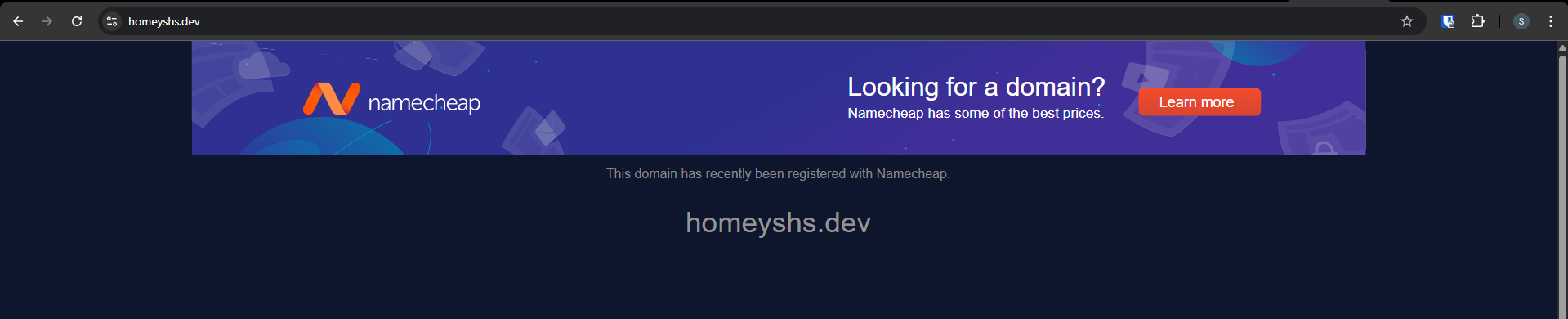
There’s also a homeyshs.dev, this domain is also registered about a month ago. It shows this:

I don’t know if it’s related though.