Since three months I have a Homey Pro Early 2023 model. I am using it in combination with the official Homey LAN/ethernet adapter and original power cord/plug.
I am struggling to understand the difference in CPU speed that my Homey runs at vs. the advertised speed on the Homey website.
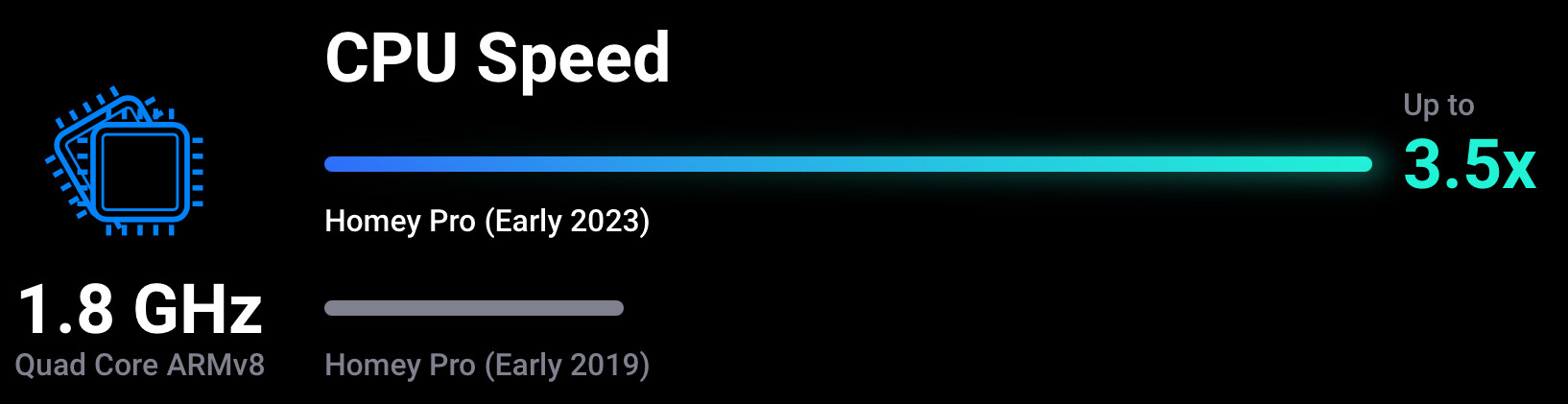
Based on the website, the (max.) CPU speed should be 1.8 Ghz:
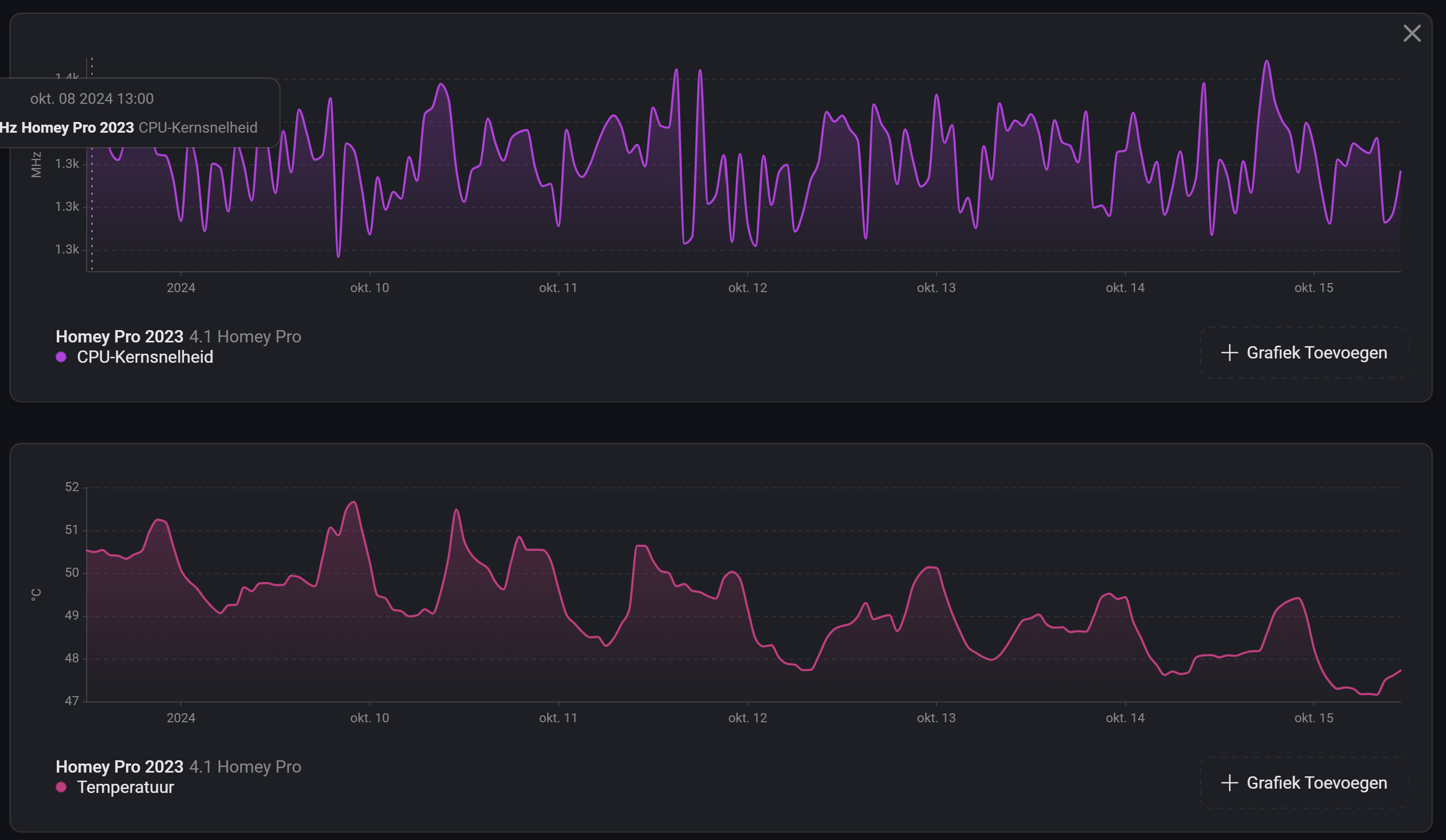
However my Homey typically hovers beween 900 and 1500 Mhz, but never higher (I checked both Homey’s Insights, the sysInternals app and the reported speed on the Homey Developer Tools page).
As far as I can see the temperatures of my Homey are ok and all the ‘throttling’ and ‘undervoltage’ properties reported on the Homey Developer Tools page are reported as ‘false’ (which if reported as ‘true’, I understand could be an indication of an icorrect power plug):
Also, Insights aggressively averages older values, so if your Homey runs on 1.5Ghz most of the time it will average out around that speed, even though there might have been higher peaks.
Your Raspberry CM4 CPU can run up to 1.8GHz but to save power, decrease temperature, when idling, it’s lowering it’s frequency based on given CPU Scheduler (OnDemand). Rest is as Robert described.
That datasheet is from 2023, Wiki states for RPI 4 (not CM4) that two CPU revisions exists : Quad-core ARM Cortex-A72 @ 1.5 GHz (B0 Revision) / 1.8 GHz (C0 Revision)
I wonder if someone confused this info… my CM4 is running on 1.5 GHz as well
Anyone with fresh/new Homey 2023, who can confirm his CPU frequency ?
Yep, I guess so. Seems while Raspberry equip RPI4 better CPU on latest revisions, they kept CM4 running on old CPU (I physically checked one of CM4 ordered this year and it’s B3 version)
I did note that the 1.8Ghz spec is also part of their keynote/announcement videos for the Homey Pro 2023 on YouTube and also mentioned in the specifications on the websites of Homey resellers.
In short: the 1.8 GHz spec is the maximum capability of the processor. Hence that is the number advertised.
However, they decided to cap the speed at 1.5 GHz for temperature, power consumption and longevity reasons based on their own tests and recommendations from Raspberry Pi.
Athom indicated that they are going to update their website to the 1.5 GHz spec.
Raspberry Pi’s own documentation doesn’t state anywhere that the CM4 comes in a 1.8Ghz variant, only 1.5Ghz.
And even if Homey would have a completely custom chip (which wouldn’t make sense, because why have a custom chip that you then have to underclock to “normal CM4 speeds”?), nothing points to it being speed-limited (which, on RPi, you configure in /boot/config.txt using arm_freq, which Homey doesn’t do).
Thanks for sharing. Frankly, it’s not their decision but the Raspberry max. CPU speed set by the Vendor and I’m not really sure they can “just” update their website
Anyway, I played little bit around as I do have active cooling and…
Looking at your screenshot: you were able to let Homey’s CPU run at 1.8 GHz? I assume you made/forced some changes under the hood, as this does not seem to be an option in the normal end user UI.