On my doorbird I’ve configured a keypad code so it opens a latch so I can unlock the door
When i enter the keypad code on my doorbird and open the door - Presto Lights come on
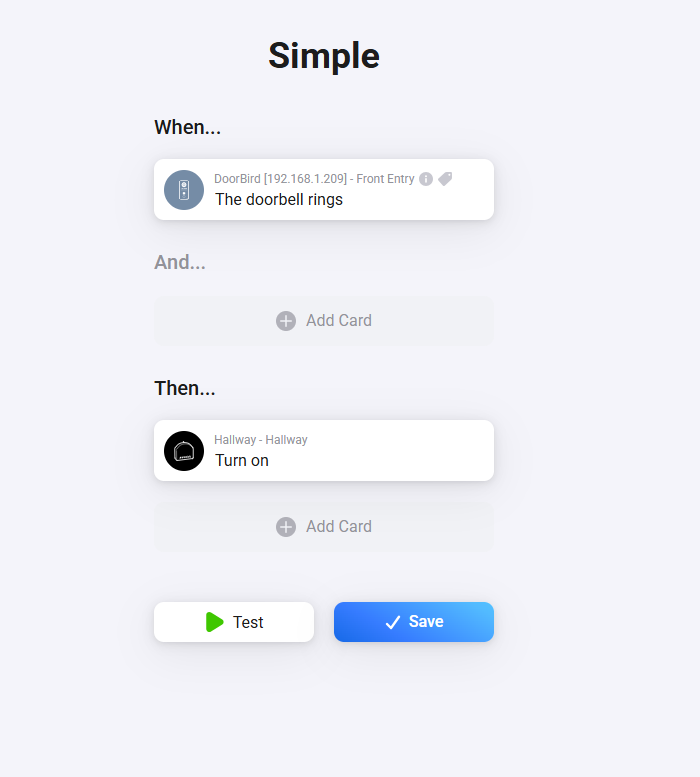
When i ring the doorbird doorbell - no lights…
This is the other flow i tried with the generic Doorbird alarm. Thought it may work because i have alerts setup on my phone when the doorbell is pressed - so I thought if the alert was generated then lights come on? - didn’t work either.
1 Did you install the DoorBird phone app?
I ask, because with Eufy doorbells for instance, you have to enable notificatons from within the Eufy phone app, in order to get the doorbell trigger card working in Homey. Else it just doesn’t send any trigger.
Possibly DoorBird uses similar techniques.
2 Does this make any sense (note the notification schedule remark):
The image reflects the DHCP IP address for the doorbell for WiFi MAC address
i.e. 1CCAE375B1FB = WIFI Mac Address and 192.168.1.223 is the DHCP IP address
I’m not using WIFI for the Doorbird its connected to a POE switch
Its using the LAN MAC address (different to the above) and a static IP as you can see from previous screengrabs the Doorbird is using 192.168.1.209 (different to the above).
Could this be causing the issues? I’m not confident changing those values just in case i then break the doorbell.
I think i worked it out… and looks like its working now - WOOHOO!!!
The schedule was blank for HTTP(S) calls to the Homey doorbell trigger
Is summary it wouldn’t ever trigger the HTTP(S) call when the doorbell was pressed
As soon as I went into expert settings and then schedule for doorbell
I selected HTTP(S) calls for the doorbell trigger and then enabled it for all times (every box colour blue) and now when the doorbell rings the lights turn on…
I had just suspected that the wrong setting must be in the Doorbird and actually has nothing to do with homey. That’s why I wanted to see the other flow, but you don’t have a flow for the pin entering, but this is done directly via doorbird.
 (defeats the process of turning on lights for anybody ringing the doorbell