could you share HTML code for the different blocks so it can be re-used?
Hi,
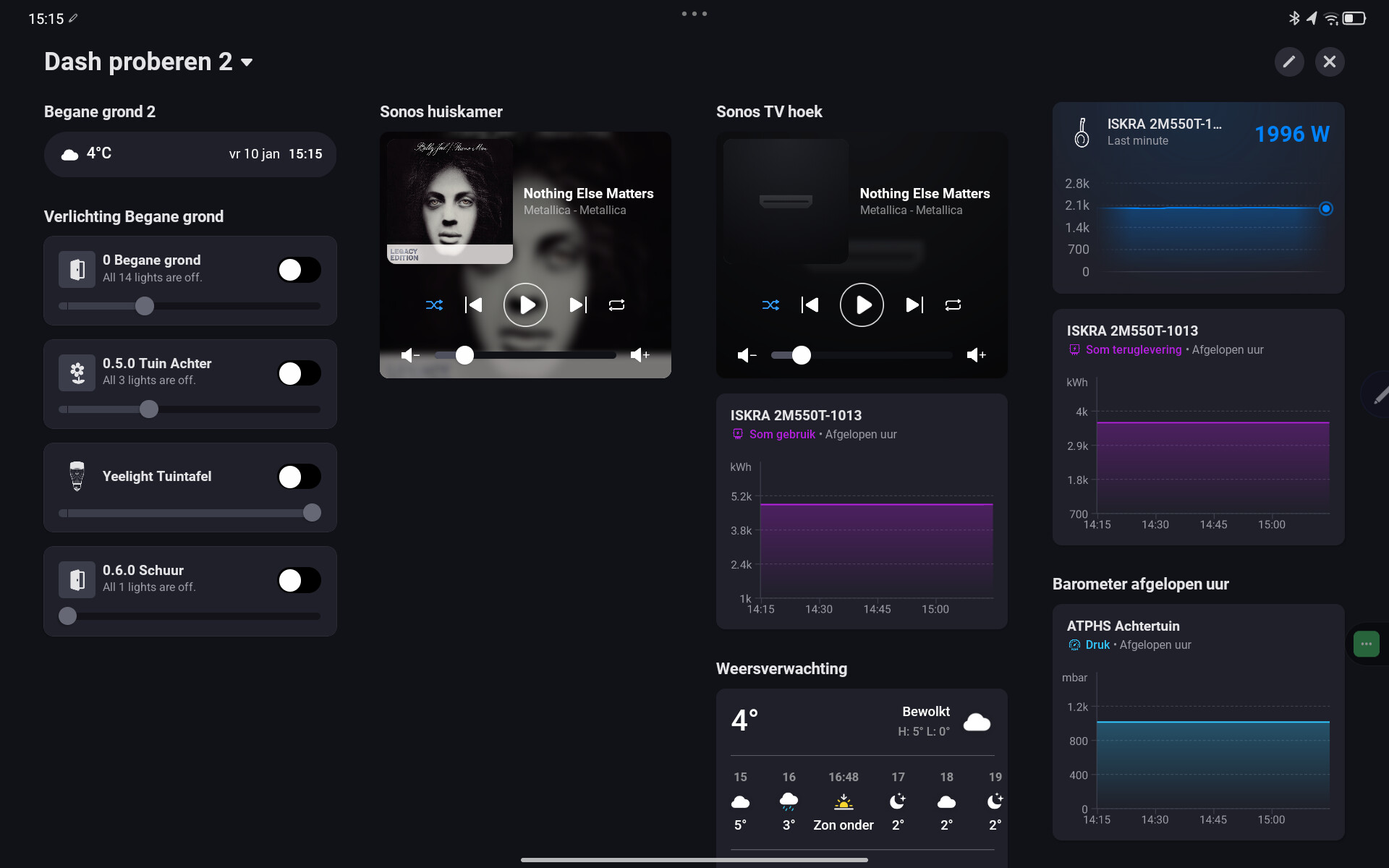
I’ve problems with the first page of my dashboard. There are four widgets not loading while several widgets on other page with the same content are loading. Sometimes it works but mostly not. Since they’re loading on the background I can’t edit the dashboard. When I move a widget which works well to an other page I get an error.
I’ve 18 columns and 48 widgets on a Lenovo Tab M11 tablet.
For example, the Mini Informatiebalk with the date stamp on picture 2 is also on picture 1 on top of the third column.
Anyone an idea?

Hi Geurti
This look similar to what I see on my Android devices, see here https://community.homey.app/t/homey-dashboard-widgets-not-updating-android-tablet/126782
You have to upload your pictures to it
I see the pictures also.
But i was hopping i could control the music (search albums and play them).
I’m not sure if it is the same problem. Sometimes on a start of the dashboard it goes well, but if I edit something or add an other widget it gets stuck.
It happens mostly on the first page of a board.
It’s a dashboard from the Dashboards app by Marcus Skogsaas. It runs in a browser.
Anyone from the Uk have a weather radar url that works and updates with the web frame widget?
Thanks
Blows my mind this isn’t here
Hello, I’ve noticed that my Homey dashboard, which is always displayed on my tablet, sometimes shuts down unexpectedly, and the Homey app closes. Has anyone else encountered this issue?
Disable any possible power saving option @ tablet.
I made a request for the Sonos widget here: Request: Sonos widget
Upvote if you agree 
I made a request for a Sonos widget here:
@Emile Can the function made that when clicking on a html widget it pop’s up to controle yhe page?
I made a html widget to control my sonos (there it’s possible to search albums etc.)
But it’s to small….

How did you make the HTML widget to control your Sonos? That is what the request thread is about.
Regarding popup, that can be done using Dashboard controller and Fully single app
I made it with this url Sonos

I use a iPad, dashboard controller is only for android.
That sounds nice
You can increase it’s height, by editing “Framehoogte” (frameheight).
You can also enable scroll functionality.
There was a software update today which impacted Dashboard. I used to get two columns of widgets on a iPad in portrait mode. After the latest update I only get one. This has made portrait mode pretty much useless.
