@Torbjorn_Melbye thanks for the great feedback. I will add a decimal when numbers are below 10 to give some extra precision when dealing with low numbers and to avoid showing 0w usage in blue while the actual usage is 0.4 watt 
Thanks for this beautiful work! Is it possible add zone for blinds? And inside tab add number of lights or blinds open?

@Harwin I like the new style and colors of energy charts.
Is it planned to adapt insight widget charts for measure_power capabilities to show similar colors (blue/green)? This way, the insights charts (24h energy in/out) would be easier to read.
Thank you so much for the zone control features. This allows the dashboards (with limited space—we don’t all have an iPad Pro  ) to accommodate many functions.
An additional request (if this is still allowed): would it also be possible to have an energy widget that provides a complete overview? For example, like this image (yes i know where the picture is from, no comment needed  ), with the fantastic addition of showing current electricity, gas and water prices. I truly see Homey as a solution (among others) for the energy transition we are currently experiencing.

Deep linking would be so awesome for a bunch of things. For example iOS shortcuts to directly open a specific device / dashboard from the homescreen or action button. I get that you don’t want to link to every part of the app but stuff like devices, zones, dashboards should hopefully always exist going forward and make sense to have the ability to deeplink.
Thank you very much for the update, which is really very successful. One question: Will there be a similar zone control for blinds?
I also think the energy widget is well done. Is it also possible to read out variables? My inverter of the PV system Give me both a smart meter value and the information of the yield. But I can only select the inverter in the widget once with the solar yield.
Best regards and keep it up I look forward to every update
And it would be great to acces an group of sonos speakers sow the whole livingroom is playing the same music
En the camera’s indeed dont refresh automaticly. In my case Netatmo.
If the screen is bigger you can add more widgets or do they just get bigger?
I am using the Homey Insights Weather. It still shows Celsius.
The Homey Beta mobile app updated earlier today. I installed the Weather by Open-Meteo. I see no new widget in Homey or Apps. I have restarted the mobile app. No new widgets. What am I missing?
I am not seeing the advanced flow cards either. Homey Pro 2023 is running 12.2.1.
If you install the open mateo app it gives you a device for your local weather. That device reports temps to insights. Simply add an insights graph for that temp value. Its not a custom app widget. Its the built in insights one…
Why won’t the Energy Meter pick up my Tesla Gateway / Battery?
@Harwin - has no one else reported this as an issue? It is happening to me every day. Can I send logs or something when this occurs?
It only uses measure_power capabilities. No others and no subcapabilities.
Hello everyone
My goal is to display the dashboard only when movement has taken place in front of the tablet. Otherwise the screen should be dimmed to black or switched off.
How did you solve this?
I have been using the Community Dashboard for years
There you have the option of simply darkening the dashboard by defining a motion sensor as a brightness device (without locking the iPad):
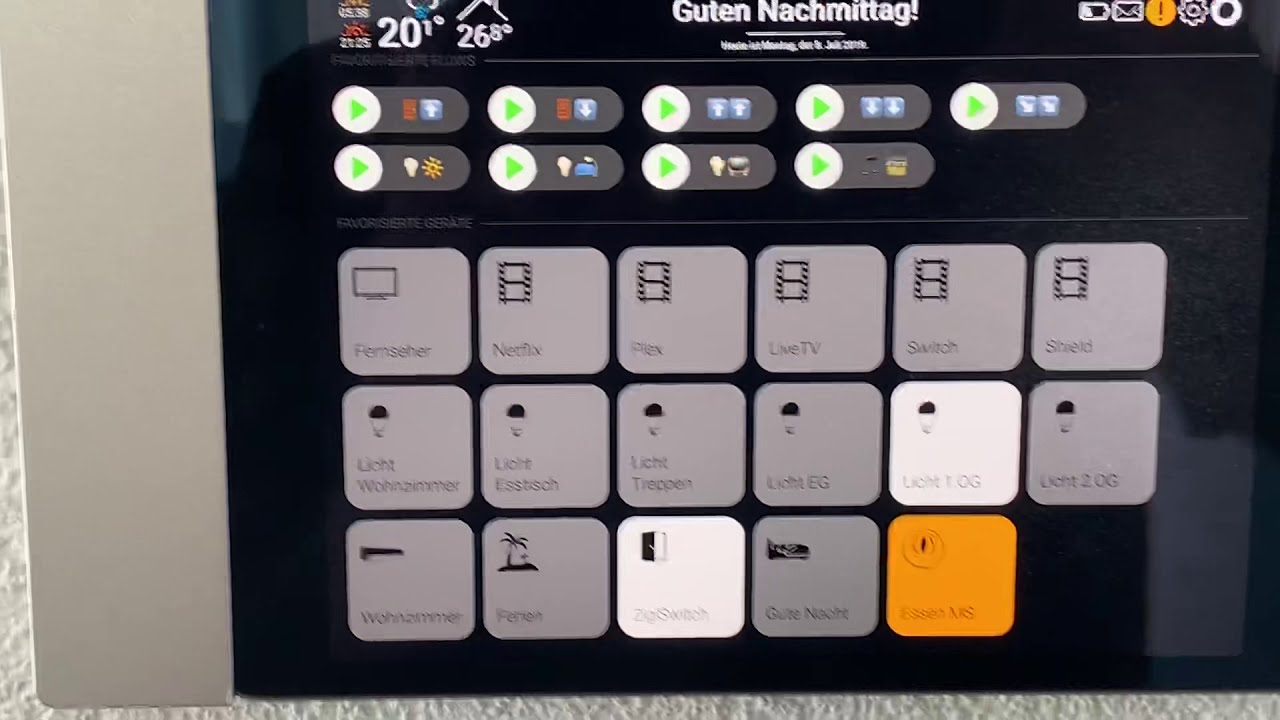
@harwin
Would this also be something for the Homey Dashboard?
It would only be necessary to define a motion sensor as a brightness device, perhaps define the dim level when no movement is detected and simply darken the entire dashboard until the entire dashboard is black. And set it back to 100% dim level as soon as motion is detected.
That would be great!
@Peter_Bittner are you using any custom app widgets which might cause this? You can send the log id in a PM to me?
I believe @Emile has written a topic about this subject → How I wall-mounted my iPad Pro hopefully that helps you out for now
Dashboards are really a huge step forward for Homey! But hanging an iPad on the wall with all the ifs and buts is not my kind of thing. Does Homey perhaps have plans to come up with a hardware wall dashboard? Would be really sell for me.
Thank you @Harwin for the link! That is helpful!
The problem with “Guided Access” is that you can’t just open into another app without exiting and re-activating Guided Access mode. You also need Homekit. The Dim version would be easier.
But thanks for the tip. If I’m going to use the Homey Dashboard, I’ll do it that way.
Hi Ronny,
Do you mean the developer should add a meter_power capability at least? Only then it’ll show up at the energy tab?
