Yes, but it’s the same with AF:

@Peter_Kawa, must “Power User” be enabled for this logic card? I think not.
Yes, but it’s the same with AF:
@Peter_Kawa, must “Power User” be enabled for this logic card? I think not.
Here’s what it looks like in windows. It won’t allow { or } in the text box.

@Peter_Kawa 's solution worked fine under windows/chrome 
This is the wrong logic card… 
You use this one:
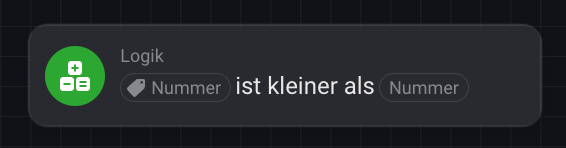
But you need this one like @Peter_Kawa showed already in his screenshots:

Yes, I tried that. It’s in the post above this
Thanks!
You can file a request at homey.app/support, but I think chances are pretty low
But here’s a workaround 
 !
!
Hi all, just wanted to share my solution to this problem.
The following HomeyScript is used inside a Flow to detect only the first time a sensor value drops below a given threshold (using the flow card “HomeyScript execute code with argument”).
It receives its parameters as a single argument string (e.g. "Device:Zone:Sensor:Value:Threshold"), splits it, and uses those parts to find the correct device, zone, and sensor capability.
The script first tries to find the correct device by matching three things: the device name, the zone name, and the current capability value. Using the capability value as an extra check helps avoid picking the wrong device when names or zones are duplicated.
It then fetches the device’s Insights logs for the past hour and looks up the sensor value from 5 minutes earlier.
To detect the first downward crossing, it compares these two values:
If both are true, the sensor has just dropped below the threshold for the first time, and the script returns true. Otherwise, it returns false, preventing repeat triggers until the value rises above the threshold again.
// Detect first drop below threshold
if (!args[0]) throw new Error("Missing input.");

const [targetName, targetZoneName, targetSensorName, targetSensorValue, thresholdValue] = args[0].split(":").map(s => s.trim());

const sensorNameLower = targetSensorName.toLowerCase();
const sensorValueNum = Number(targetSensorValue);
const threshold = Number(thresholdValue);

const devices = await Homey.devices.getDevices();
const zones = await Homey.zones.getZones();

function findCapabilityByLocalizedName(device, localizedName) {
  return Object.entries(device.capabilitiesObj).find(
    ([capId, capObj]) => capObj?.title?.toLowerCase() === localizedName
  );
}

// Find first matching device with sensor and current value
const matchingDevice = Object.values(devices).find(device => {
  const zoneName = zones[device.zone]?.name;
  if (device.name !== targetName || zoneName !== targetZoneName) return false;

  const capEntry = findCapabilityByLocalizedName(device, sensorNameLower);
  if (!capEntry) return false;

  const [capId] = capEntry;
  const currentValue = Number(device.capabilitiesObj[capId]?.value);
  return currentValue === sensorValueNum;
});

if (!matchingDevice) {
  console.log("Return false: No matching device found.");
  return false;
}

const capEntry = findCapabilityByLocalizedName(matchingDevice, sensorNameLower);
const [capId] = capEntry;
const currentValue = Number(matchingDevice.capabilitiesObj[capId]?.value);

console.log(`Device: ${matchingDevice.id}, Current value: ${currentValue}`);

// ===== Get Insights log entries using 'lastHour' =====
let insightsRoot;
try {
  insightsRoot = await Homey.insights.getLogEntries({
    id: `${matchingDevice.uri}:${capId}`,
    resolution: 'lastHour'
  });
} catch (err) {
  console.log("Return false: Error fetching insights:", err.message);
  return false;
}

if (!insightsRoot?.values?.length) {
  console.log("Return false: No insight values available.");
  return false;
}

// Calculate steps back for 5 minutes
const stepMs = insightsRoot.step; // ms per step
const stepsBack = Math.ceil((5*60*1000) / stepMs);

const index = insightsRoot.values.length - 1 - stepsBack;
if (index < 0) {
  console.log("Return false: Not enough historical data for 5 minutes ago.");
  return false;
}

const value5minAgo = Number(insightsRoot.values[index].v);

console.log(`Value 5 min ago: ${value5minAgo}, Threshold: ${threshold}`);

// FIRST DROP CONDITION
if (currentValue < threshold && value5minAgo >= threshold) {
  console.log("Return true: Threshold crossed downward for the first time.");
  return true;
}

console.log("Return false: No first-time threshold drop detected.");
return false;
I am using this flow together with the Todoist app to create a task to replace the batteries.

