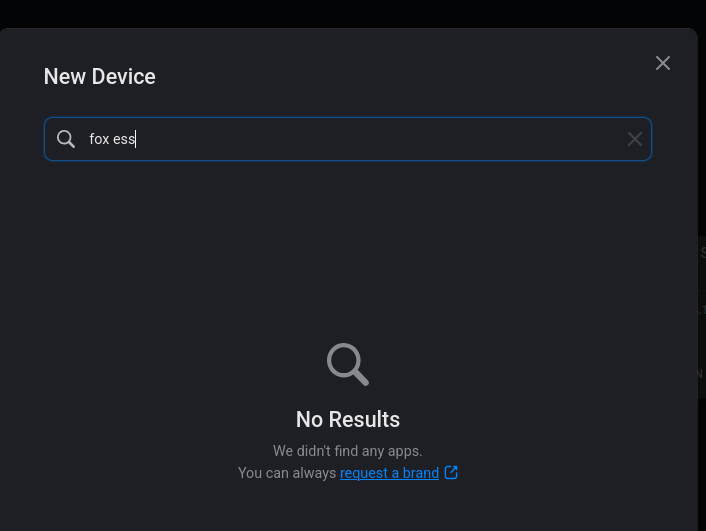
I’m new to Homey, I am wanting to add my solar/battery system to myhomey however I don’t see any app so can someone please offer help/support on what my options are. I use the FoxCloud app on my iphone but is there anything I can use?
I have a Home Pro Mini (New version) with a Bridge for extra devices/features.
Check if your inverter support Modbus; if so, with some additional hardware (documented here) and the Homey Modbus app you may (no guarantees) get it working with Homey.
Hi @Carter you might now be quite happy with the FoxESS>HA>Homey solution, if so, no issues. Just an fyi that i have built a rudimentary Device locally for my FoxESS inverter via the Homey v3 SDK, but this custom app is really only for me to use and i have not published fully to the Homey App store, etc. I can however provide the node.js package to you, so you can use homey cli to install it and update it as you see fit.
The app has settings for API Key and Serial Number, and polling time 1-300 seconds; it pulls data from the foxesscloud.com website, not directly from the inverter fyi. The cloud data is only updated every 5mins also, but that’s fine for me as I’m not using it to drive buying/selling power, just for monitoring and basic flow triggers, all of which is working really well for me so far.
Note that I built this via the FoxESS API home page, and Perplexity and ChatGPT ‘Codex’ tools, so I am not a proper programmer by any stretch of the imagination; however, if I can do it, then anyone can these days basically…Codex is an amazing tool!
Hi, yes I’d love to give it a try. The HA to Homey is ok but I would prefer a “in house” homey option. If you could send me the node.js I’d be grateful.
OK, Have it installed on my Homey Pro just fine. I have added my API and Serial number and can see it working but need to give it sometime to see how it populates etc.
I’ll keep in touch as this is a great start to having FoxESS on Homey and hopfully admin will take note.
EDIT:
@GrayV8 I’ve had it running since install but I’m finding these issues
Battry SoC - last updated 56 years ago
Battery Energy - last updated 56 years ago
Solar Gen. last updated 8 hours ago (time of install)
Home Use: updating fine, showing correct information
Batt. Charging: updating fine, showing correct information
Batt. Discharging: last updated 8 hours ago (time of install)
Grid Feed-in: showing nothing but updated within the last 15 minutes
Grid Use: updating fine, showing correct information
I’ve clicked the ‘Refresh Now’ under the maintenance section but its not fixing the sections not updating. I’ve left the poll intervel at 300 seconds.
Hey @Carter , well at least it is accessing some data etc, that’s a pretty good start. It is odd that some of the fields are not displaying but it’s likely due to differences in the inverter h/w, s/w versions, or whatever.
Either way, you’re probably best to check out the code snippets I mentioned in the other repo I have on GH and use the API call which returns all of the available fields for your particular set up, as the FoxESS API page specifically states that these will differ. Then you can see the name of each field you want to grab and make the custom code changes as necessary.
I’m surprised that SoC doesn’t show but then I did actually have issues with that field; in my python code it had to be named SoC_1 but in the js code it had to be just SoC.
Btw, I think when a given Homey device doesn’t show an updated time for a given data element it can often mean it just happens to be the same value as last time, not that it actually hasn’t updated it. At least, that’s what I think I’ve seen here…
Hey @Carter , have you ever managed to fix it? I am having the same exact issue. Everything is correct except for the Battery SoC and Battery Energy.
@GrayV8 Thanks for creating this app, this is great. I had everything running well in Home Assistant but since I am switching to Homey I was looking for a way to get Fox to work too.
Update: I solved it !
In drivers\foxess_inverter\device.js You need to replace"SoC_1 with Soc. This fixed the issue for me, now it is completely working.
Also changed the battery capacity to 5.12 since I have 2 HV2600 batteries.
Hi @Ward_Van_Beneden great that you solved the issue; yes, I was about to reply to point to the SOC labelling being a little different apparently across different inverters by the looks of things, I’m glad you resolved this yourself. Yes, the advanced settings value contains the size of your batteries, so this must be manually set so that the kwh available is calculated correctly based on the SoC. And yes, my system is AC coupled to a GoodWe solar pv inverter so my PV data is not fed on the value for PV per single inverter DC connected systems, glad you fixed that too.