Hi,
with normal flows I can deactivate a flow if I don’t use it for a time but don’t want to delete it.
But I didn’t found this option for advanced flows. Isn’t it possible to pause/deactivate an advance flow or how can I do it?
thx in advance
Ulf
Hi,
with normal flows I can deactivate a flow if I don’t use it for a time but don’t want to delete it.
But I didn’t found this option for advanced flows. Isn’t it possible to pause/deactivate an advance flow or how can I do it?
thx in advance
Ulf
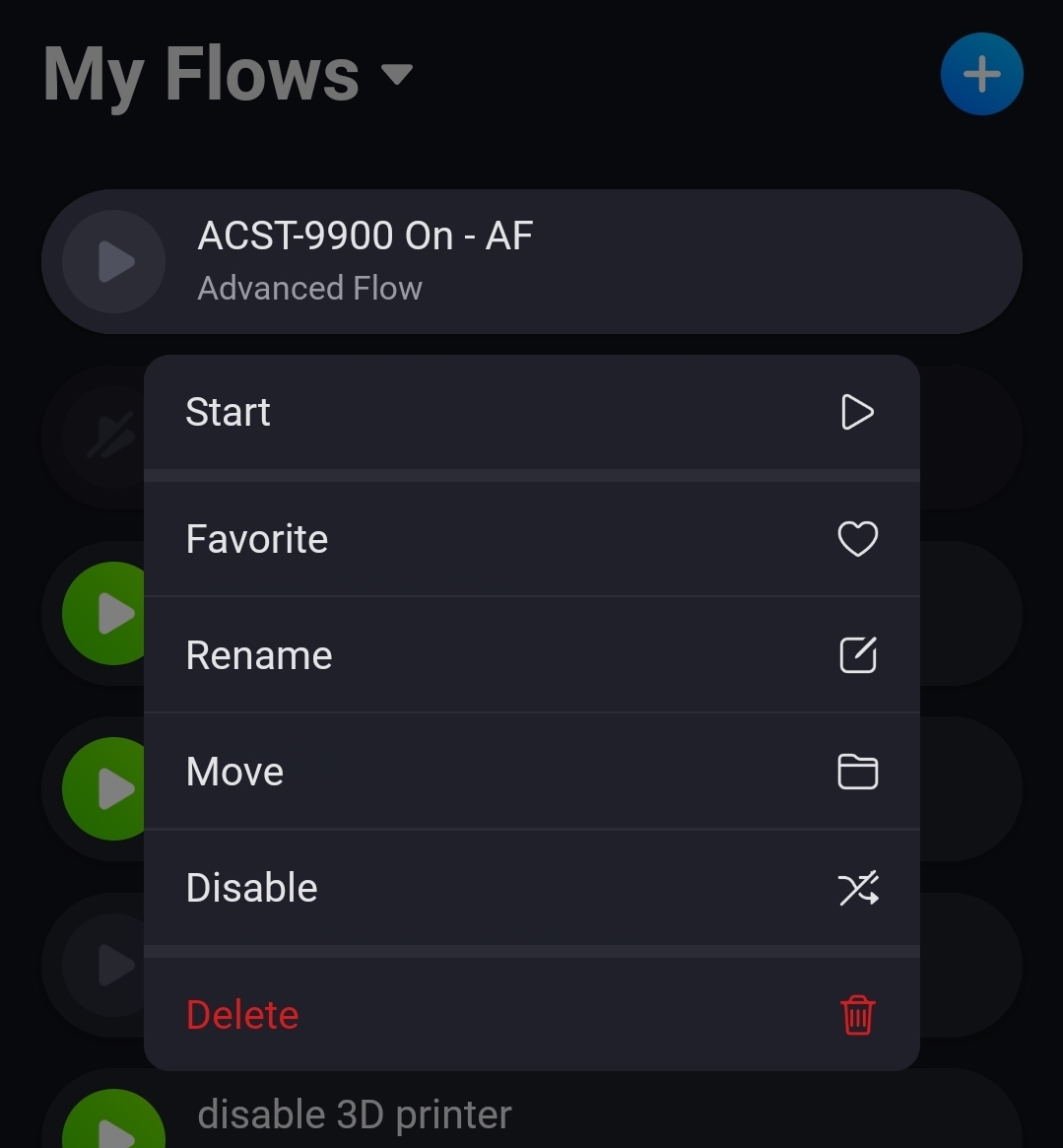
In the mobile app: in the flow tab: tap and hold the advanced flow.
A menu appears: choose disable
great thx.
which means I should only place one flow on a AF canva because I can only pause the complete canva not a single flow.
If you want to pause part of an advanced flow, you could create a YES/NO-variable ‘continue this flow from here on?’
WHEN
(Trigger)
AND
variable ‘continue this flow from here on?’ is YES
THEN
continue flow
To pause the flow simply change variable ‘continue this flow from here on?’ to NO