Hi, I have a simple flow that in defined times stores outside temperature as a variables. Or, it should…
I’m using a Homey’s “Weather/temperature" variable, but the output is still the same number, so it seems that variables didn’t updated in flow.
Am I missing something?
DirkG
November 10, 2025, 6:31pm
2
Did the flow ever work?
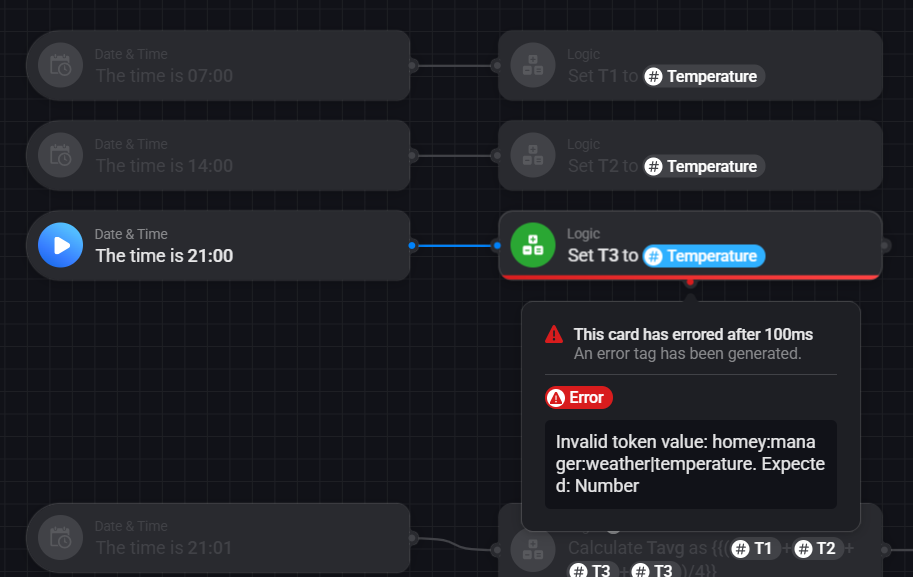
This is the main part of the flow:
But obviously, the values never changed since it was created:
Hm, when I tried to test it now, it shows an error message. It wasn’t there when I built the flow, so probably Weather/Temp variable have some expiration?
Because it seems like a number to me…
Emile
November 10, 2025, 8:17pm
5
That number in the screenshot is an example.
Did you set your Homey’s location correctly? And does the mobile app show the weather correctly?
Yes, location is set correctly and weather in home screen seems to work properly.
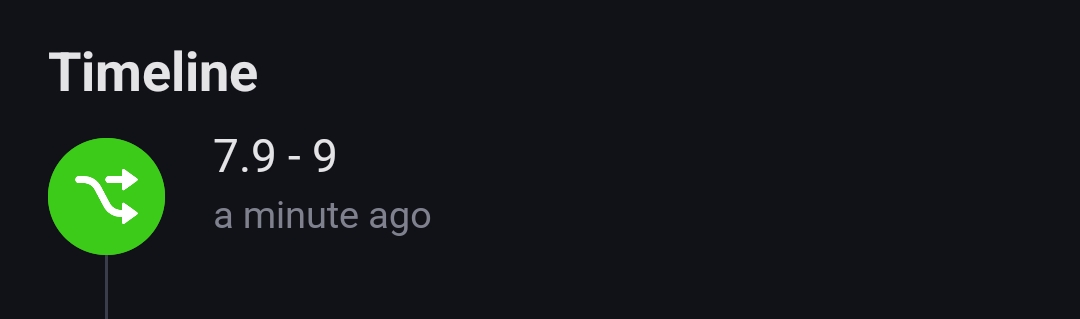
To see what the actual value is, you can add a timeline card, and add the temperature tag to it. Next, test run that card.NaN
Thanks. That looks like a valid number (not text or error).
This should work fine in your original logic flow cards, can you try again?
No…
Value in T3 is not updated even in the notification it is displayed properly. Still error…
Very strange. I tested this simple flow:
Result:
The only thing I can think of: a comma/decimal point issue: what happens when you set T1 to 1,5 or 1.5?
Can you show the definition of the T1, T2 and T3 variables? I expect those to be of type number.
They should be, and a blue tag (from weather temperature) should contain a numeric as well.
Is the T3 variable defined as a numeric type? So not a text or yes/no type?
Yes, all variables are number variables. See the image of T1 in my previous post.
I had the same problem, updating a variabel won’t work. Look like a bug for me. My solution is to write some script what get de id of the variable and write the value into it. The call the script by the flow.
That’s a nice workaround, but I don’t have PRO (yet?), and this is not possible on the bridge.