hello,
I have some Aqara temperature and humidity sensors but i don’t like the response time/report time.
it only report after a change in themperature more then 0.5C ore 1 time a houre
or the humidity the treshold is 6% ore one time a houre
is it posible to change it somewhere in the settings?
ore are there other temperature/humidity sensors with have a shorter report time ore a lower treshold ? i don’t have to be a end device.
Afaik you cannot change anything.
But it’s not all determined by the sensor imho;
Did you test with putting it in the sun, and then putting it in the fridge?
What update frequency and step sizes do you see?
To compare, here’s an Aqara sensor graph, when paired with zigbee2mqtt; all default settings:
(This is not about promoting Aqara, I’m just showing what it is capable of).
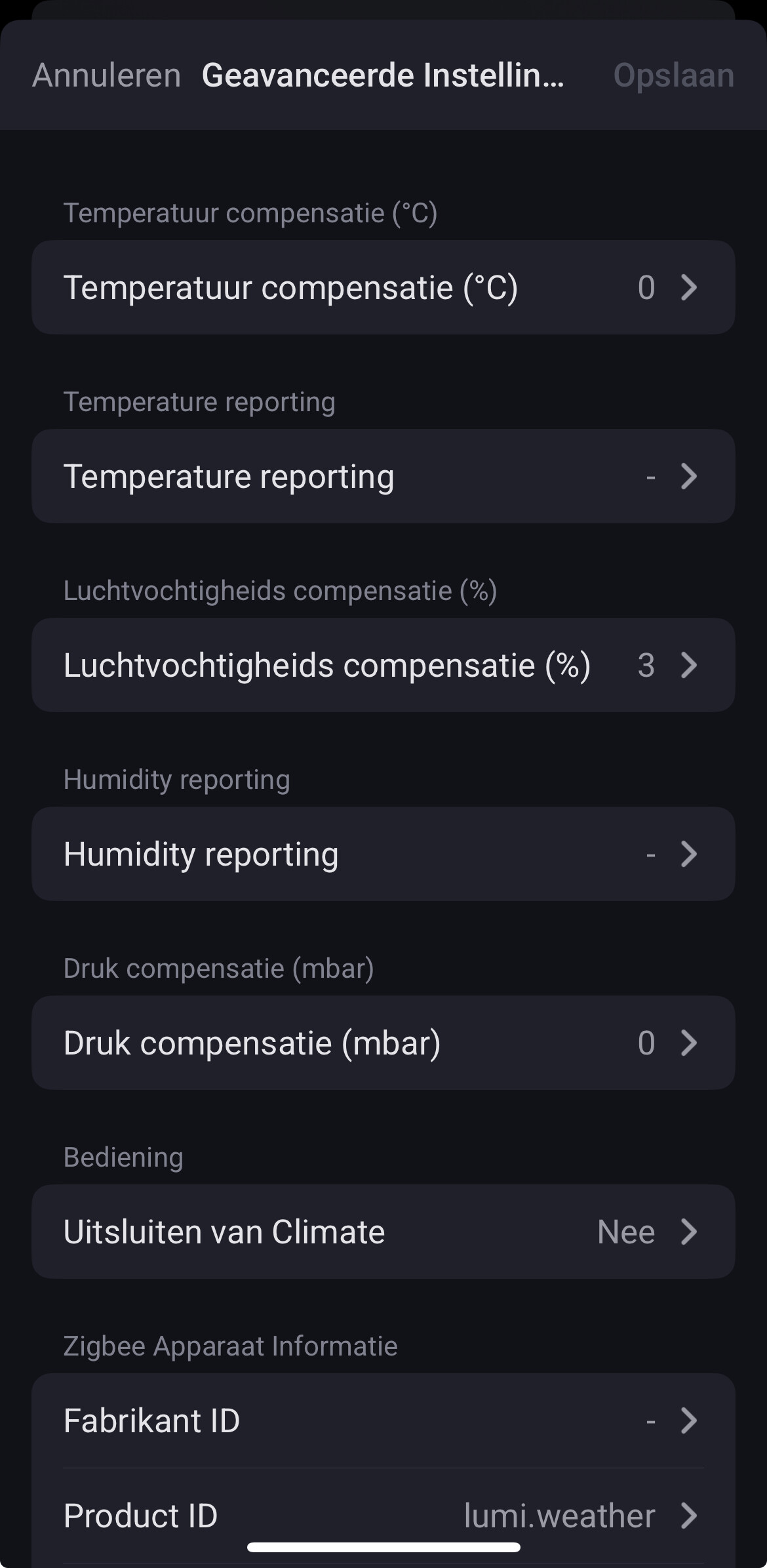
The only settings you can change in Homey are the number of decimals displayed (1 or 2) and an offset. This is the case both for the non-T1 and T1 version of the sensor:
If changes are great enough they are reported within a minute. Below an example of the humidity measurement in a bathroom near a shower:
If you use zigbee2mqtt, you can set the interval on the reporting page. So something like this:
Just remember that the device must be connecting to zigbee/awake if you want to apply the values, so i usually blow in the humidity sensor to trigger it to connect, or maybe press a button on the aquara if it has any.
How do you use zigbee2mqtt?
Can i use ith with a homey pro 2019?
Interesting  . Is this the settings page of an actual Aqara temperature & humidity sensor?
And does it actually change the reporting interval on the Aqara sensor?
On a piece of hardware like Rpi or Synology NAS, or as Home Assistant add-on
.
Yes, with that in place you can use it with Pro 2019 (using it myself), with these Homey apps zigbee2mqtt or Home Assistant community
You’ll notice your zigbee devices respond way quicker, meaning: a motion sensor trigger is received around 1sec quicker, compared to when it is paired with homey’s zigbee.
Yes, here’s one of my Aqara sensors. I never (needed to) change these settings though
Sounds good, looks like i need to change everything again to bring it to zigbee2mqtt.
How do i know if al my device’s are competible with zigbee2mqtt because if i change a few i don’t think the others in my network wil stay working.
ore is it posible so find someone who can change the settings for me and then reinstal them at my current network?
All models that are supported are listed here: Zigbee2MQTT
That does not 100% means it works in Homey though (if it is supported by the z2m homey app), so start with the devices that are ‘rare’ or ‘crucial’.
Not sure if you can let some one else do it, since you need to re-pair it to your zigbee network, I’m not sure the settings will be kept or reset as well.
I found z2m with a zigbee stick much more reliable than Homey’s zigbee stack, but that probably depends on the devices, your house, your expectations, intereference and stuff like that.
If you are going to do that, just remember to fist connected all powered devices as they relay the network, and do the battery powered devices last.
Oh, and an additional advantage is that you can also connect other home assistant software to the z2m and you can also operate it from that software.
Yes you have to start from scratch with zigbee.
.
Additionally @qawsedrf57 : When you run z2m as Home Assistant add-on, you can use the Homey app called Home Assistant community.
This supports “everything”, because you can build custom devices (taking any entity available in H.A.)
Here’s some info on how to start with Home Assistant.
Amongst many other things, this “other” smart home hub comes in handy when you have (new) devices Homey doesn’t support (yet). These then can be added to Homey as device in order to use those with Homey.
It also takes uncertified Matter devices, which broadens the usable device range.
i appreciate the thinking of you @Peter_Kawa @Faceless but for me that is a level to high to do right now. i mean the everyting outside homey, i try to learn step by step and not everything at once.
i wil first check(online if i can find it) if al my sensors a working with zigbee2mqtt app from homey directly(if jes) then i buy a stick to set it up.
if not, i don’t know yet i gueas u need to do more research before i can anser that.
It’s a total waste of your time.
I had the same issue with the Switchbot sensors. Terrible reporting times.
Just wait for the IKEA Timmerflotte to be released, which is Matter-over-thread and doesn’t require a Dirigera hub to work.
I suggest you post in the official topic for this app (or look at the apps page on the homey site to see what’s the developers preferred method to report issues)
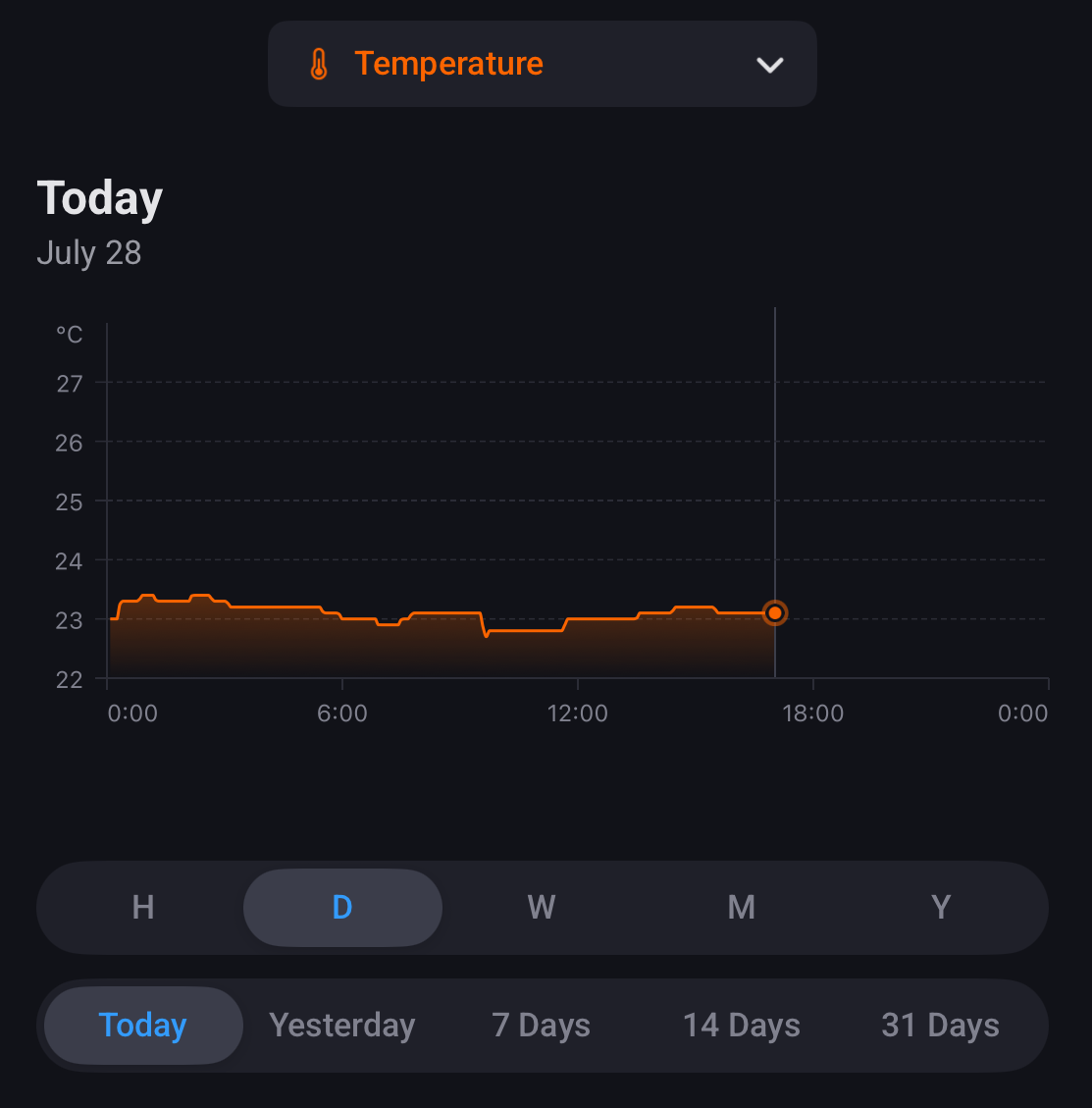
The senser is definitely capable of reporting in 0.1 increments and is capable of reporting every 5 minutes.
This sensor report every 0.1 change, even in a very short time span, look at just before 12:00, at 11:35 it’s 22.8, at 11:40 it’s 22.9 and at 11:45 it’s 23 degrees. I have quite a few of these sensors and all report like this one.
hello,
thans for youre respond.
Do you have the T1 version ore the old version?
i compaird them the last few days and i look’s like the t1 version is a lot slower to report. and then especialy with the humidity.
thanks for the suggestion for the official topic, i fount that one yesterday and already made a post there as wel.
not for this problem but for a connecting problem with t1 sensors to a homey pro 2019.
for this problem i learnt from this topic that i should accept the report time like it is the way it is ore i need to run on zigbee2MQTT so i can adjust stuf to my liking.
i also found on the aqara site that is say
‘‘If the temperature humidity and atmospheric pressure varies a bit only, data will be reported once an hour.
If the temperature variation exceeds 0.5℃ (32.9℉), the humidity variation exceeds 6% and the atmospheric pressure is no less than 25Pa, data will be reported instantly.’’
in my experience so far half of that is tru. in my case it only report if it exeed 0.5C ore 6% hum. if i look in the graph there is not every houre a smal adjustment.
the green line is the old type of sensor
the red line is the T1 version.
for compereson they are 5cm apart both with the airintake hole down.
but maybe this behavior is part of the connecting problem i don’t know yet.
I must say I’m not aware of an older and newer version, but I bought these when I received my Homey. That must have been early 2016 so I guess my temperature and humidity sensors will be the old one.