If the Tuya app on Homey only finds your devices when selecting the Other Devices section, then indeed they are not supported out-of-the-box. However then you can use RAW command to control them (as indicated in the first post). To control the device via buttons you could add a virtual device:
Of course, this requires some effort and is is just a work around for out-of-the-box support. The latter you can request based on the details included in the device tiles after adding your devices to the Other Devices section.
Yes, it’s possible. You will need to move your devices from the LSC Smart Connect mobile app to the Smart Life mobile app. You can follow the tutorial here:
When using the official Tuya app for my LSC Glass Panel Heater 2000W on Homey Pro 2023, the tile in Homey only shows the (set) temperature and does not indicate when the heater is actively heating.
The community Tuya app shows an orange “heating” state on the tile when the device is actually heating, but the official app never changes the icon or color to reflect this state.
I would really like the official app to expose and visualize the heating state in a similar way (for example an orange icon or separate capability), so it is clear when the heater is really heating.
Homey Pro 2023 – Tuya app version 1.1.1
App diagnostics report ID: 99481f60-a191-4fed-8d67-c42e869362ab
You can see the difference in the attached screenshots: the left tile (community app) shows the orange heating mode, while the right tile (official app) does not.
added all my devices perfectly, but the flow options mentioned on the app page (for example alarm on/off with smoke detector or setting humidity level with humidifier) are no options. I can only set code.
Am I doing something wrong or are flows just not integrated yet?
"Thanks a lot, it works perfectly! However, the power consumption reading is way off. According to this, my Christmas bulb is more expensive to run than my entire house!"
It seems that version 1.1.2 broke stuff for me. It installed automatically a couple of hours ago and since then my devices are all unreachable.
Here is the diagnostics report id: 41462dc5-9ed4-482f-b94d-13065b350ec8
Edit: Reinstalling the app worked for me.
Another issue I am having, for my swimming pool heat pump, I think the wrong value is used for it’s current temperature. Currently it mentions that the temperature is -22 degrees celsius. It’s cold at the moment, but not that cold.
Tried adopting LED bulbs that have been working in Smart Life. Everything seemed to go according to instructions. However, the bulbs did not show up in their respective category when adopting from the Smart Life app. They did show up under “Other” and adopted into Homey. However, when selecting any of them, the device says something like “all is good but you cannot control the device”. I tried deleting the devices, deleting and reinstalling the app and the same scenario takes place again. I did email support but have not received a reply as of yet. Thought I would see if someone has a simple answer. Thank you
I had the same problem with one of my plugs. You can fix this by setting the energy measurement scale in the device settings. You may have to dig around in the device specification (also in the settings) to find the correct value.
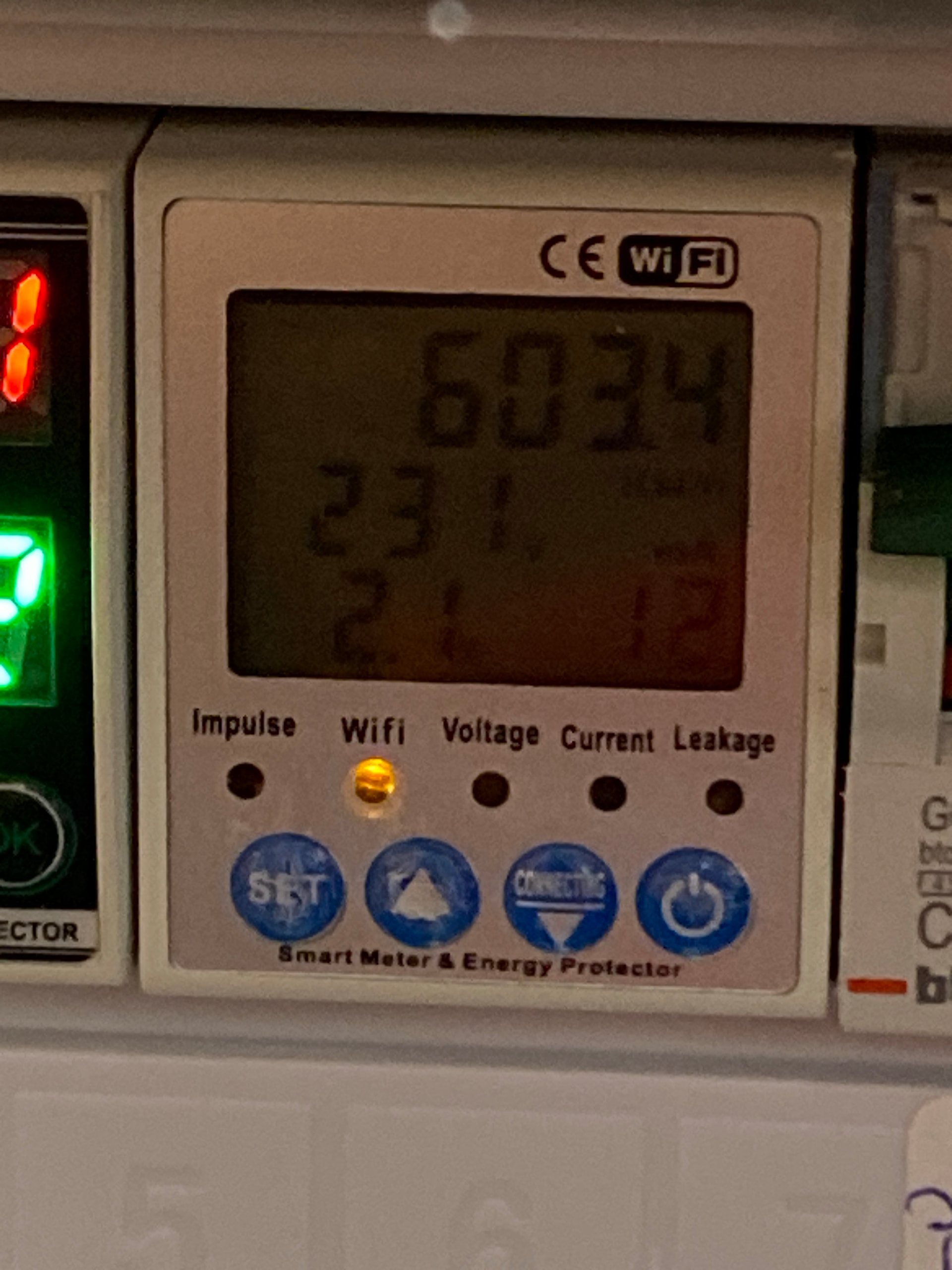
Some time ago, I reached out regarding the compatibility of the Tuya energy meter (please find the attached photo for reference). I was reassured that support would eventually be added, and since then, I’ve been checking each app update with hopeful anticipation, looking forward to seeing my device included.
I have already shared all the necessary details via email, and I truly appreciate the support you’ve provided so far. I really hope that the amazing Drenso team might make this small dream come true in the near future—perhaps as a gift for the New Year!
Thank you again for your great work and dedication.
Thank you for the reply. I did refer to that FAQ but I thought LED bulbs would have been the first thing completed as devices in this app. I am very grateful that someone has tackled the TUYA issue but I don’t have the knowledge, time or patience to go through the steps described in the FAQ. The developer has since responded to my request and is working on a solution (as soon as I get them the info needed). I posted here just in case someone had a quicker solution or could direct me if I was doing something wrong. Thank you again!
A quick tip from someone who used this excellent app for the first time yesterday.
To add new devices to the Homey’s Tuya app, it’s easier if you have two devices - maybe a phone and a tablet. One device should be open in Homey’s Add Device dialogue, the other should have the Tuya or SmartLife app open, following the instructions from the Homey Add Device dialogue.
Then, when it’s time to scan the QR code, one device scans it on the other device.
Thanks for creating the app, last year i made sure that i eliminated al my tuya device because of not having a good working app. but now i regret it having knowledge of this app.
last week i bought a tank level monitor which is tuya based. i have it connected to homey but i don’t get the % level, what can i do wrong?
can i send aditional information the help get it working?
Good news! Is it possible to give the old apps different names? Now it have 4 Tuya apps, two with the same icon and name. Maybe ‘Tuya 2026, Tuya 2024 etc’ of Tuya Zigbee, ‘Tuya Wifi etc’. See img