I have immediately deinstalled the not working Homey version and left the HA version (which is actually just a mirror of the one running in HA) in place. So, no extra calls there. In HA the calls are already minimized to a max of 1450 a day, that’s done in the setup of the HA integration. So, no harm done.
Everything looks ok, the only thing that is different is the fact that you don’t have a boiler serial, but that is not used by the program, only for display purposes.
Someone earlier on posted this:
Could you try if this maybe helps in your situation? If it is the case, I’ll add it to some docs, but I don’t have a clue where it comes from.
v0.6.2 is available now for test (and soon in the regular app store as stable too)
This will fix:
- % sign for the modulation
- icon for the eco mode
- gas meter names
I suspect that you are still using the (deprecated) device-specific drivers. Because for those I forgot to update the names for the gas meters. Could you try switching to the generic ones? I would like to remove the deprecated ones by v1.0.0.
Hello Kenny,
I try the v0.6.1 and I can connect to my boiler !
I was checking from a long time for a Viessmann app in the store and … you did it.
Thank a lot.
Mewen
French user 
Let me know if I can help with translations to swedish because the words are actually strange translated in the ViCare app.
For example Day and Night (which is easy to understand) is “Normal” and “Reduced” in swedish so initialt it might take some time for new user to understand what temperature is what. I can translate it so it matched the ViCare app.
For the translations, I’ll get back to you all about it. I want to make some parts more generic that it is easier to perform the translations.
You probably already have an interface you like to use to manage translations.
If you don’t, you can maybe have a look at:

Sadly I cannot test, it seems something was earlier today off with the Viessmann API at my side, and now pairing does not work for me due to a gateway timeout on the Viessmann API.
Also in the app crash reports I regularly get Gateway Timeout from people. I suspect there is something wrong with the Viessmann servers currently.

I have the impression it is the auth api that gives time-outs.
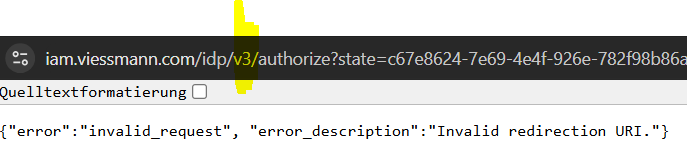
Which is you redirection url?
sorry, what do you mean by “redirection url” ?
The IObroker gets the data here:
https://api.viessmann.com/iot/v1/features/installations/22###28/gateways/772#####921
update: I’ll come back tomorrow. 
A new version available on the test portal: v0.7.0
This release performs a number of changes:
- The UI is updated accordingly when flows trigger changes now.
- Support for Vitovalor (Fuelcell) devices. Be aware that you can only use this if you have an Advanced package from Viessmann (this package is not free). If you use the basic package, the Vitovalor device will work, but with limited possibilities.
- An internal refactoring to make it easier for me to add more devices.
Install possible using: Viessmann App for Homey | Homey
I’ll submit it later today for approval and publication to stable.
0.7.0 or 0.7.1 ?

Hello,
sorry, I’m being a bit stupid.
Do I have to set something in the browser (ad blocker is deactivated)
I’ve had a client with Viessmann for a long time.
At the moment I’m using it for the IOBroker, and I get data from Viessmann every 15 minutes.
when I go to test at the bottom right:

then it doesn’t go any further


this is what it looks like at iobroker:

(Vitodens 333-F B3TG-19 1,9-19kW - v0.7.1)
Hey,
In the Viessmann Developer Portal, under the client, you should specify the correct redirect Uri.
Refer to the getting started guide for the correct redirect Uri. Getting Started · Wiki · Functor Solutions / Homey / Viessmann · GitLab
Groetjes
hello yes thanks, now I understand - I’m getting old, sorry. 


If you don’t mind a few comments:
The number of accesses to the API is 1450 (including accesses from the app on the phone).
I’m already reaching the limit.
It would be nice to be able to configure the API loads myself.
e.g. every 3-5 minutes would be enough for me - at the moment it’s set to 1 minute (?)
It would be nice to get statistics for all 14 values.
(I currently have 10 out of 14 values)


You’re on the right track - that’s great
Same here!
Also: Burner hours and Burner starts would indeed be nice to have as a statistic.
And: It would be nice to have the ECO / Comfort status as a trigger in a hopefully not so distant future. This would simplify a lot of my automations.
And: In Actions, ECO / Comfort status can only be activated; they cannot be deactivated?

Having the Comfort Temperature Setpoint as a trigger would also make sense.
This would allow to push a set temperature from the Viessmann thermostat to secondary devices. Thus positivily influencing the WAF. Today, I push the temperature set on a virtual device to all secundary devices. Needless to say the wife is not happy about this 

@KennyMoens : Wouldn’t it be time to have a donation-button? I’m really happy with the app and the progress you are making !! 
