@David_K as far as i know not possible
@martijnpoppen, I tried that but it keeps loosing it’s stream, and it’s not comming back unless I restart the Surveillance app.

it’s empty again. After restarting the app ,it’s back.
When trying to take a snapshot :

@JerryZ the live stream and the snapshot are 2 different things
For the live stream you have to be connected to the same network as your symbology. So 5G on your phone won’t show the stream
For the snapshots not sure please send a diagnostic report
received the following code : 87827576-691d-40a3-9af6-a813cee401d3
@JerryZ will check
Please keep this topic in English
@JerryZ there’s no error everything looks good
Please share your flow

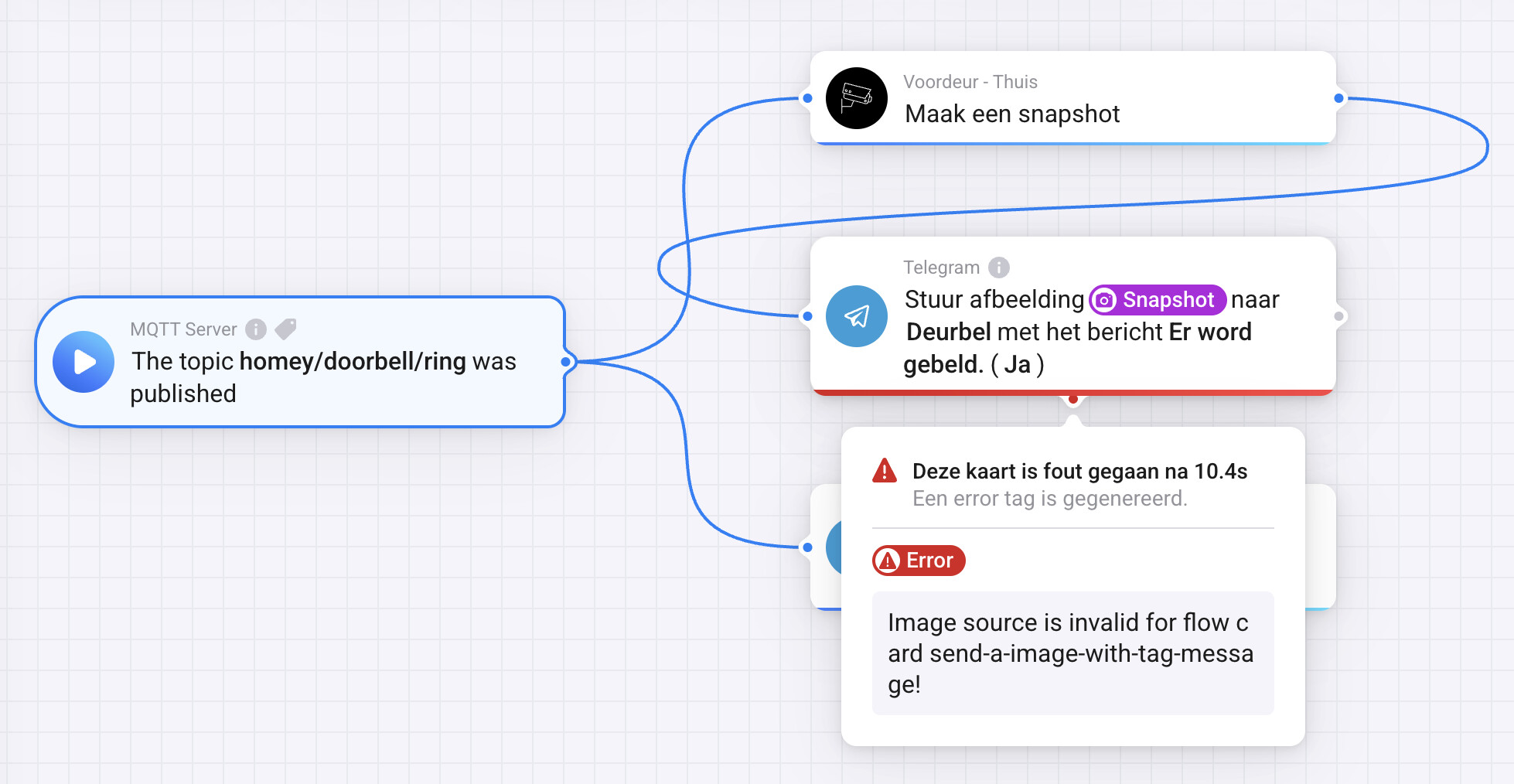

@JerryZ can you check FAQ Q3 and make sure this is setup correct? [APP][Pro] Synology Surveillance Station 2 - #4 by martijnpoppen
@martijnpoppen , it seems to me the user “homey” has admin rights.
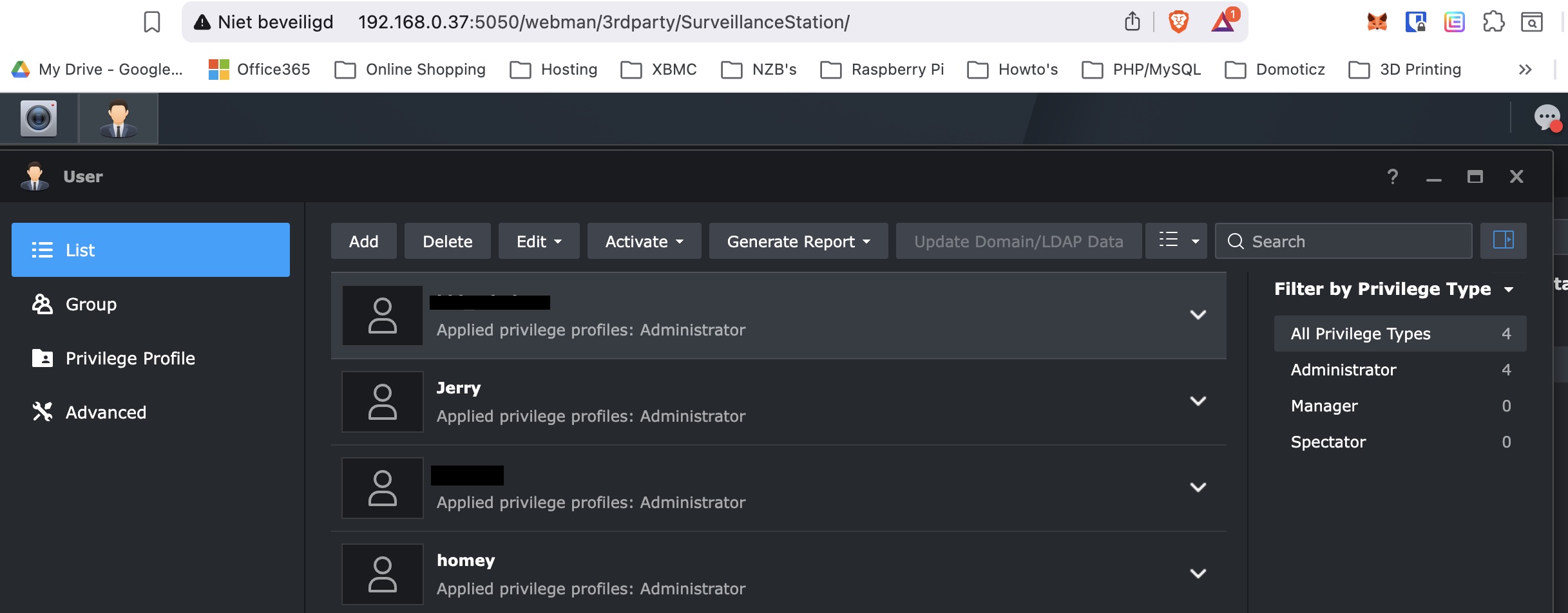
@JerryZ in that case I have no clue why snapshots are not working. Everything looks normal as far as i can see. So really hard to troubleshoot
@martijnpoppen no worries, I will keep trying and let you know once I have succes.
Thanks for taking the time to look into it.
Merry Christmas
Hi everyone, and happy holidays.
I have a question: I recently upgraded from a DS412+ to a DS925+, which is quite an improvement.
I re‑established the connection by adding the new NAS with both cameras, and initially everything worked perfectly — snapshots and live views appeared normally as widgets.
However, after adjusting some user groups, I kept a dedicated 2FA user for Homey with a working code and administrator rights in Synology Surveillance Station.
The camera is of course available in the Synology app and works there without issues.
Triggers are still being generated, but…
In synology:

in homey:

However, the widget still shows that the camera is not available.

Am I missing something or overlooking a detail?
I’ve added it both locally using the internal IP address and externally using the external IP address.
Optionally, here’s a link to the error code: 0ac33a6a-f1ac-44b2-982b-69018da7e2eb
@Patrick_85 this is a English topic please edit your post
done thanks for the headsup
So tell me what changed, I’ve updated and restarted the Homey app several times, and now it suddenly works. Could there have been some delay?
@Patrick_85 that would have been mine advice as well 
It activates RTSP on start of the app
Haha okay, normally I like to understand the reasoning behind this ‘default’, but for now I’m just happy that it works.

@Most already tried a restart?
