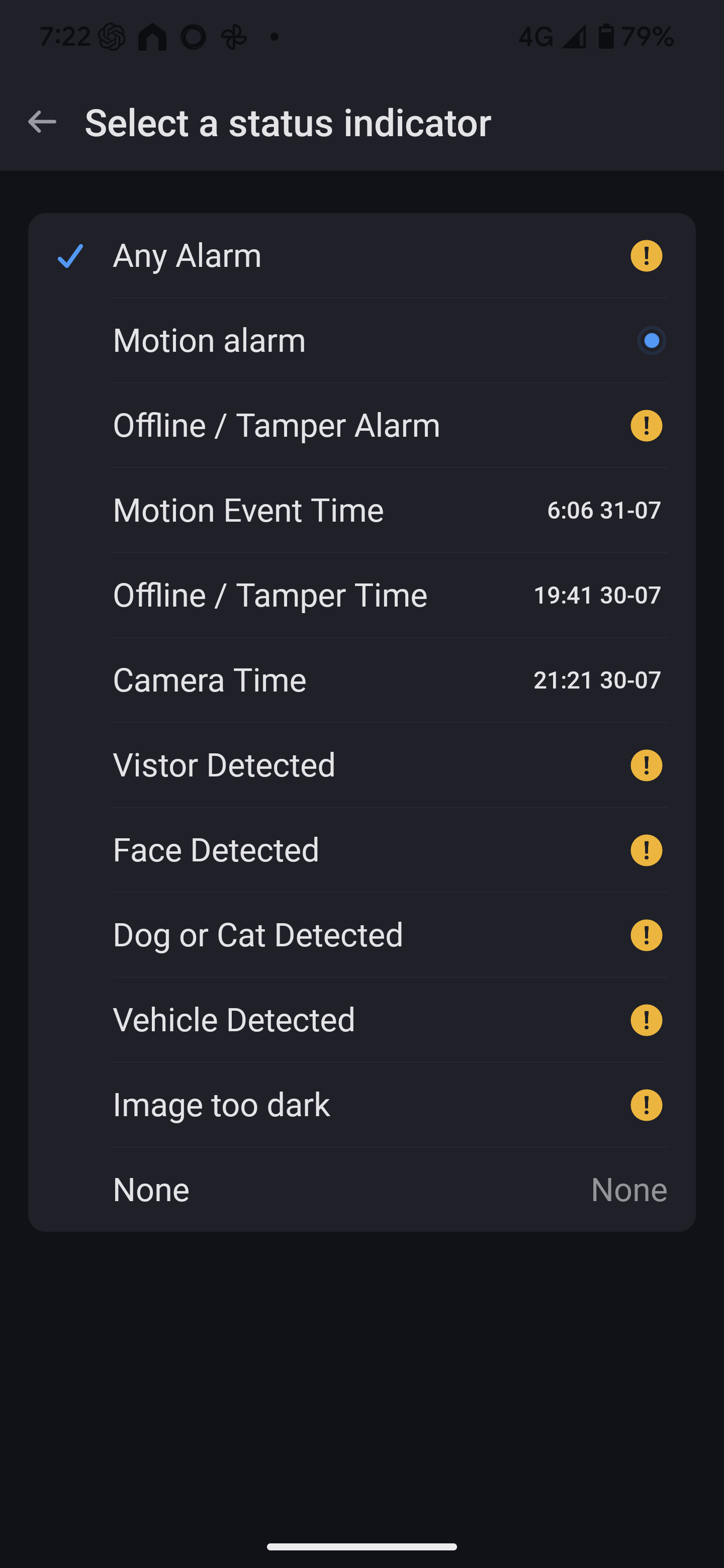
So, the log shows the ‘Front Center’ camera has picked up the motion and updated the snapshot. Make sure the notification is set to (IsInside):

Also, make sure you have selected the Motion Event image to view:
Hi Adrian, it looks like the snapshot image updates when im external, when on wifi it shpws an old image.
And motion is working on one camera but not the others.
Ideally i would love to get the line crossing working as the field of view for the camera is very big and i don’t want the light coming on every car that drives past.
Hi @Adrian_Rockall hope you have great days off. Did you have the chance to review the logs about the missing card? Let me know if there is something I can do from my side.
Thank you!
I have the same problem, everything is working only the PTZ on my Reolink NVR System is not working.
Hi, I experience the same problem. The card “A Person Detected Alarm” disappear after a day or two. And then I can’t get it back. I use the Reolink NVR with 5 camera’s and a doorbell. The camera’s are P334.
I have the same issue where “Person Detected Alarm“ card has disappeared all of sudden. Hope will find the resolution soon. This is the key card for my security automation  .
.
I have checked the code and the person detected capability is only removed when the app starts or a device is added. It does that by checking the reported capabilities and removing items that are not reported. So I am struggling to find a reason why it would dissappear after a period of time.
Here’s a more polished and professional version of your message that still keeps your conversational tone intact:
Hi Adrian,
Thanks for the quick response. I believe I did restart the ONVIF app earlier. Just now, I rebooted the NVR, and the Person Detected card is now available on 2 out of 6 cameras.
I’m just wondering—if there’s no person activity on some cameras (which is often the case for mine that are positioned in a quiet gully), and the ONVIF app is restarted, would that cause the Person Detected card to disappear from those cameras?
Also, do you know why that condition exists in the code? Is it possible to remove or bypass it? I’m not very technical, but I’m trying to understand the logic behind it.
Lastly, to get the cards working for the other cameras, do I need to physically trigger a detection event (e.g., walk in front of the camera) and then restart the app?
Appreciate your help!
Thanks,
The cameras should provide a list of capabilities, such as person detected, line crossing, etc. When a camera is added, the app fetches that list and if one of the built-in capabilities is not supported, it’s removed to try and reduce the number of unsupported items. My HikVision camera has reliably reported the features every time, so my person detected capability has always remained available.
No, I haven’t. We waiting, maybee Adrian_Rockall can solve the problem.
Hi Adrian, it’s strange because my cam’s supports Person detection. It worked for two days without any problem and the person detected alarm cards are gone. Moreover there are cards that my camera’s not support and they stay. Strange isn’t it?
The ones that stay are older and are never reported, so are there just in case.
It’s strange why some are disappearing after a few days though.
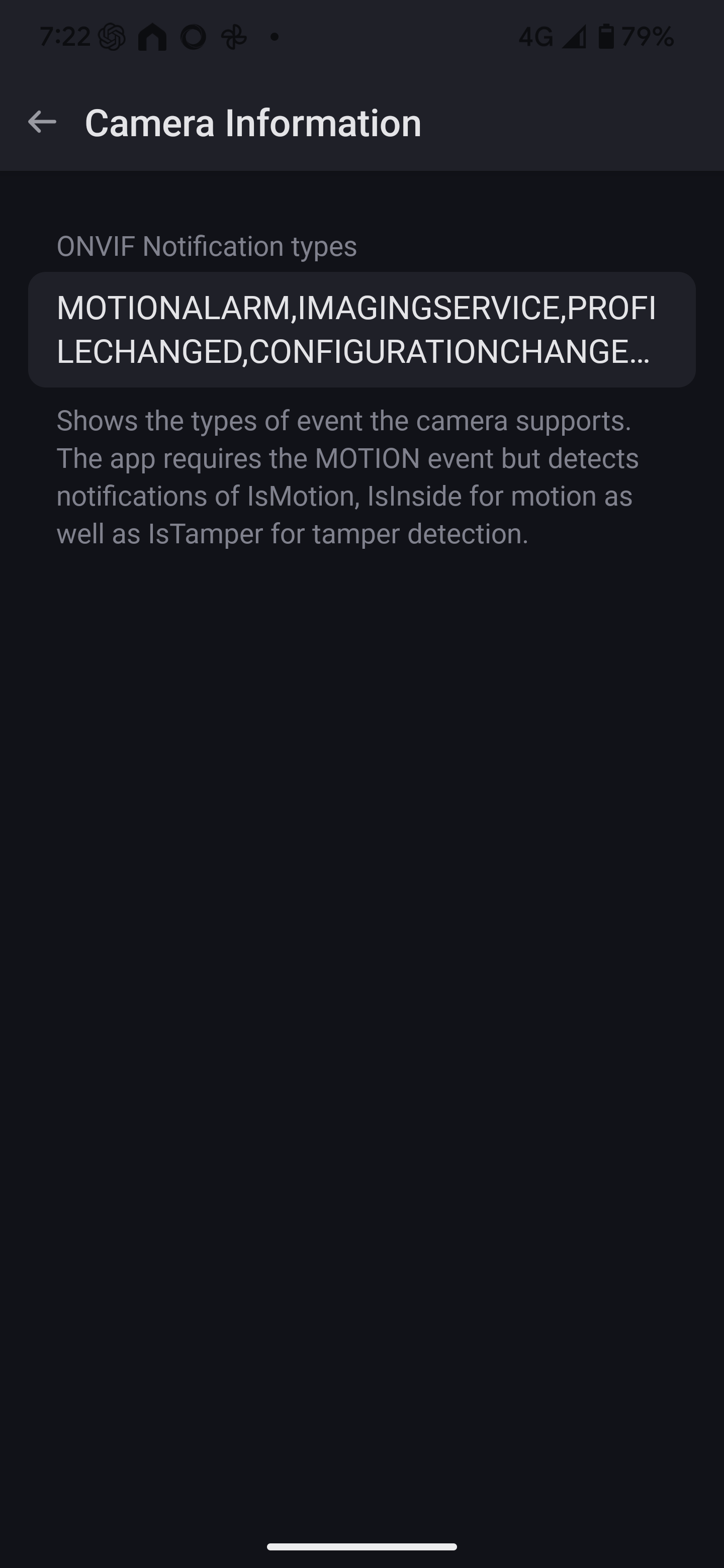
Could one of you that has the missing Person detection look in the device settings and let me know what the “ONVIF Notification types” box contains, preferably when the capability is there and when it’s not? That is the information the app uses to determine which capabilities to show.
Also could you confirm if the capability disappears from the device or if it is just the Flow card?
Hi, just a quick update, I removed all the cameras from the onvif app and uninstalled the app as well.
Reinstalled the app, added the cameras back and now person detection card is available on all the cameras.
Just wondering what was the cause and how can I prevent this in future. Also can I restart the app if camera losses connection?
Hmm, it seems the mobile app truncated the list so could you try the web app?
Apologies Adrian, I didn’t understand what exactly you want me to try?
IF you use a web browser on a computer and go to https://my.homey.app/ and log in to your account, then right click on the camera and select settings. Then you can scroll down to the ONVIF notification types and see the full list.
Please copy and paste that list in the reply.
MOTIONALARM,IMAGINGSERVICE,HARDDISKFULL,HARDDISKERROR,STORAGEFAILURE,MOTION,CROSSED,OBJECTSINSIDE,TAMPER,PROFILE,VIDEOENCODERCONFIGURATION,MEDIASERVICE,AUDIOENCODERCONFIGURATION,MEDIASERVICE,MEDIASERVICE,METADATACONFIGURATION,PTZCONFIGURATION,VIDEOANALYTICSCONFIGURATION,JOBSTATE,RECORDINGJOBCONFIGURATION,RECORDINGCONFIGURATION,TRACKCONFIGURATION,PROCESSORUSAGE,LASTRESET,LASTREBOOT,LASTCLOCKSYNCHRONIZATION,PROFILECHANGED,CONFIGURATIONCHANGED
I did the reinstall to, but after a while the Person Detected Alarm card disappear again. 
Hi Adrian, I restarted the app and the Person Detected Alarm is now availeble. This is my notification type.
MOTIONALARM,IMAGINGSERVICE,PROFILECHANGED,CONFIGURATIONCHANGED,MOTION