Yes, when the TV was on (via SPDIF), the Sonos app displayed a “No Content” status after the notification. When I then use the “Set Source to TV” card, I can hear the TV sound again.
See the output below. It doesn’t seem to have any formatting, so I collapsed it to prevent making this post less readable.
Output
1 0 LastChange string Mute boolean Volume ui2 0 100 1 A_ARG_TYPE_LeftVolume ui2 0 100 1 A_ARG_TYPE_RightVolume ui2 0 100 1 VolumeDB i2 Bass i2 -10 10 1 Treble i2 -10 10 1 EQValue i2 A_ARG_TYPE_EQType string Loudness boolean SupportsOutputFixed boolean OutputFixed boolean HeadphoneConnected boolean A_ARG_TYPE_Channel string Master LF RF A_ARG_TYPE_MuteChannel string Master LF RF A_ARG_TYPE_InstanceID ui4 A_ARG_TYPE_VolumeAdjustment i4 A_ARG_TYPE_RampType string SLEEP_TIMER_RAMP_TYPE ALARM_RAMP_TYPE AUTOPLAY_RAMP_TYPE A_ARG_TYPE_RampTimeSeconds ui4 A_ARG_TYPE_ResetVolumeAfter boolean A_ARG_TYPE_ProgramURI string A_ARG_TYPE_ChannelMap string AudioDelay string AudioDelayLeftRear string AudioDelayRightRear string DialogLevel string SupportsMaxDialogLevel boolean SpeechEnhanceEnabled boolean SpeakerSize ui4 SubCrossover string SubEnabled boolean SubGain string SubPolarity string SurroundLevel string MusicSurroundLevel string NightMode boolean SurroundEnabled boolean SurroundMode string PresetNameList string RoomCalibrationID string RoomCalibrationCoefficients string RoomCalibrationCalibrationMode string RoomCalibrationEnabled boolean RoomCalibrationAvailable boolean GetMute InstanceID in A_ARG_TYPE_InstanceID Channel in A_ARG_TYPE_MuteChannel CurrentMute out Mute SetMute InstanceID in A_ARG_TYPE_InstanceID Channel in A_ARG_TYPE_MuteChannel DesiredMute in Mute ResetBasicEQ InstanceID in A_ARG_TYPE_InstanceID Bass out Bass Treble out Treble Loudness out Loudness LeftVolume out A_ARG_TYPE_LeftVolume RightVolume out A_ARG_TYPE_RightVolume ResetExtEQ InstanceID in A_ARG_TYPE_InstanceID EQType in A_ARG_TYPE_EQType GetVolume InstanceID in A_ARG_TYPE_InstanceID Channel in A_ARG_TYPE_Channel CurrentVolume out Volume SetVolume InstanceID in A_ARG_TYPE_InstanceID Channel in A_ARG_TYPE_Channel DesiredVolume in Volume SetRelativeVolume InstanceID in A_ARG_TYPE_InstanceID Channel in A_ARG_TYPE_Channel Adjustment in A_ARG_TYPE_VolumeAdjustment NewVolume out Volume GetVolumeDB InstanceID in A_ARG_TYPE_InstanceID Channel in A_ARG_TYPE_Channel CurrentVolume out VolumeDB SetVolumeDB InstanceID in A_ARG_TYPE_InstanceID Channel in A_ARG_TYPE_Channel DesiredVolume in VolumeDB GetVolumeDBRange InstanceID in A_ARG_TYPE_InstanceID Channel in A_ARG_TYPE_Channel MinValue out VolumeDB MaxValue out VolumeDB GetBass InstanceID in A_ARG_TYPE_InstanceID CurrentBass out Bass SetBass InstanceID in A_ARG_TYPE_InstanceID DesiredBass in Bass GetTreble InstanceID in A_ARG_TYPE_InstanceID CurrentTreble out Treble SetTreble InstanceID in A_ARG_TYPE_InstanceID DesiredTreble in Treble GetEQ InstanceID in A_ARG_TYPE_InstanceID EQType in A_ARG_TYPE_EQType CurrentValue out EQValue SetEQ InstanceID in A_ARG_TYPE_InstanceID EQType in A_ARG_TYPE_EQType DesiredValue in EQValue GetLoudness InstanceID in A_ARG_TYPE_InstanceID Channel in A_ARG_TYPE_Channel CurrentLoudness out Loudness SetLoudness InstanceID in A_ARG_TYPE_InstanceID Channel in A_ARG_TYPE_Channel DesiredLoudness in Loudness GetSupportsOutputFixed InstanceID in A_ARG_TYPE_InstanceID CurrentSupportsFixed out SupportsOutputFixed GetOutputFixed InstanceID in A_ARG_TYPE_InstanceID CurrentFixed out OutputFixed SetOutputFixed InstanceID in A_ARG_TYPE_InstanceID DesiredFixed in OutputFixed GetHeadphoneConnected InstanceID in A_ARG_TYPE_InstanceID CurrentHeadphoneConnected out HeadphoneConnected RampToVolume InstanceID in A_ARG_TYPE_InstanceID Channel in A_ARG_TYPE_Channel RampType in A_ARG_TYPE_RampType DesiredVolume in Volume ResetVolumeAfter in A_ARG_TYPE_ResetVolumeAfter ProgramURI in A_ARG_TYPE_ProgramURI RampTime out A_ARG_TYPE_RampTimeSeconds RestoreVolumePriorToRamp InstanceID in A_ARG_TYPE_InstanceID Channel in A_ARG_TYPE_Channel SetChannelMap InstanceID in A_ARG_TYPE_InstanceID ChannelMap in A_ARG_TYPE_ChannelMap GetRoomCalibrationStatus InstanceID in A_ARG_TYPE_InstanceID RoomCalibrationEnabled out RoomCalibrationEnabled RoomCalibrationAvailable out RoomCalibrationAvailable SetRoomCalibrationStatus InstanceID in A_ARG_TYPE_InstanceID RoomCalibrationEnabled in RoomCalibrationEnabled
Can you try with v1.3.1?
Super and thank you so much for the hard work! 
Just one question; you implemented Play sound at volume flow card, but with the official Sonos app it then pops up with a bunch of sounds you can choose from (Like Alarm 1, Notification 1,2 and so on), where do they get those sounds from? Or is that included in the plugin? Would be great to have those.

Yes I want to implement that feature. I’m not sure where they are located. If I can get a hold of the files it’s pretty easy to integrate.
Edit: Found them!
Edit2: Added the sounds in V1.4.0 now available in test
Amazing job 
Do you ever sleep? 
You rock!
It is not possible to select a group coordinator in the group card. The field remains empty even if you enter the correct name of another player. I have to mention that I use only S1 Sonos devices.
Hey @xiutit !
You’ve made may day, week, month and possibly even year with this app!
I am combining the Homey integration with the Home Assistant integration and have a lot of Sonos speakers running very specific flows. I see you’re very open to feedback so if you’ll allow me to spam you I’d like to list the stuff I’m seeing when trying to completely eliminate the older Homey integration + the Home Assistant integration and start using this app exclusively (no pressure  ).
).
-
Grouped speakers play/pause behavior
When all my (10) speakers are grouped, playing/pausing the group from outside Homey (pressing pause on any speaker in the group for example) only causes the “head” node (so only one of the 10 speakers) to stop in Homey. In practice this means the entire group can be playing and, when I pause the group, only one device stops (and the rest keeps playing in Homey, even though they are also paused now). In addition to that, when I try to press play/pause from a grouped speaker (that is not the main node) I get this error:
-
Sonos Roam 2 missing stuff
The older Homey integration shows battery level for the Roam 2:The Roam 2 seems to have it’s icon missing when added:
-
Status light
When sleeping I turn off the status lights of the Sonos bedroom speakers. This is possible using the Home Assistant integration: -
Audio input format for soundbars
Also available in the Home Assistant integration is the specific audio input format coming from the TV:
I use this to toggle speech enhancement on/off and trigger a notification about this on my TV’s:
-
Grouping/ungrouping speakers from Homey
I know you can do this trough flows but the Home Assistant integration also provides this trough a button. There is an (admittedly obscure) use case for it where you for example want to “pause” the music in a specific room but don’t want to pause the entire group (on the speaker itself this is “holding” the pause button), could be a fun extra to allow grouping from the interface aswel:
-
Manual speaker adding
When adding speakers manually it seems you can add “nonsensical” speakers as well. I have for example two Sonos Ones grouped with a Sub Mini in one zone, and if you add the Sub Mini IP adres it adds only the Sub Mini as a speaker, but I would expect it to add the entire “zone” (One+One+Sub)?


That’s all I got (for now  ), I’d love to hear you feedback.
Let me know if you want me to help test some stuff.
And thank you so much for your work on this app!

To play sounds from the Homey Soundboard app?
I’m afraid it isn’t fully compatible with S1…
Could you explain how to use this group card for S2?
- Will look into this, test it out and try to fix it.
- Will try to add battery status in a next version. The icons are copied from the official apps. I’ve noticed that some of them are missing. I will need the model number of the Roam 2 to add it. Should be between S1 and S80
- Will try to add this in a next version.
- Will try to add this in a next version.
- Ungrouping should be fairly easy, grouping is a bit more trivial.
- This is expected. With auto-discovery they are hidden, but you can still be added manually. I could try to resolve them to the correct zone later on, but that’s something for a much later stage.

yes, please!
No problem. Will add that in the next version.

Just released V1.5.0 in test.
- Added Soundboard flow card
- Added battery status for speakers with battery
- Added status light control and flow card
- Added “Ungroup” button
- Added audio input format sensor for soundbars
Your app has quickly become more functional than the original app from Athom !
Regarding the audio input format: this does not seem to work on my Playbar; no value is shown:
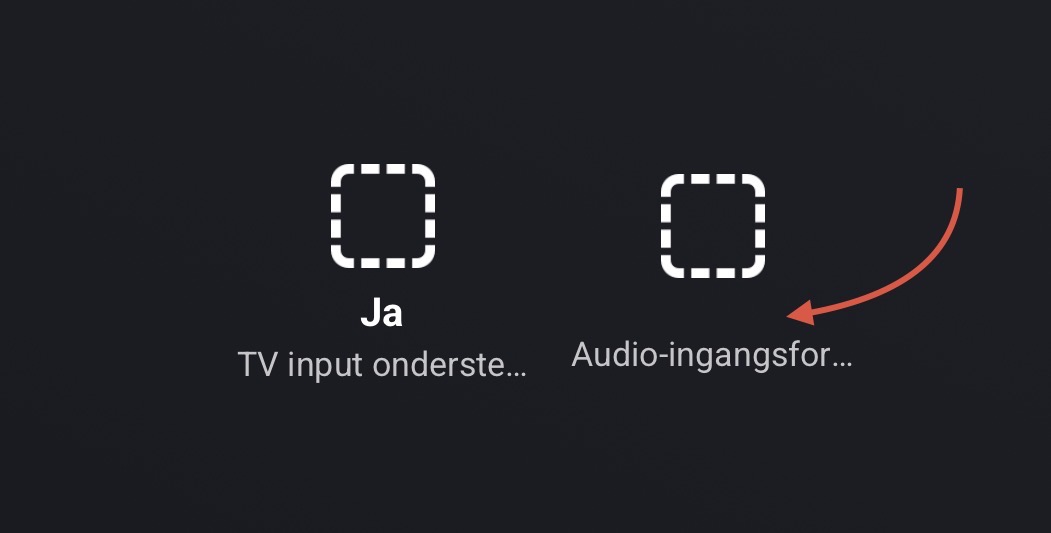
Regarding the status light control: is this only available for soundbars? I see the control on my Playbar (that is combined with a Sub and two Play:3 surround speakers). But I don’t see the control on my two paired Play:1 speakers.
I might be a complete moron, but I’m missing the option to use playlists in a flow. On 1.4.
Am I overlooking it or does it have to be added?
Thanks. Your app is incredible!!!
