I can now see the flowcard and it is working: it switches the Playbar to the optical TV input  .
.

I have just released v1.1.0 with added controls for bass, treble, loudness, balance and subwoofer. Also added flowcards.
You should switch to test if you want to try it out.

Amazing, will test it later.
Thanks
It is possible to add also Speech Enhancement and Night Sound?
Can you try v1.1.1? I have added Night Sound and Speech Enhancement and the flow cards. I could only test on my Arc Ultra which has 4 levels of Speech Enhancement, what model do you have and does it work for you?
The Arc Ultra now gets a “picker” for off, low, medium, high and max. The other soundbars should just get a toggle.
On the Playbar both settings only have an on/off toggle. See the below screenshots from the Sonos mobile app:
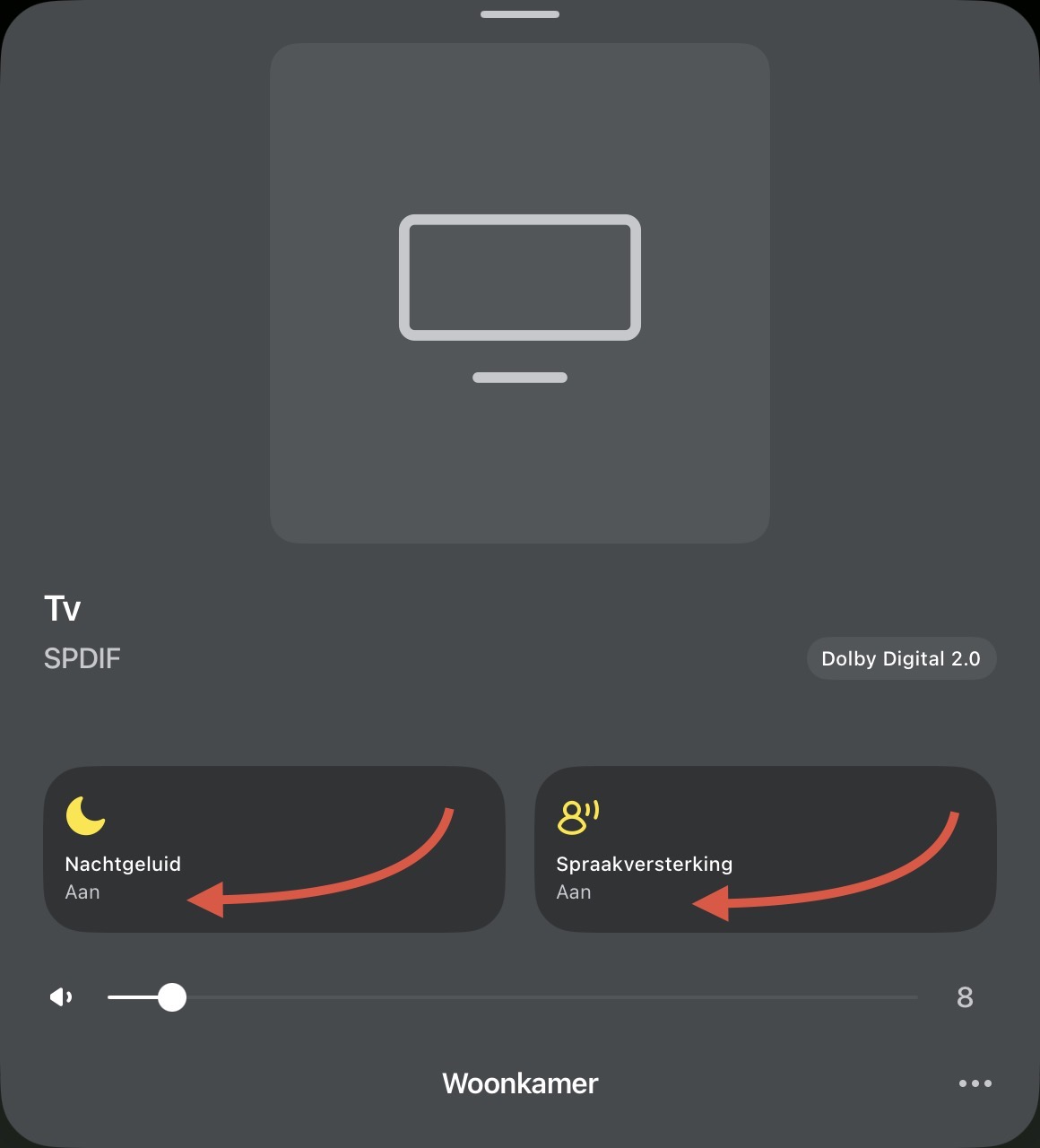

The nightmode flowcard works on the Playbar. The speech enhancement card does not work. Also if I enable speech enhancement in the Sonos mobile app, the speech enhancement capability on Homey is not updated. It remains ‘No’. Also when pressing the speech enhancement button in Homey, it switches to the off position directly after.
I´ve read everything here about your and it sounds great. I think you´ve done a marvelous job!
One small thing, it would be great if the app interface is written in whole in English. It makes it considerable tougher to work with languages you don’t understand.
Regards
Ptr
Really good work on what you’ve done!
Would it be possible to add the following flowcards as well?
Say (Text) at volume (Volume)
Play sound (Sound) at volume (Volume)
I only have a arc ultra, works good.
Thanks for your work 
Thanks! Could you point me to where you’re seeing non-English text?
Thanks! I’ll try to implement these features. I’m not yet sure how to implement Say (Text) at a volume (Volume), as that would require some kind of service to generate TTS audio files.
That said, this app combined with Play URL should already work as a workaround:
Can you send me the output of http://<PLAYBAR_IP>:1400/xml/RenderingControl1.xml ? There shouldn’t be any personal information in that.
Love this app thank you so much  Would it be possible to add flow card:
| Play sound (sound (choose)) at volume (Volume) |
|---|

Thanks! Fixed in v1.2.0 now in test.
Just published v1.2.0 in test. I have added device icons (which unfortunately require repairing of the devices which also breaks automations) and it adds the requested flow card “Play sound at volume”
Edit: Published v1.3.0
Added support for Azure TTS. You need an Azure API key for this to work. (It’s the same TTS service as Home Assistant uses)
How to configure TTS:
-
Open the app settings in Homey.
-
Enter your Azure Speech key and region.
-
Click “Load voices”.
-
Pick your default language and voice.
-
You can use “Speak (text) on volume (volume)%”.
Thank you for this very responsive app!
While using this app with version v1.2.0 and my Sonos Playbar with Spotify, the following is noticeable:
- The Playbar doesn’t support balance as far as I can tell, but there is a balance slider in the app.
- The Sonos app’s night mode setting is visible in your app, but not the other way around.
- Speech enhancement doesn’t work at all.
- The repeat and shuffle settings don’t work consistently, but I can’t determine when they are and aren’t working with Spotify. The setting isn’t always synced with the Sonos app. This might have something to do with whether or not a playlist is playing.
Some other ideas (I don’t know if it is possible to make within Homey):
- Is it possible to display a progress bar with playback time and the option to scroll through a Spotify track?
- Show lyrics (I know Spotify doesn’t share these, but there are free API tools with a large lyric database).
- Show song length in minutes/seconds
Example songtext (made ouside Homey using api for Sonos, Spotify and songtext):

Great. I had to use Homeyscript for this, and now you’ve integrated it into one card! Please note: after setting the language and voice and reopening the app settings, the selected language and voice are no longer visible.
Some ideas:
- More and more voices are multilingual. For example, JennyMultilingualNeural is an English-speaking American voice, but you want her to speak Dutch, which is possible now. Extra field needed.
- The ability to use an express style like narration-professional.
- Use parameters for speaking rate (=speed) and pitch.
I think these are all parameters in the Azure API call.
Keep up the good werk (your first Homey app?).
EDIT: If the Speak function is used while playing music on the Playbar, the music will resume playing after the message is spoken.
However, if the TV audio (SPDIF) is playing, the TV will not resume playing after the message has finished.
That’s strange. On my Arc Ultra it lowers the volume and overlays the TTS. Does it stop playback completely for you?
