That’s true @Edwin_Biemond! After I disabled it in the SolarEdge app and my inverter rebooted after changing some settings it worked for me. The flow is correct ill use the same with Tibber @Ria_Banis

Currently using the app with a Huawei SUN2000-6KTL-M1 inverter. Data readout works like a charm. Any chance that I can limit the grid output now or in the future? It is already possible in the fusion solar web application from what I saw. Sorry if I missed a message, but this forum thread is quite long now…
@Edwin_Biemond
The list of when cards that I posted, is that what is expected to be there, or is something wrong?

I think so , there are some flows for battery but you need to be on lan or disable this password check on wifi.
also you can use the modbus app and check your modbus registers. but s-dongle can only handle 1 connection and is very slow plus require some seconds timeoutl
those are homey default ones and a few from me . but you can use the logical ones and check on a capability or your own variable.
ack maybe send a request to the app maker
Yes I sent him a FR
Ok, but why are there only a few from you there? When you say it like that I assume there should be more cards in this list that you have added, or how does it work?
When you say use the logical ones and check on a capability of your own variable, how does that work if I want to check on the PV input parameter, do I need to create a variable that I somehow update with that value, if so, how do I do that if the PV input changed card is not available?
adding flows triggers and conditions are a lot of work on so many devices and most are done by homey and a few from me when it is measure_power and meter_power. But PRs are always welcome.
Plus the logical ones are pretty ok, but what you do on an inverter use 5 min average values (some good apps for that) else it can affect your inverter or extra homey resource load
Hello can somebody please help me. I’m struggling to get data out of my growatt inverter (MOD 7000TL3-XH (BP)) I connected a Waveshare RS485 TO ETH to the inverter COM-port pin 3 & 4. I gave the waveshare a static IP address and put Baud Rate on 9600 I also put Port-number on 502. With this I added the inverter to homey using the SolarEdge + Growatt TCP modbus app. If I look at the configuration page from the waveshare I can see there is a connection with homey because I can see traffic to homey’s IP. But in homey the app it is not receiving any data from my inverter. Can somebody help me with the configuration to get the data in to the app? Thanks!
Is the homey connected by wifi and the IP address in the same sub as the Waveshare?
Try resetting the APP
I think you have to play with the 2.2.1. TCP CLIENT section from the manual. I remember similar settings of my tcp modbus converter, causing troubles (as in terms of lack of knowledge).
The setting (as far as I know) is SERVER.
Hi Phil, Homey is in the same subnet and TCP of the waveshare is set to Server. A few hours ago homey received some data but I didn’t noticed at that moment so I started changing settings and I can not get it to work anymore. I think the problem is getting the data from the inverter to te waveshare. but I don’t know for sure..
If the shinebox or the usual Growatt loggger is collection data, then the modbus Pin 3&4 will do the same, as I experienced earlier. I didn’t change settings on the inverter side to get it up.
Are you using a meter on pin 5 & 6 as well?
Some guys claim that the modbus 3&4 has polarity, not sure but you might try to swap the wires if you haven’t done that already.
Suggest to remove the app, factory reset the TCP MOD converter and start fresh after you know for sure that the growatt logger (if you have that) is collecting data. With this reference you know that the inverter is doing it’s job on MODbus level.
There might some interesting info here as the waveshare is explained..
I have the same problem  After the last update (5-5-25) of SolarEdge (4.23.27 - Link), the connection between the Homey and the inverter is no longer stable. The connection drops. To solve it, I change the Modbus TCP port, but after a few hours the connection drops again.

That picture that shows you recognition from last Sunday. The price was -28ct per kW. It was no longer possible to discharge the battery with “Maximize export”. The battery could only be charged by sunlight, as in your picture.
If the inverter fails (e.g. due to too high voltage), I think the inverter starts in “Backup Only” by default. All homey commands from before are then gone.
@Edwin_Biemond Could you please check why the connection is being disconnected?
I have the same setup as you, 2 inverters and 2 batteries. The inverter with the batteries (Master) has only been updated and is no longer communicating properly. The other inverter (slave) still works fine with the Homey.
And thank you again for your efforts 
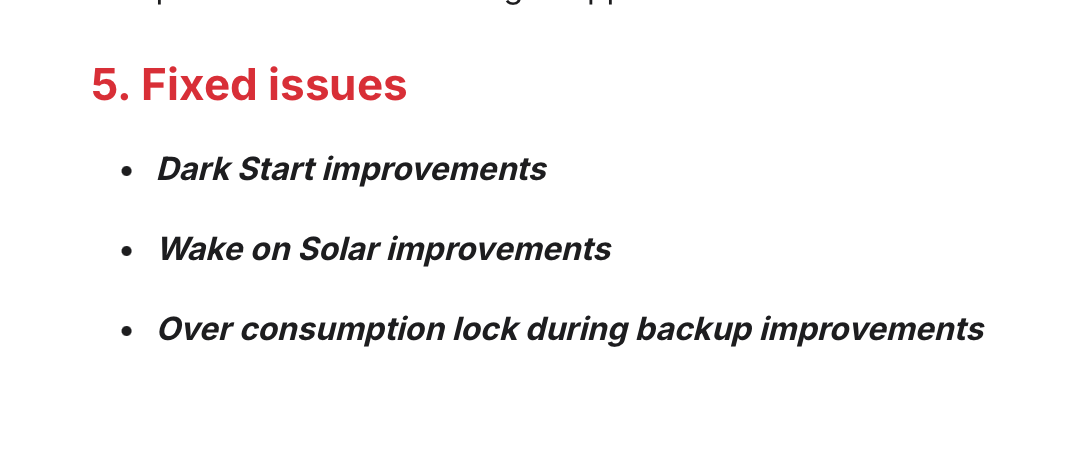
I had the master inverter (ID 1) reset to firmware 4.17. Above that, I couldn’t control it at all with Homey. What strikes me now in 4.23.27 is Fixed issues:
- Over consumption lock during backup improvements
I’m not sure what they mean by that, but it seemed like it was indeed locked, and only the battery was charging.
By the way, i have a BYD battery, nog solaredge…
I tried to test this, but when I add my huawei inverter the flows that I can make only contain “If” items. so this is read only.
I tried to figure out the modbus app / strings to use, but this is above my knowledge level.
is it possible to include the “then” items in the flow for the huawei inverter?
Could it be that you made some changes in version 3.0.193, 194, or 195 that might relate to the Modbus TPC of the SolarEdge, causing the connection to be unstable? And the connection gets interrupted when the SolarEdge restarts?
Isn’t the solaredge firmware the issue? I had issues last last year already, when Solaredge started with controlling the battery with their own app.. i couldn’t use the “remote” function anymore. Therefore i had Solaredge set the firmware back to 4.17
Wondering, are there more people who have a newer firmware and have no problem’s controlling the inverter by Homey?
I have to reset the inverter to reconnect with the homey. But when there is contact, all works fine. But when the inverter fails, cause of too high voltage, then it will start in backup mode. And the connection with the homey will then no longer be established. So then I have to reset (turn off the power completly) the SolarEdge, to connect again. Then all works fine again.
I think there will be more. This update was automatically done by SolarEdge remotely.
