[APP][Pro] SolarEdge + Growatt TCP modbus

Hey guys , I am taking over from Pieter and own him all the credits for this app.

So with this opportunity I migrated the app to homey sdk v3 and refactored some stuff. This is breaking current devices so you need to remove and add it again.

Besides some different layout also made it non blocking so you can use other modbus tools too ( I poll every 20 seconds so it can be in use, just retry until it works, or use some docker proxy)

Also with selecting some remote control option on the battery , there is no need to set remote control to controlset. Plus added some extra flow conditions.

For now I only support meter1 and battery1 but adding meter 2, 3 plus extra battery is easy now. Let me know if you wants this and I can add these capabilities.
Here is a full list of all the registers, let me know which ones are important to add and explain why this is. solaredge.modbus/drivers/solaredge.ts at main · biemond/solaredge.modbus · GitHub

Please try it out SolarEdge + Growatt TCP modbus | Homey


3 Likes

Hi @Edwin_Biemond
For me the upgrade didn’t look good after pairing the solaredge again. For now reverting

a1c799e6-c8aa-4536-9009-b7858c75bb44

Wil experiment from a dev Homey first.

interesting, so sliding to the right does not give any values.

you can try to run this GitHub - biemond/solaredge.modbus: Homey Solaredge modbus app and do homey app run.
Also probably you need to restart the app or some other process is still connecting to modbus.

I see the issue
some dns error , let me check the invertor driver code. maybe 20 seconds is too much

[Device:d042f9ea-1285-4d7e-9c7e-2ecdee05b133] 10.10.1.13.117
{
  '$__type': 'Error',
  data: {
    message: 'getaddrinfo ENOTFOUND 10.10.1.13.117',
    code: 'ENOTFOUND',
    stack: 'Error: getaddrinfo ENOTFOUND 10.10.1.13.117\n' +
      '    at GetAddrInfoReqWrap.onlookup [as oncomplete] (dns.js:64:26)'
  }
}
[log] 2022-02-20 18:06:13 [ManagerDrivers] [Driver:invertorwithbatt] [Device:ba2de2d5-6716-42b6-bff2-b282a5029e0b] pollInvertor
[log] 2022-02-20 18:06:13 [ManagerDrivers] [Driver:invertorwithbatt] [Device:ba2de2d5-6716-42b6-bff2-b282a5029e0b] 10.1.13.117
Connected ...
disconnect
c_manufacturer SolarEdge                        xxx Manufacturer
c_model ------                   xxx Model
c_version 0004.0------   xxx Version
c_serialnumber 7E1---                         xxx Serial
c_deviceaddress 1 xxx Modbus ID
c_sunspec_did 103 xxx SunSpec DID
current 0 -2 Current

also can you do invertor or invertor with battery only , not both unless they have different ip addresses.

double devices

[log] 2022-02-20 18:05:39 [ManagerDrivers] [Driver:invertor] [Device:d042f9ea-1285-4d7e-9c7e-2ecdee05b133] pollInvertor
[log] 2022-02-20 18:05:39 [ManagerDrivers] [Driver:invertor] [Device:d042f9ea-1285-4d7e-9c7e-2ecdee05b133] 10.10.1.13.117
{
  '$__type': 'Error',
  data: {
    message: 'getaddrinfo ENOTFOUND 10.10.1.13.117',
    code: 'ENOTFOUND',
    stack: 'Error: getaddrinfo ENOTFOUND 10.10.1.13.117\n' +
      '    at GetAddrInfoReqWrap.onlookup [as oncomplete] (dns.js:64:26)'
  }
}
[log] 2022-02-20 18:05:53 [ManagerDrivers] [Driver:invertorwithbatt] [Device:ba2de2d5-6716-42b6-bff2-b282a5029e0b] pollInvertor
[log] 2022-02-20 18:05:53 [ManagerDrivers] [Driver:invertorwithbatt] [Device:ba2de2d5-6716-42b6-bff2-b282a5029e0b] 10.1.13.117
1 Like

Great, thanks I stopped the old one and on Dev Homey only and added with the Correct IPv4 Address (Sorry for the IPv5 :wink: )
Now it looks like it works .

But In the Web interface I see another issue.

cool,

yes invertor status is not setable solaredge.modbus/invertorstatus.json at main · biemond/solaredge.modbus · GitHub

then homey is doing this. yes let me look at this again, maybe I should make it a string field and not use a picker.

1 Like

thanks for the feedback, publish a new version

1 Like

Thanks, looks good.
It wasn’t possible to upgrade the old devices?

migrated from sdkv2 with javascript to sdk3 with typescript. plus make it flexible, minimal and non blocking on the 1502 socket.
so I can maintain it for the coming years.

1 Like

Thank you for the new app 2….
Now I get data from the battery an inverter and meter that this is conected to.

But I miss the possibility to set dicharge and charge power to meet my needs to sometimes charge from grid at lower watts to not exes grid company’s limits in kWh.( this cost more mint if I
Go above)

And I am also wondring how to get my second inverter data in to homey so I can use flows based on the total Solar I produce?

cool , will work on that ( charge/discharge) will be easy.

so every invertor /device has it own unique id ,so you can add this also and have your own control or flows on this device.

for combining devices you should be able to do this with a flow (triggered on something) with multiple AND ( flow conditions)

How do i add one more inverter as i didn’t find a place to put id when ading a new unit in Homey

The inverter is set as slave to the other

Now place to write id? This is the exstra inverter.

Both inverters has port sat to 502


good point , will also do that. now it is always 1.

Thanks! Have a nice weekend

thanks.

can you try this version SolarEdge + Growatt TCP modbus | Homey

it has invertor id plus you can set discharge and charge

so you need to set it in some remote control and add some delay between charge and discharge else it will be in parallel executed and will get connection errors, but I will retry in that case


I have now upgraded an tester to get the new charge disagreeable I needed to remove the storedge and add it again but exept from this as i can se everything is working. I will test more and kept you updated

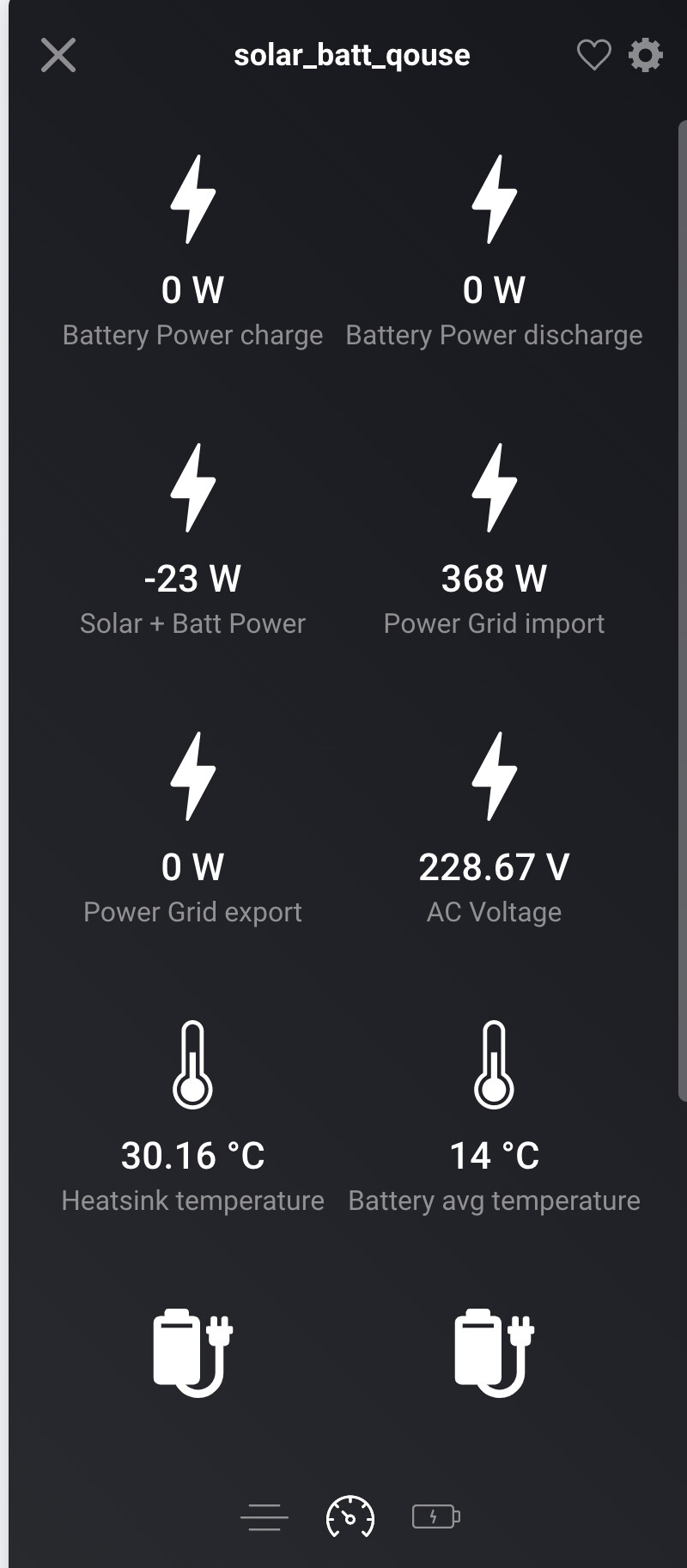


yes you need to remove old devices and install the new ones. plus add 2 second delay between actions. to avoid conflicts