Last month i installed 2 SMA tripowers (5and6), the modbus was already activated, i activated the webconnect on both. After that added the devices in homey but no connection. Am i forgetting something ?
I have already an SMA home manager installed which also uses the modbus can this be the problem ?
What is no connection? Dont you see any data or are you getting an error? It seems the Tripower devices use a different configuration which does not (yet) (fully) work with the app. See the table in the openings post.
Not sure what I answered back then but I don’t think it has changed.
Wasn’t it that there was no modbus protocol available but only a http api? So it would indeed need another app. As I do not own the device myself testing etc. is going to be hard and frustrating and I’d rather spend my time on other things. So sorry, I’m not your guy.
I can confirm that the app is also working for the Sunny Boy 2.5. Thank you very much for the development!
May I suggest updating the ‘installation’ instructions for at least the SB 2.5 where enabling the modbus has to be done in the web portal.
Good to hear its working. I have updated the instructions in the opening topic. I will update the instructions in the app store when there will be another release (which might not be soon).
Good job with app Just used it to connect to a Tripower 25kW.
I have some minor app experience and started to look a little at your code and it seems as there are some possible improvements when it comes to reading the double word 32-bit values. One thing that I feel is a problem for me is if power which is set to 0 if above 10000W.
After some googling and some trail and error I think I found the proper way to read those values.
This is done because the inverters return a strange high value when there is no generation. If you have a better solution feel free to submit a PR on Github.
As of now further development of the SMA modbus app will be taken over by @Richard_B. He had already done some improvements which will probably be published soon. In mutual agreement we have decided that he will take over ownership, it’s probably for the best as I do not use this app myself anymore.
@Richard_B
are there any plans to integrate the sma sunny home manager 2.0 in the sma inverters app to get the consumption of the whole house into the homey universe?
Thanks, @Phuturist, a pleasure to take over your app! I hope I will be able to extend the already good functionality
I’m new to the solar world, just got my system up and running. But not new to Homey app development since I have developed two other apps already (Volvo On Call and Particle.io).
For the Sunny Boy Storage device, I don’t have any immediate plans other than standardizing on the utility code I built for interpreting the modbus values.
For the Inverter device I have made a lot of changes, hopefully for the better!
When you add a new inverter it now uses the SMA Speedwire Device Discovery feature to automatically find SMA products on your local network. The serial number of the inverter is used as the Homey device id and the inverter device type (e.g. STP 25000TL-30) as the default name of the Homey device.
New information about the inverter added to the advanced settings page of the device. Device type, Serial number, software version, and max power.
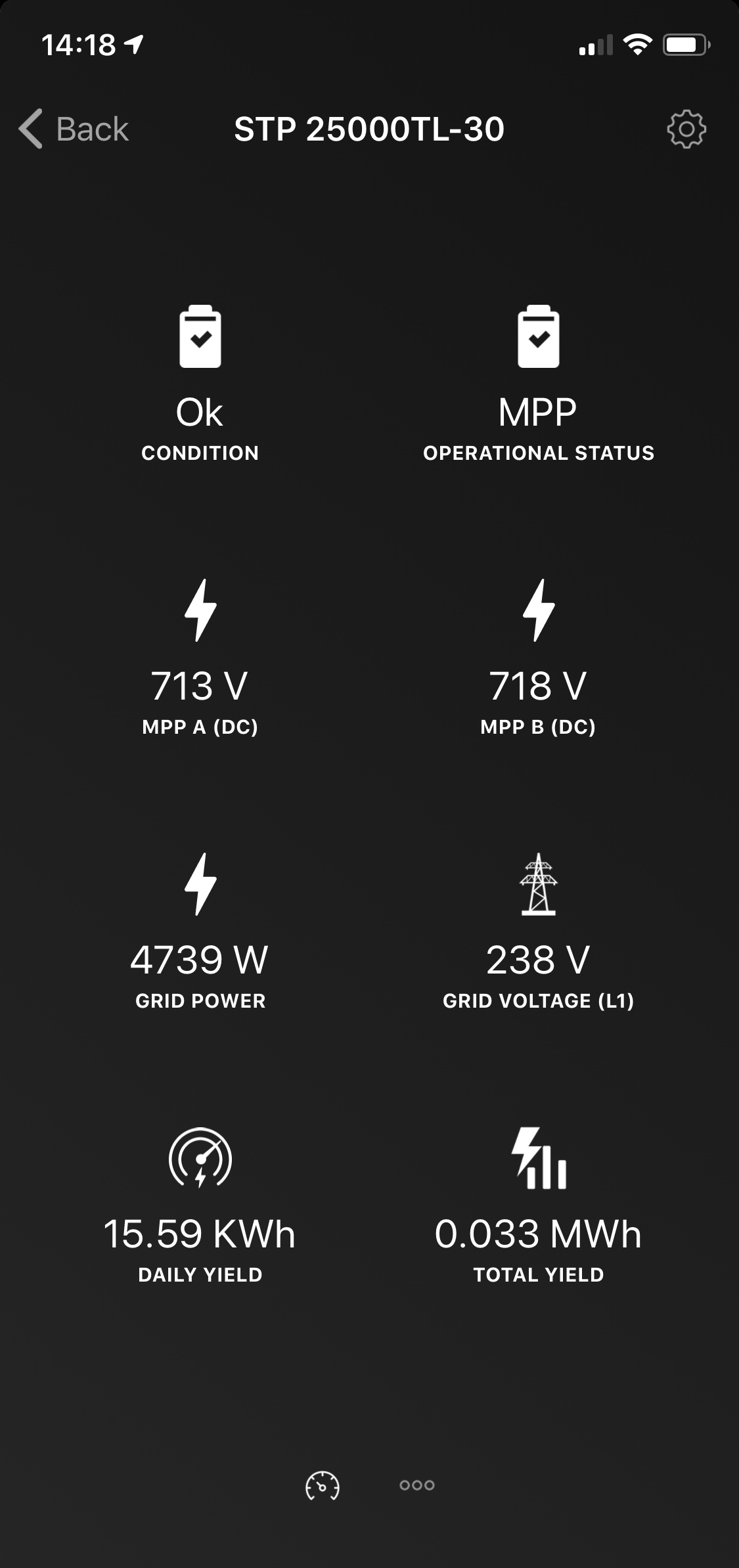
Four new capabilities added for inverters that support it; condition, operational status, MPP A voltage and MPP B voltage.
Only supported capabilities are shown for the device (possible thanks to Homey v3). No “dead” values on the device main tab.
For an inverter that supports all eight capabilities the app currently looks like this
Given the number of changes introduced to the app I’m planning to release the app in a beta release, and I hope some of you will be willing to test it. The beta will be out within two weeks roughly, will keep you posted.
Running Homey 3.0.0, my inverter shows up as a device that is using power rather than generating, i.e. it has a positive wattage in the Energy overview, which I think should be negative. Am I right?
EDIT: I reloaded the app and it is now showing up correctly, under its own category (Zonnepanelen).

 but any chance to implement the sunny home manager 2.0 maybe in a second app?
 Just used it to connect to a Tripower 25kW.