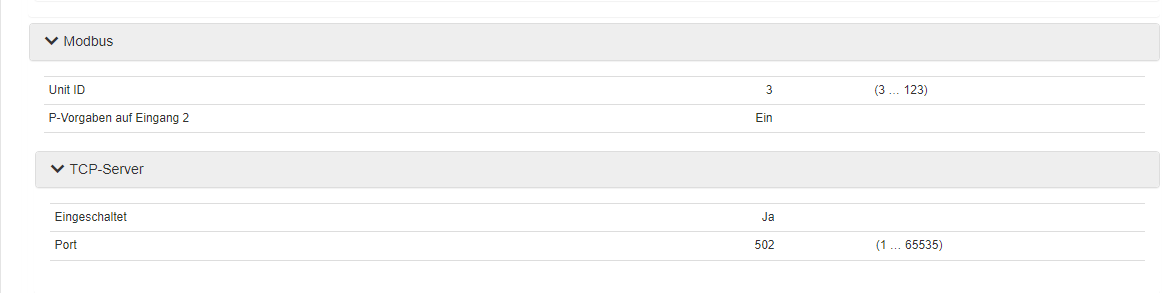
Yeah 192.169.0 0 always standing before you write something.
I tried the right ip-address but it wont work as i write.
Have the inverted connected with Ethernet.
I can ping the inverter and get good results,bit still it wont work.
Yeah 192.169.0 0 always standing before you write something.
I tried the right ip-address but it wont work as i write.
Have the inverted connected with Ethernet.
I can ping the inverter and get good results,bit still it wont work.
When the app doesnt find the inverter there are typically two things that are at fault
Given that the app isn’t able to find the inverter automatically it tells me UDP multicast from the inverter doesnt reach your homey, e.g. different VLANs or similar.
I have myself a dreammachine pro and the STP 25000TL - 30 inverter and it works here.
Thanks for the info.
Good to know that my almost same setup working somewhere else.
Then I will continue to investigate what the problem is.
did you get a response to your question already? For me it is a necessary part in order to use homey as a full energy management system
If you can figure out which Modbus registry can control this, then it would be easy to implement. I don’t own an SMA hybrid inverter and can’t test anything.
Please note that SMA, using the SMA Grid Guard code, also blocks many of the Modbus settings. Several interesting options that I have looked at in the past are blocked by that.
Nope, no answer and no solution.
Here you can find many thoughts about that modbus Register:
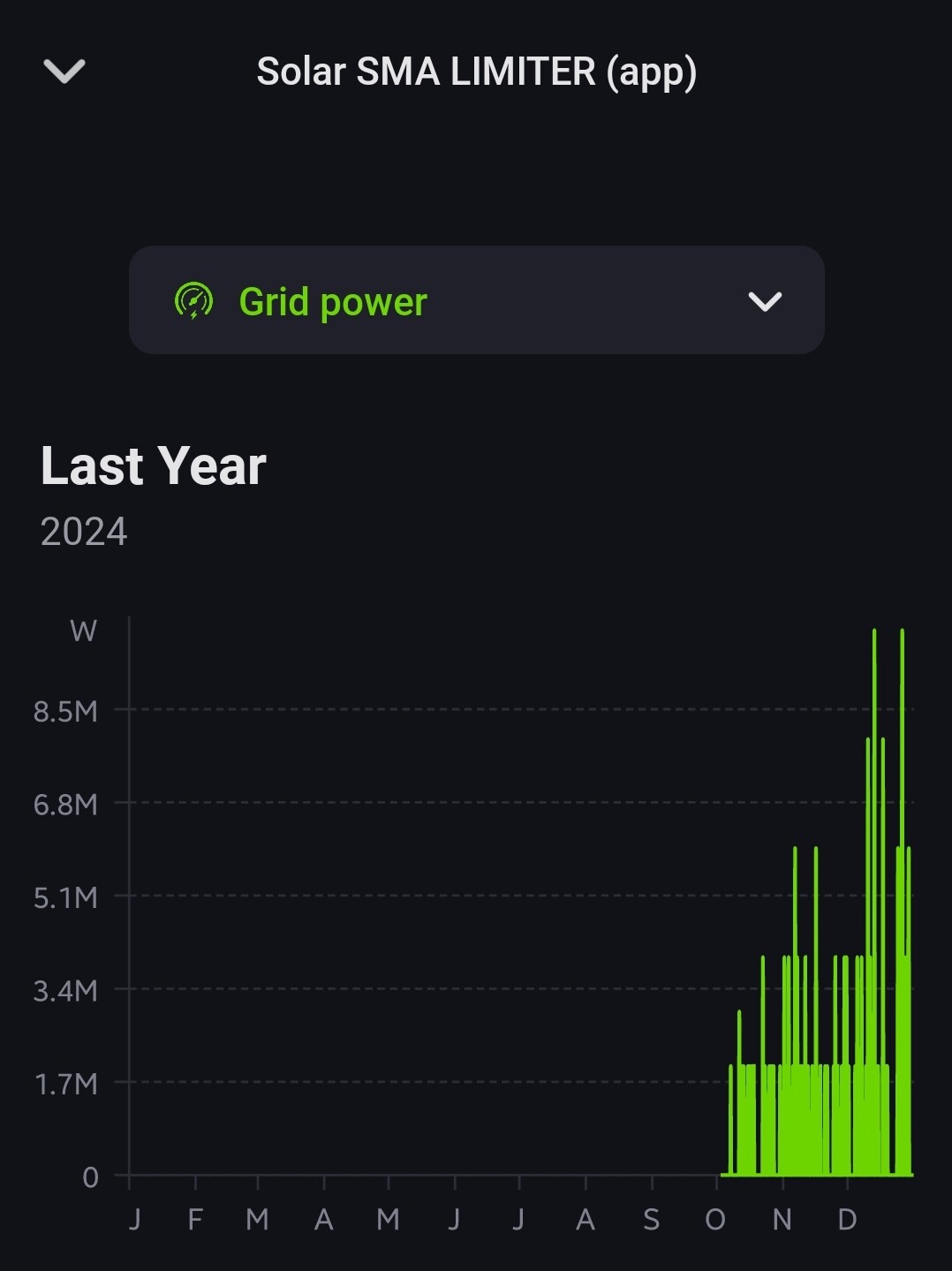
The app works great. However, peaks of over 4GW are recorded sporadically, although my solar system delivers a maximum of 16kWp. Is it possible not to record these peaks? Otherwise the graphical overview makes no sense at all.
This is a bit strange, I don’t know if it is only related to the new smart energy inverters.
I asked Cursor to analyse the code and guess what it could be, and it suggests we could be getting a negative value that the code isn’t handling properly.
Maybe I dare to add the suggested code change …
I pushed the code change, it is on master branch
homey app install has me authenticating to Homey CLI Old.
Any ideas how to authenticate to the current CLI?
Nevermind: homey login solved it 
Okay @Richard_B , app v2.6.6 is now installed, I’ll keep you posted.
Hello Richard,
Some observations:
Request:
Current values:
(1 phase / no battery)
It doesn’t show data yet
Homey Pro 2019 v12.3.0
App v9.1.0.1653 (Android beta)
If of any use:
Last error
2025-01-24T10:51:19.346Z
Error: Failed to set Device Type!
    at /lib/sma.js:173:29
    at processTicksAndRejections (node:internal/process/task_queues:96:5)
It is a bit confusing in the docs. I have used the same modbus unitId as for other inverters, since it is there. But maybe we should use one of the other unitId’s. See pic below, 30535 is used today. You could try editing here and override the base value for dailyYield by adding this line for testing with 30537 for instance.
dailyYield: new ModbusRegistry(setting.READING, 30537, type.U32_FIX0, 'Daily yield Wh', 'meter_power'),
I did notice it had 3 mppt’s, will look into that. The code fully supports different capabilities per inverter type so shouldn’t be a biggie.
Error: Failed to set Device Type!
This should have been the case before we added support for the smart energy inverters.
You can check settings on the device, it should say device type = proper name of inverter. Not unknown (nnnnnnnn).
Thanks, Richard,
Cool. Unfortunately I didn´t get data out of it. Results:
- 30517 U64_FIX0 RO Wh: "2025-01-27T10:22:34.677Z\nError: Failed to read '30517' for device type 'Smart Energy 3.6'
- 30537 U32_FIX0 RO kWh: with and w/o adjustment of Wh to kWh: no error,  no data
- 30539 U32_FIX0 RO MWh: with and w/o adjustment of Wh to MWh: no error, no data
When I look at the /localURL//monitoring/view-current-measurement-values page, there’s nothing mentioning Daily yield, only Lifetime yield (297kWh at the moment).
I also searched for other Wh and kWh values, but to no avail:
Would be great!
True, this was from before I installed the app update, so let’s fuhgeddeboudit
We can turn on manual daily yield. Then there is a timer in the app that at midnight resets the counter and during day simply calculates the diff vs total yield. Then you’ll get a daily yield.
That would be great, Richard