Hello Erik, and welcome.
AFAIK you should use the number for the tariff update group, probably 1.
Now all summarisers with tariff update group 1 will be updated with the new price.
Hi,
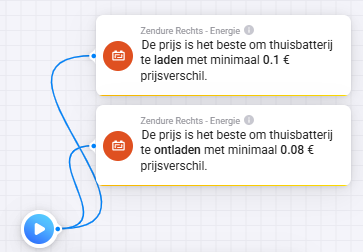
I noticed that (since a couple of days?) the outcome of the next (demo) flow is independent of the actual price level:
The test price is not used in the AND cards. They use the actual price. So testing this flow doesnt work like you think.
In PBTH nothing changed by the way.
Ok, thanks!
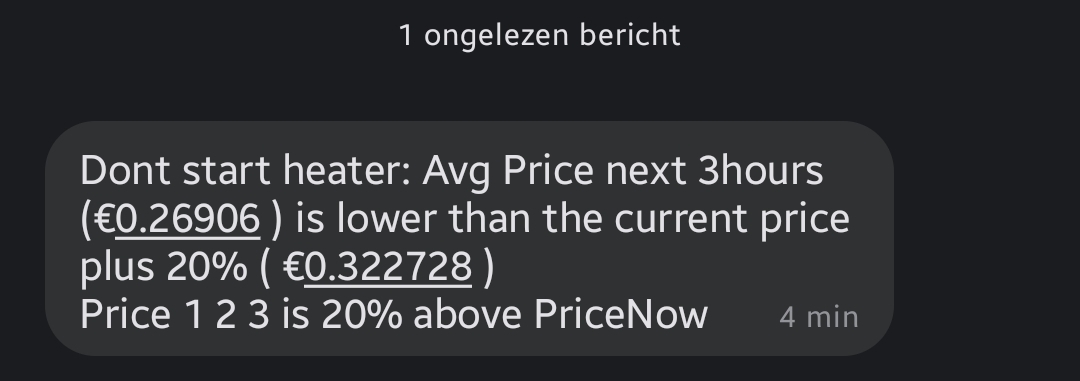
When using the flow with the same strategy:
How can I fix both issues??
How dit you connect the Zendure?? There is no app for….
Using a broker, using mqtt.
Hi.
I have a request for a flow card
And: Current price is X% lower than the next x hour(s).
I can’t find a way to do this now. It woud be a great card to use for boosting the heat in the hour right before a high peak.
Thanks for the example. However I don’t think this would be the same.
I would like to be able to select less than 8 hours.
Maybe this is already handled. But after a restart of homey there is a 50% change that the app has crashed and that i must restart the app.
I think @Gruijter is happy if you allo send a him a Diagnostic report that he see something in your log.
So if it 's happen again before you restart the app first make the report
And then make somthing like this in the build a flow with the next:
if system homey is started
then system restart app “Power by th Hour”
delay on xx min
xx is time what is needed to start your Homey totaly
as a example for me between 10 en 15 min
It’s a work arround, not the solution
You could all so make a flow like if a App is crached then restart
But then you must let in run every 10 minute’s
I should go for the flow with if Homey restart
The only crash reports I have received have to do with Homey’s flash memory being full. Could it be your flash memory is full?
It’s about flash memory. The “disk” 
Aaaaah. Thanks. This has used 1.8 gb of the 2.7 gb.
All looks normal.
Can you define what you mean when you say ‘the app crashes’? How can you tell the app has crashed?