You are right. My mistake. It is not the app that crashes. I made 3 items “gasberekening”,“stroomverbruik” and “watermeter”. These 3 items crashes after homey restart i see this by a red exclamation mark. And after the app restart everything is okay again.
Is there anyone who can help me with a problem? I have multiple Zigbee smart plugs that I use to measure the energy consumption of devices. I have paired all the plugs using the Zigbee method, so without an app. When you pair a plug this way, the kWh measurement is fairly accurate, but the measured current is definitely not. I have no idea if I’m the only one experiencing this issue, but I think many people might recognize it.
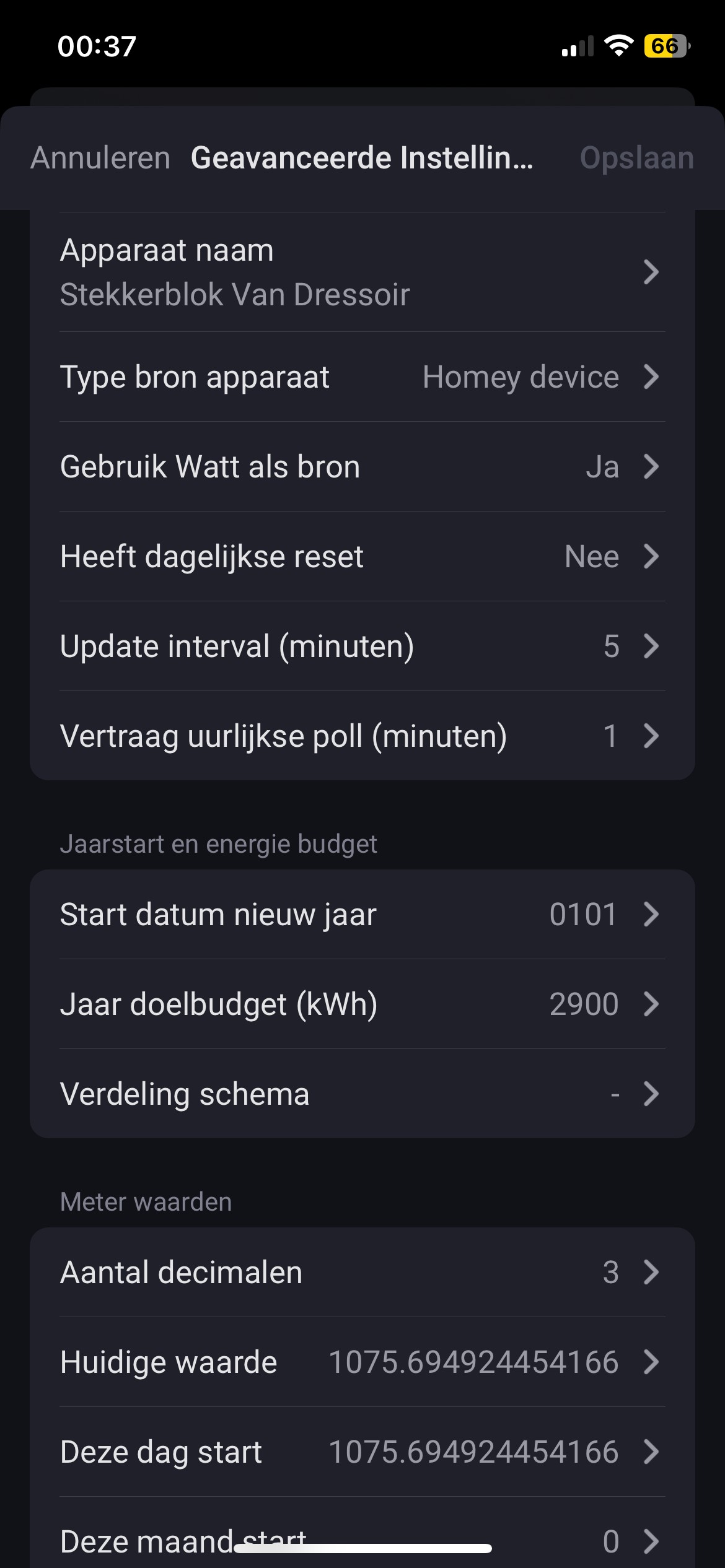
Anyway, the PBTH app also measures via wattage, so I thought I could still track usage that way. However, in the meantime, I had to re-pair a few plugs, and that’s where things went wrong in the PBTH app. The app has taken over the kWh value stored by the plug itself. The problem is that I don’t know how to reset this measurement to 0 in the PBTH app.
I’ve tried setting all values to 0, hoping that I would start fresh the next day, but every time I check, the old value is still there. Can anyone tell me what I might be doing wrong?
Some examples:



Hallo,
I have installed the app “power by the hour” on homey and can see it in the list of all apps, so far so good.
But when I want to create a flow it is not visible in the list!
does anyone have a solution?
Kind regards, Hank.
It is not available in the list of AND cards, but should be visible in the list of WHEN and THEN cards. Maybe create a PBTH device first?
First at all you need to make a device as a “Power by the Hour”
As example off your P1 energie meter or something else
Then after a first run you will see the new generated device under makeing off flows.
See for exampels in the “Power by the Hour” topic
Thank you very much, that was the solution!
I installed it years ago on a Homey 2016 but am now transferring everything to a Homey 2023.
I didn’t remember how I did that.
After a homey restart it can take up to 30 minutes for all devices to start working again. Did you wait long enough?
No. I didn’t know that this wil take 30 minutes. This because a restart immediately solve the problem. But then i just wait just what longer.
Having interesting problem. During last two months, in the last day of the month at 20:00 EET the “Money this hour” - statistic jumps from normal 0.1-0.2 € to roughly 3.8 € for that hour.
“KWh this hour” does not show a peak, nor the Energy graph. I get my readings via Rest api from DIN-attached meter and values are consistent with the Energy graphs. It does look like the problem is only on the monetary value stat. Below are pictures
Edit: My price tariff is fixed
Some sort of timezone issue maybe? My Homey lives in “Europe/Helsinki” - timezone
Best regards, Jan


Well, i’m using fixed tariff, so that shouldn’t be the cause…
Could it be that you have defind “fixed montly cost”?
Hi,
I seem to have some issues with getting PBTH to work, or I just don’t have a clue how it should work. I have a couple Shelly 3EM power meters and a Zaptec EV charger that I use in flows to update different virtual PBTH devices Power-values. It seems to work more or less randomly because the Energy and Power insights doesn’t follow the real values.
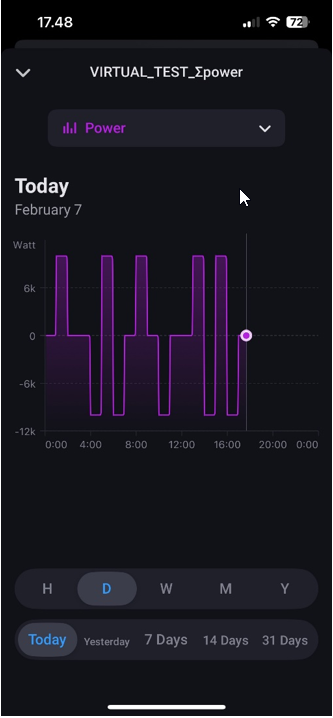
So I made a simple flow to test how PBTH works. I’ve created a virtual device and the flow sets the Power-value to 10 every other hour, and every other it sets it back to 0. This you can see on the Timeline.
- At 08:00 the power was 0, and at 09:00 it was set to 10. Why is this not reflected on the Energy view? It just seems to me that it sometimes changes and sometimes not. As you can see it was stuck on 0 from 08:00.
- At 17:00 (when these screenshots was taken) the Power-value was 10. As you can see on the device, it’s 0 (same as the Energy).
- What is going on with the Power insight? How can it be +10 at one point and -10 at the next?
I also have similar issues with the Money-values, but I guess it’s not worth looking at those before these things are sorted out.
I have deleted the devices and created them from scratch several times, but the same results every time.
Appreciate any tips!

Edit; sorry I forgot the Power insight image
Sorry for the simple question:
I want to use PbtH for a solar device with several “Watt” data points (e.g., battery, grid consumption, etc.). Can I choose ONE of these points manually? The app selects one point automatically. Do I need a workaround via virtual device and flow – or is there a setting I’m just too silly to find? 
Yes
Sorry, English:
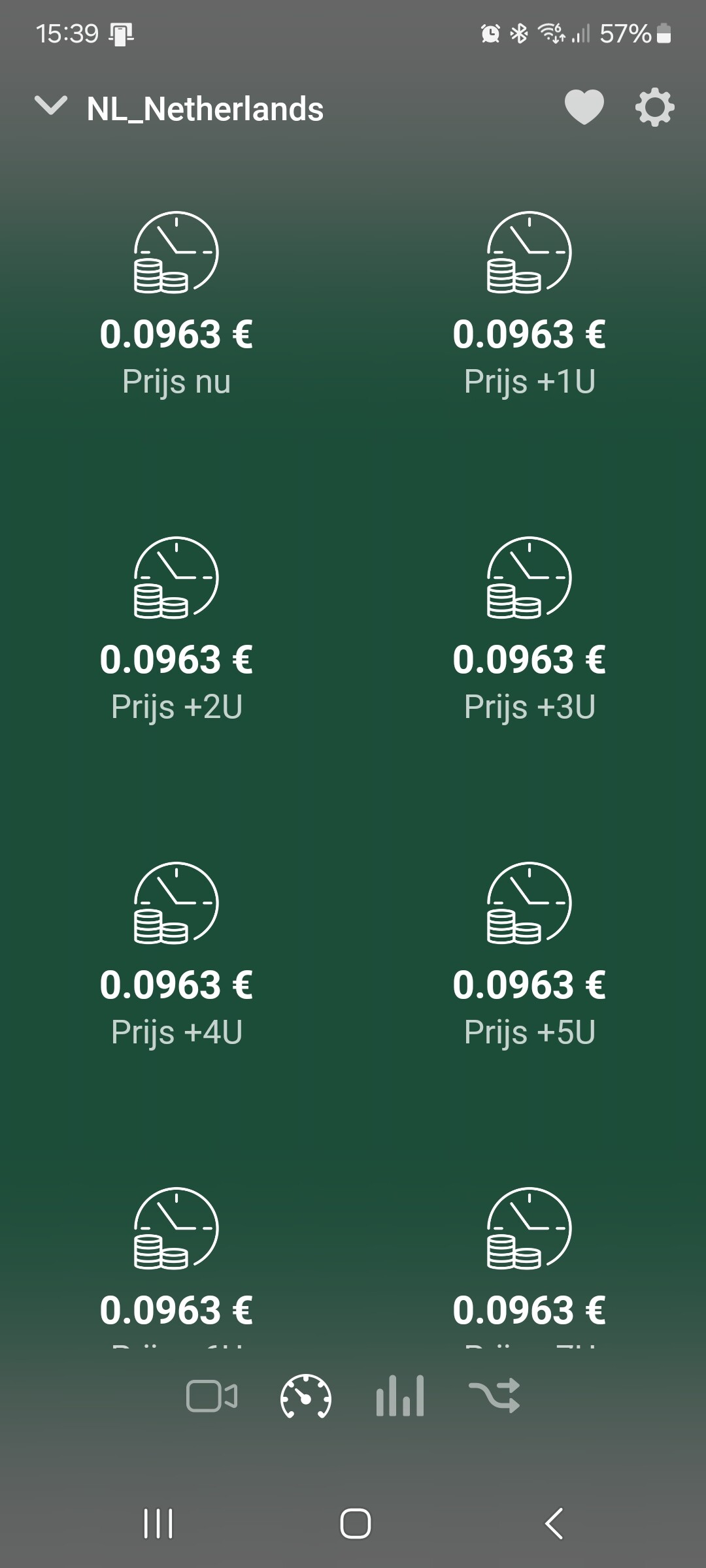
Same here. Today’s prices are gone. This is the second time I experienced this. The last time I created a flow to check the prices, and I just got a notification. Sadly, restarting the app or even Homey does not solve this. Some way to force fetching the data again would be nice.
This i a English speaking form.
Also here the 2nd time that using live data here makes this kind of problems.
Now was I looking to not use this type of data directly but pulling them out the JSON file, that PbtH provide, myself.
But do other problems that Athom/Homey is gives me I take a pauze here.
@Gruijter another API issue?
Unfortunately the JSON is changed also (also the wrong way): {“0”:0.2593,“1”:0.2593,“2”:0.2593,“3”:0.2593,“4”:0.2593,“5”:0.2593,“6”:0.2593,“7”:0.2593,“8”:0.2593,“9”:0.2593,“10”:0.2593,“11”:0.2593,“12”:0.2593,“13”:0.2593,“14”:0.2593,“15”:0.2593,“16”:0.2593,“17”:0.2593,“18”:0.2593,“19”:0.2593,“20”:0.2593,“21”:0.2593,“22”:0.2593,“23”:0.2593}
