Ah, I see. I assumed you automated the restarts for some reason.

Nope it’s just how our wifi is, no one knows why.
@John_William_Brekke and can you share your flow aswell?

@John_William_Brekke notifications do not work when the internet is down 
Oh, so i can do lights and devices only then?
Everything which is available locally yes
Ohhhh, my bad 
You can use timeline notifications and/or Simple Log cards in that flow to record lost internet connections. These do not need a network.
Add such a flow with “Internet connection restored” card, and you know the downtime as well.
And, then you can send a push notification along with it, like, “internet connection was down and has been restored” 
Can you maybe please provide the values as number or Boolean(s) so they now can be used with the new duration functionality. Like internet connected/online :Yes/No or True/false.
So we can now set When Internet Connected is false for 5 minutes then …
Or
When Internet connected is True for 7 minutes then ….
I Just want to trigger a flow only after 9 minutes of internet loss so its not triggered by an automatic firmware update of the modem or router.
Thank you.
@DoctorBazinga sorry this is new to me. Can you specify what you mean?
Its the new Homey Pro firmware capability/functionality 
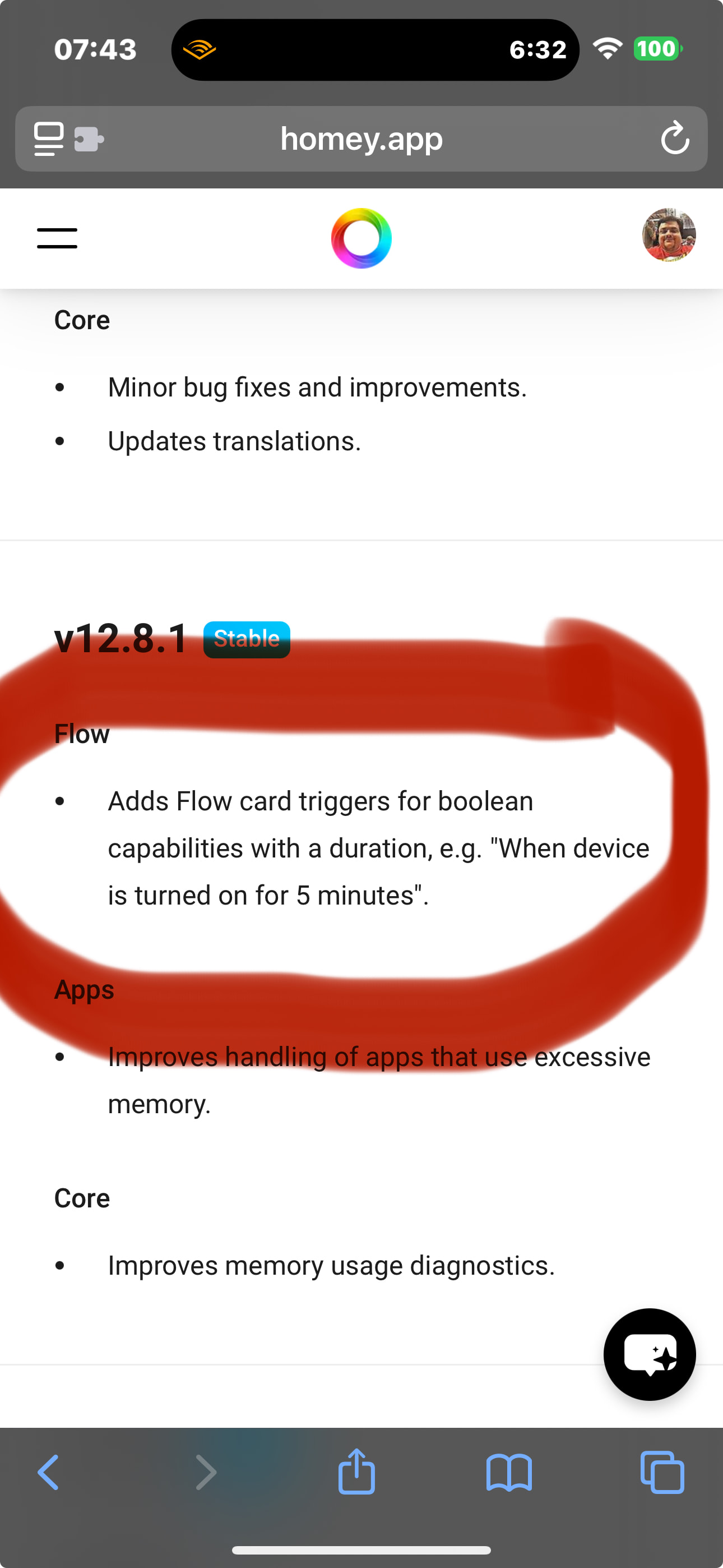
SysInternals app provides its Lan/Wifi “Connected” state as a boolean (Yes/No) value so we can use it as trigger in the newest “duration” trigger in flows.

Because you can add the LAN/Wifi connection as a specific additional/virtual device and read its parameters/values.
(You could add to such a virtual device also values like “Last time internet disconnected” and “last disconnected duration (in seconds)” & “Time since last disconnected(in minutes (integers value)) ” and “Time since last disconnected (in minutes (integer value))” etc . (See the request/post of Peter_Kawa on 5th of may )
Some people That have stability problems could make good use of the values/information . For example by using it as a trigger to restart homey after/before reaching a specific value 
So people can use this values in flows and compare them.
Something like that maybe for the internet connection of the homey ??

An internet Connected (Yes/No) value would be very interesting.
Thank you very much. 
@DoctorBazinga got you, not sure if I can manage this. As it is based on a device (capability). And network check has no devices to add. So i don’t think this is possible, but let me check that
The value/fact/trigger that your network app “internet connected” and “internet disconnected” somehow at least has to be an internal Boolean (in the code) anyway. Or am I mistaken? So providing a fictional/virtual device (that can be added/“installed” like sysinternals app does that has these values internet connection:Yes/No , Last Disconnected: Time stamp ,Last connected (Time Stamp), Longest online time (minutes) longest offline time (minutes). Duration of current state (Online or offline (minutes) shouldn’t be magic imho.
Maybe you could ask @Dijker from SysInternals for help to create this virtual/non existent device that uses the internal values of your network app. 
@DoctorBazinga Oh i’m fully aware how to build a device in Homey. It’s more that it’s overkill for the feature. As that would mean you first need to add a device before you can check your network status.
As said I’ll check what i can do.
To save you from work, Martijn: The Net Scan app by Adrian has the possibility DrBazinga would like.
It indeed uses boolean devices for each unique local or internet IP check.
I already use the Netscan app in that way.
Use them as an “and …” condition in flows to prevent false positives/negatives of a triggered “internet (Dis)Connected” by the network app.

But what about if the internet disconnects inbetween the test/ping time period??
With the value of “ Internet (Dis)connected” available already this will be easier imho.
Shorten the interval and or live with max X seconds internet outage.
I think you shouldn’t ping a web address every second, the other end won’t be amused.
That’s why “Netscan” is not so 100% suitable for an internet (dis)connection detection.
I Ping my DNS servers, my (Ziggo) modem, my (Ziggo) cable network gateway & my internal router (ip). All around different times within 75 -131 seconds.
But I will no know how long my internet is already online or offline precisely due to these longer intervals and also the required failures needed/setup to be offline.
All setup by me for at least 2 failed attempts to ping any ip-adress.
