Hi Peter,
Thanks for your reply.
Today I started off by uninstalling both Location and Presence from my Homey Pro (2023) and OwnTracks from my Android phone.
I then reinstalled Location and Presence on Homey Pro and added myself as a User. As expected I get a new token compared to what I was trying previously. I then reinstalled OwnTracks on my phone and then very carefully entered the URL (with the new token):
https://663xxxxxxxxxxxxxxxxxxxxx.connect.athom.com/api/app/nl.scanno.owntracks/events/83exxxxxxxxxxxxxxxxxxxxxxxxxxxxx
I then created a Waypoint in OwnTracks.
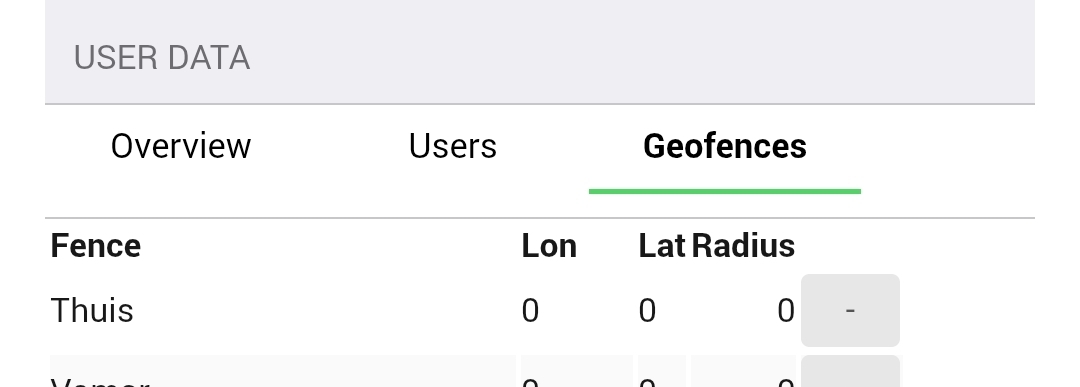
I get the exact same result as I explained in my previous post. The OwnTracks Status screen is showing: “HTTP code 400”. The Waypoint I created is not showing up in Geofences in the Location and Presence app.
I clicked on TestRead and TestWrite in Location and Presence as you asked, and when I click on Get Logs, this is what I see:
Those buttons don’t seem to do anything?
To me it seems like OwnTracks on my phone is unable to connect with my Homey Pro. Below is some of the log file that OwnTracks generated:
> 2026-03-06 14:22:07.798 W \[DefaultDispatcher-worker-5\] HttpMessageProcessorEndpoint: org.owntracks.android.support.interfaces.ConfigurationIncompleteException: java.lang.IllegalArgumentException: Expected URL scheme ‘http’ or ‘https’ but no scheme was found for
> at org.owntracks.android.net.http.HttpConfiguration.validate(SourceFile:25)
> at org.owntracks.android.net.http.HttpMessageProcessorEndpoint.getEndpointConfiguration(SourceFile:5)
> at org.owntracks.android.net.http.HttpMessageProcessorEndpoint.setClientAndConfiguration(SourceFile:11)
> at org.owntracks.android.net.http.HttpMessageProcessorEndpoint.activate(SourceFile:20)
> at org.owntracks.android.services.MessageProcessor$loadOutgoingMessageProcessor$3.invokeSuspend(SourceFile:33)
> at kotlin.coroutines.jvm.internal.BaseContinuationImpl.resumeWith(SourceFile:9)
> at kotlinx.coroutines.DispatchedTask.run(SourceFile:109)
> at androidx.work.Worker$2.run(SourceFile:21)
> at kotlinx.coroutines.scheduling.TaskImpl.run(SourceFile:3)
> at kotlinx.coroutines.scheduling.CoroutineScheduler$Worker.run(SourceFile:93)
> Caused by: java.lang.IllegalArgumentException: Expected URL scheme ‘http’ or ‘https’ but no scheme was found for
> at okhttp3.HttpUrl$Builder.parse$okhttp(SourceFile:875)
> at org.owntracks.android.net.http.HttpConfiguration.validate(SourceFile:15)
> … 9 more
>
> 2026-03-06 14:22:38.330 I \[main\] MessageProcessor: Clearing outgoing message queue length=0
> 2026-03-06 14:22:38.331 I \[main\] MemoryContactsRepo: Clearing all contacts. Waiting for lock
> 2026-03-06 14:22:54.267 I \[main\] PreferencesStore: Setting default preference value for locatorPriority to null
> 2026-03-06 14:22:56.308 E \[DefaultDispatcher-worker-5\] HttpMessageProcessorEndpoint: HTTP request failed. Status: 400
> 2026-03-06 14:22:56.311 W \[DefaultDispatcher-worker-5\] MessageProcessor: Error sending message \[MessageLocation id=c9cc4f0e ts=2026-03-06T03:22:01Z,lat=xx.xxxxxxx,long=xx.xxxxxxx,created_at=2026-03-06T03:22:54.301Z,trigger=DEFAULT\]. Re-queueing
> org.owntracks.android.net.MessageProcessorEndpoint$OutgoingMessageSendingException: java.lang.Exception: HTTP request failed. Status: 400
> at org.owntracks.android.net.http.HttpMessageProcessorEndpoint.sendMessage-gIAlu-s(SourceFile:369)
> at org.owntracks.android.services.MessageProcessor.sendAvailableMessages(SourceFile:639)
> at org.owntracks.android.services.MessageProcessor.access$sendAvailableMessages(SourceFile:1)
> at org.owntracks.android.services.MessageProcessor$sendAvailableMessages$1.invokeSuspend(Unknown Source:11)
> at kotlin.coroutines.jvm.internal.BaseContinuationImpl.resumeWith(SourceFile:9)
> at kotlinx.coroutines.DispatchedTask.run(SourceFile:109)
> at androidx.work.Worker$2.run(SourceFile:21)
> at kotlinx.coroutines.scheduling.TaskImpl.run(SourceFile:3)
> at kotlinx.coroutines.scheduling.CoroutineScheduler$Worker.run(SourceFile:93)
> Caused by: java.lang.Exception: HTTP request failed. Status: 400
> at org.owntracks.android.net.http.HttpMessageProcessorEndpoint.sendMessage-gIAlu-s(SourceFile:289)
> … 8 more
>
> 2026-03-06 14:22:56.312 E \[DefaultDispatcher-worker-4\] MessageProcessor$onMessageDeliveryFailed: Message delivery failed. queueLength: 3, message=\[MessageLocation id=c9cc4f0e ts=2026-03-06T03:22:01Z,lat=xx.xxxxxxx,long=xx.xxxxxxx,created_at=2026-03-06T03:22:54.301Z,trigger=DEFAULT\]
> 2026-03-06 14:22:56.316 I \[DefaultDispatcher-worker-5\] MessageProcessor$resendDelayWait: Waiting for 1s before retrying send
> 2026-03-06 14:22:58.066 E \[DefaultDispatcher-worker-4\] HttpMessageProcessorEndpoint: HTTP request failed. Status: 400
> 2026-03-06 14:22:58.071 E \[DefaultDispatcher-worker-6\] MessageProcessor$onMessageDeliveryFailed: Message delivery failed. queueLength: 2, message=\[MessageLocation id=c9cc4f0e ts=2026-03-06T03:22:01Z,lat=xx.xxxxxxx,long=xx.xxxxxxx,created_at=2026-03-06T03:22:54.301Z,trigger=DEFAULT\]
> 2026-03-06 14:22:58.073 W \[DefaultDispatcher-worker-4\] MessageProcessor: Error sending message \[MessageLocation id=c9cc4f0e ts=2026-03-06T03:22:01Z,lat=xx.xxxxxxx,long=xx.xxxxxxx,created_at=2026-03-06T03:22:54.301Z,trigger=DEFAULT\]. Re-queueing
> org.owntracks.android.net.MessageProcessorEndpoint$OutgoingMessageSendingException: java.lang.Exception: HTTP request failed. Status: 400
> at org.owntracks.android.net.http.HttpMessageProcessorEndpoint.sendMessage-gIAlu-s(SourceFile:369)
> at org.owntracks.android.services.MessageProcessor.sendAvailableMessages(SourceFile:639)
> at org.owntracks.android.services.MessageProcessor.access$sendAvailableMessages(SourceFile:1)
> at org.owntracks.android.services.MessageProcessor$sendAvailableMessages$1.invokeSuspend(Unknown Source:11)
> at kotlin.coroutines.jvm.internal.BaseContinuationImpl.resumeWith(SourceFile:9)
> at kotlinx.coroutines.DispatchedTask.run(SourceFile:109)
> at androidx.work.Worker$2.run(SourceFile:21)
> at kotlinx.coroutines.scheduling.TaskImpl.run(SourceFile:3)
> at kotlinx.coroutines.scheduling.CoroutineScheduler$Worker.run(SourceFile:93)
> Caused by: java.lang.Exception: HTTP request failed. Status: 400
> at org.owntracks.android.net.http.HttpMessageProcessorEndpoint.sendMessage-gIAlu-s(SourceFile:289)
> … 8 more
Not a Software Engineer, so I’m not sure if this explains what the problem is?
Michael