It’s all ok.
Your garage is open and the EV charger is shown below the house. So the charger device is recognized.
If you want to see the EV charger, you should update to latest FW version. It was not shot shown before.
It’s all ok.
Your garage is open and the EV charger is shown below the house. So the charger device is recognized.
If you want to see the EV charger, you should update to latest FW version. It was not shot shown before.
Seems to work as there are some Mode IDs in your device looking like HA entries.
 oke, i thought it was for something else.
Great it works like this!
How did you add them?
As sensor device or custom device?
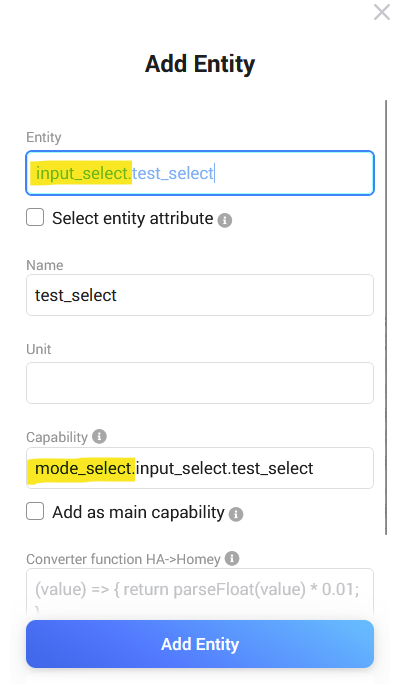
I would say Homey only uses main capabilities (measure_humidity). When adding a sensor device, a main capability is uses. When using a custom device, every added entity us added as subcapability with entity id as prefix.
You can try:
Thx!!! Now it works!!!
Hi,
I have a question. I added my car to HA and added it as a custom device to homey 2019. I know the latitude and longitude of my car. In stead of the address, in Homey it’s represented as ‘Home’ or ‘Not_home’. I would like to resolve it as address entity for that device. Can this be done in HA or in Homey?
Does the HA integration offer an entity for?
If not, you can try to get address data from coordinates. OpenStreetmap offers an API:
https://nominatim.openstreetmap.org/reverse?format=json&lat={lat}&lon={lon}
Exchange {lon} and {lat} with your coordinate tags. Use this URL in the logic https card.
You get a JSON object as response. You can use the JSON logic cards to read the attribute you want. Use JSON path to read attributes like address.road or address.city.
Hi RonnyW, thanks a lot. I gonna give this a try!
New test version 1.13.0:
I found a request to read the stream URL from HA for a camera entity. HA converts camera streams into HSL and this is used for Homey Dashboard.
In my tests, the aspect ration was wrong. Homey is showing a square while the camera video is a 16:9 like format. Currently there is nothing I can adjust. So be patient whether there will be an update.
@RonnyW thanks for this great app!.
I it also possible with youre app the make a Button to adjust the temperature for in this case my jacuzzi .at this Moment is on /off the only option🤓
Mobile:
Go to device settings,
Maintenance > Try to Repair
Web:
Right click > Repair
Next, Add entity
Now enter a part of the name of temperature entity, or the type; “target” should get you results.
When you notice the desired entity, select it
Next, adjust the proposed Homey capability; erase it and enter “target” or “temp”.
Now the target_temperature shows > select it
Press ok next next finish, and, in my case, my watermeter now has a target temperature dial:
but this will only show the value.
You have to add a flow for changed target temperature and send a service call to HA to set it on HA side.
How does ypur HA device look like? What entities are existing?
If there is a climate entity, you can add it as thermostat device (offering full temp control back to HA).
If not, you need at least a HA service you can call to set temperature or temp. up/down.
@RonnyW thanks 
Hi There.
New to Homey and HA, and I’m having trouble connecting the HACA to my HA.
When trying to connect i get “Failed to connect”
The IP is correct, and the Access token is copied directly from HA.
I have connection between Homey and HA, as the Official HA app is able to connect…
What am I missing?
Regards
Can you please try to remove the last / ?
Just an idea…
Hi RonnyW.
OMG - that was it 
Of all the things I’ve tried…
Thanks