EV charger option added for HomeyEnergy.
You can now add your ev charger using the energy options (device class is not used anymore).
You cna use measure_power and meter_power capabilities and set energy option in device settings. If your are using V2G (vehicle 2 grid), you can define capabilities for imported/exported energy.
How do I get this info to be available in Homey?
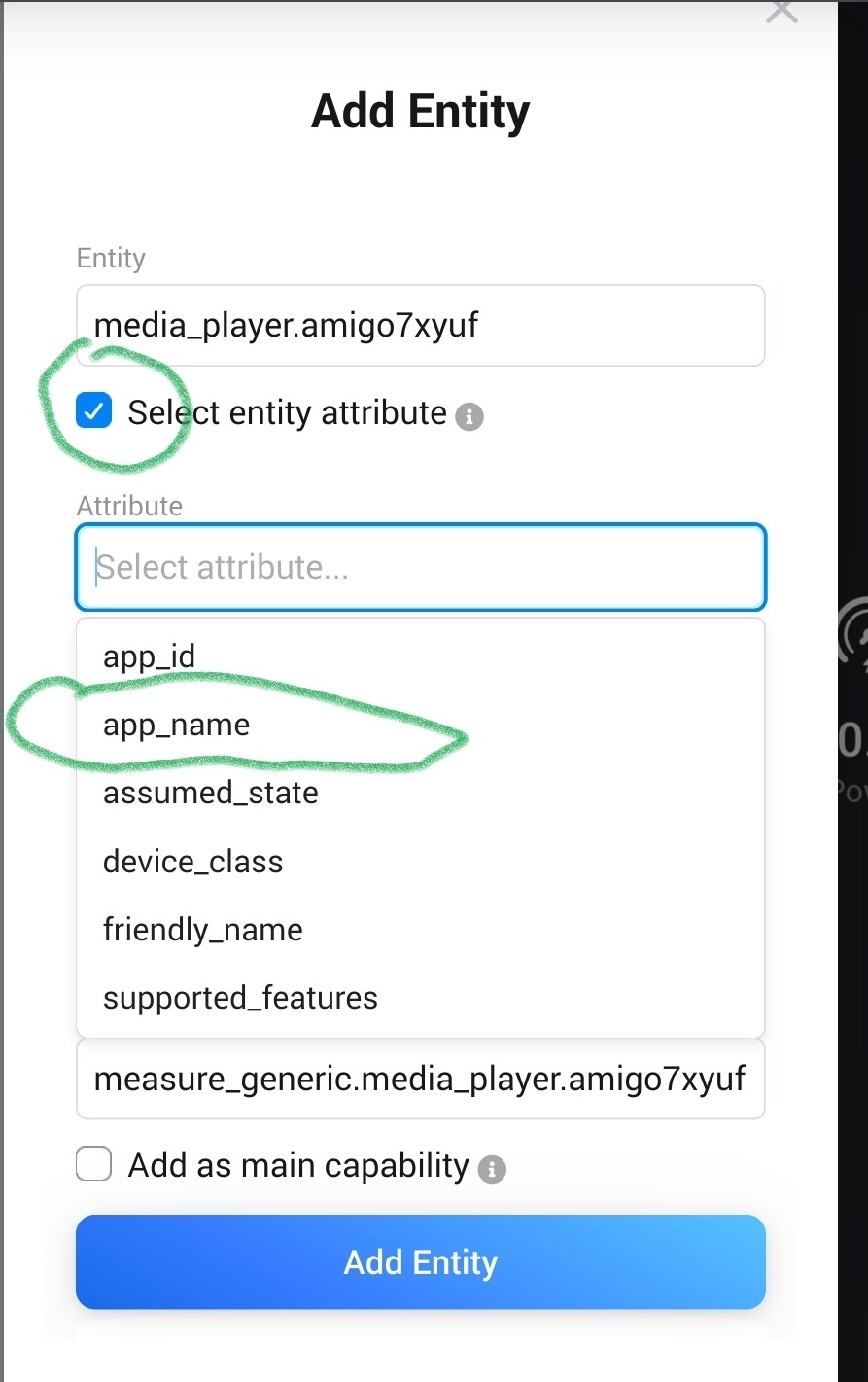
I add the the device itself, but that info is not present, then I tried to add an entity but I still cannot find it…
I am a first time home assistant user, and no idea what i am doing. i am attempting to work around tuya iisues with homey. so far I have got home assistant installed on pie and added Local tuya and i have got most of my tuya devices into homey that way, except a smart plug with power monitoring, when I try and get across to homey all i get is the on/off features. can anyone help
you are using the HA community app (just to be sure )
what device did you add? switch?
how does the HA entity look like? State and attributes? Is rhe HA device perhaps a group of several entities? You can paste a screenshot from entity or device details. Entity details can be found in HA developer tools.
Unless you really want to go the “local Tuya” way (I bricked 2 lights with that…), I suggest to just add this Tuya integration to HA, and all of your Tuya wifi devices will be added automatically: Tuya - Home Assistant
When it’s all there, you’d be able to add them to Homey with Ronny’s app! (One by one, but that’s just how Homey works).
When devices miss certain entities, like power/energy, you can add them yourself after it was installed.
Go to device settings > Maintenance > Try to repair > Add entity > now enter the plug’s name > all entities should appear > pick your entity to have it included in the Homey device
@Ronwell If it’s HA device with several entities assigned, then you can also go to device settings and activate “Device entities / switch / buttons” checkbox.
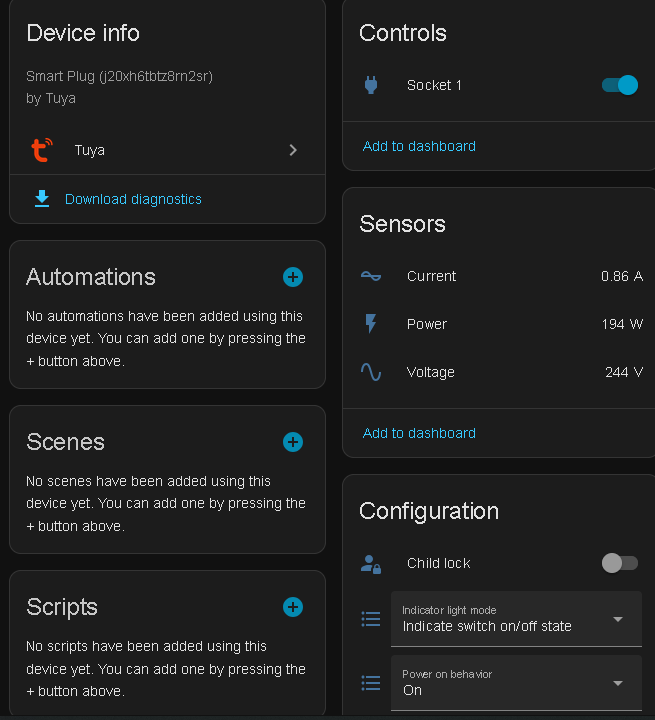
yes I have the HA community app in homey. heres a screenshot from HA you can see HA has the power info, but I can only get into homey as a switch or a sensor but not a smart plug
For most Tuya devices, HA only will have access to "Power”.
For most Tuya devices, “Energy” is (no longer’) supported by the API.
This is also what is shown in your image. You can of course remedy this in creating a helper to sum power into an energy entity. Look for : “Riemann sum integral sensor”
thanks, i have managed to get the power, current, voltage in HA but I can only get it in homey as a sensor for each W, A, V or a on/off switch not as a single device in homey
You can add all entities as single sensor device. For energy options, you can set the capabilities in device settings. I think that should work, too.
But at the end it’s more flexible to start with an empty ‘custom device’ and add all needed entities. So you get one device (e.g. a smart meter or inverter) with all its entities/capabilities.
You can also create a custom device for every entity and only one entity. But this will mess up your device list
Hi, I am trying to figure out why the HA community app custom device is not showing in homey energy. When using the official HA app it shows in HA. In advance options of the device there are multiple settings but I can not find the right info to put in to show the curent usage in homey energy dashboard.
Also the current power usage is not showing and only showing “ready” when my car is charging (so no current power usage also). This is also working with the Official app but is mutch less clean.
Apologies that I still don’t get it but I can’t find the right information for what I am doing wrong. Those are the previous 2 value’s in my previous screenshot rights? Are those not the right one then?



 )
)


 you will get there in the end. you will find the learning curve to be quite steep.