Hi,
can you please make a screenshot of your entity from HA developer tools (including the attributes)?
I just want to know if it’s recognizable from the sensor entity itself if it’s a cumulative sensor or not.
Thanks.
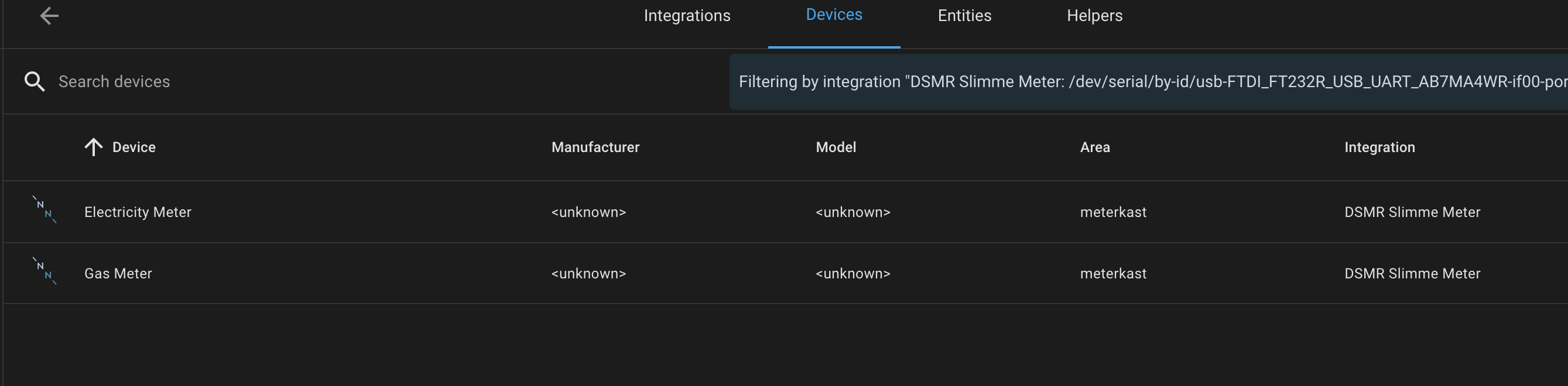


The cumulative power entity is enough. The device itself is only a group of entities.
Can you please add these details? Thanks.
HA main page menu:

There you can filter the list (orange) or select one entity (yellow).
This way you get the technical names of entioty attributes.

I have only an entity that comes from Homey (via MQTT). There I only have energy values but no attribute for cumulative energy. Perhaps you have different settings.
If not I wonder how HA will calculate the energy. Is it shown correctly as intelligent meter in HAs energy view?
So HA only uses the 4 meters 2 for consumption and 2 for production ( peak or week day-time and off-peak or night time/weekend/holiday) on their energy dashboard.
Also it provides in my case , production and consumption.
For homey. I think we need to combine the 2 and expose as meter_power (+ or - ) with the right class so energy dashboard shows it as a meter.

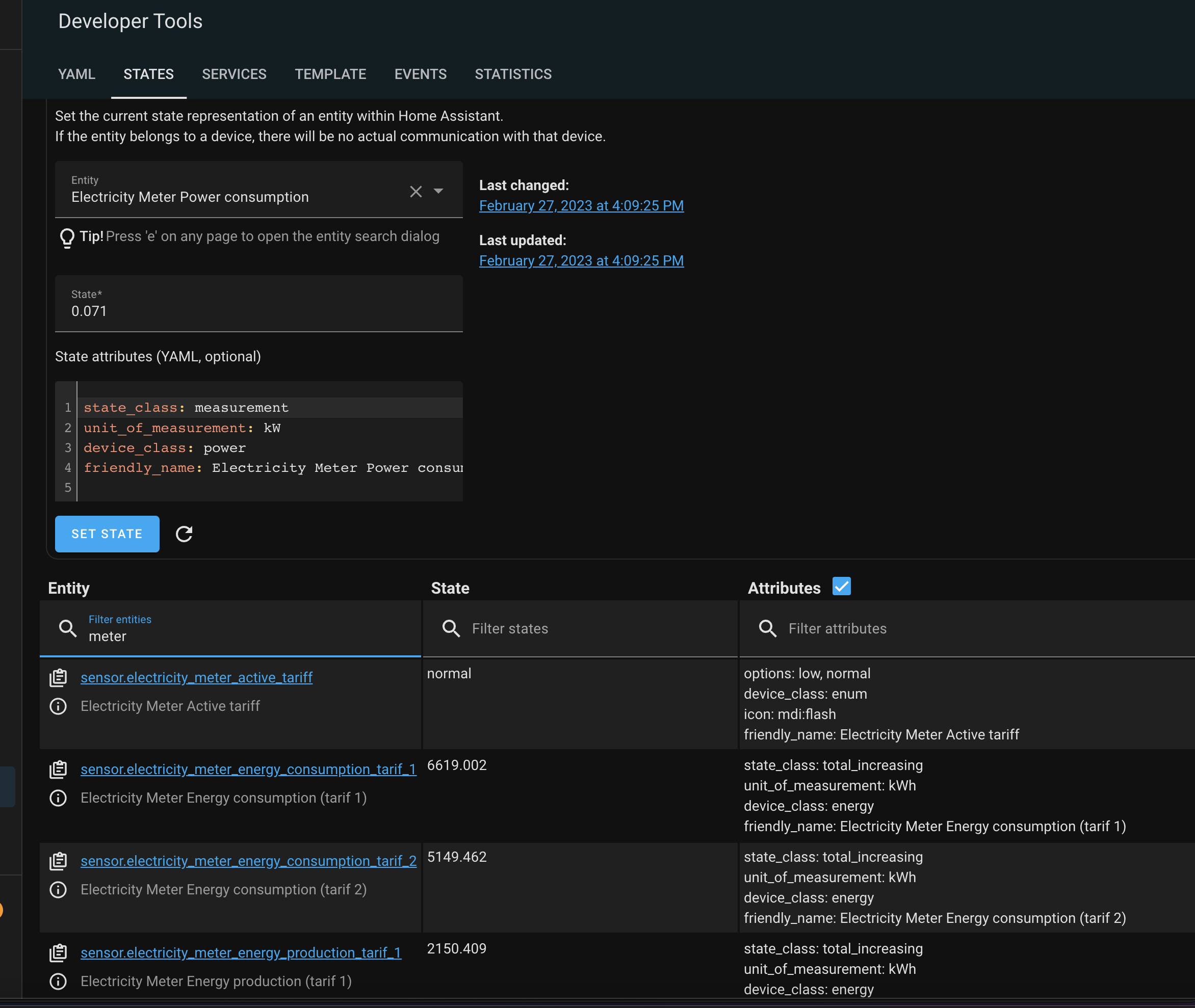
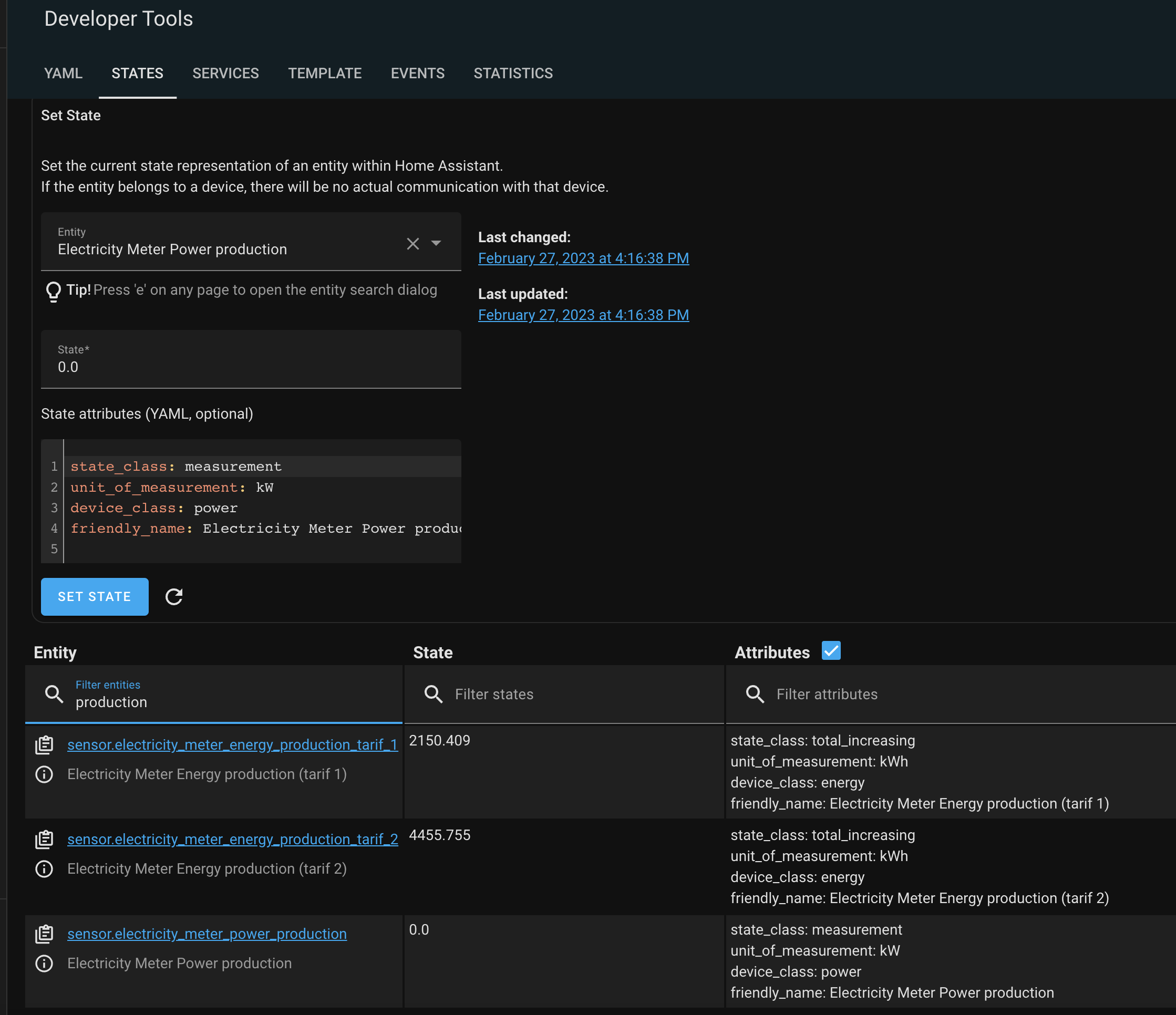

maybe there are different smart meter integration Integrating your electricity grid - Home Assistant
Thanks for sharing.
So as a temporary result I can say from the screenshots:
- HA doesn’t offer an attribute like “cumulative”. It must be set/defines at Homey side.
- Consumption/production is only defined by + or - value (?)
So a solution could be a compound device in Homey with a device settings to define it as “cumulative”. Then it hopefully should not make a difference is Homey is using both values for the cumulative sum.
true
but I guess the name of the capability is important and which class of the device is used. yep + is comsumption, - is production
No, the entity name is only a name. Important is the domain (sensor.), but you can’t read something from the name.
oh , I mean on homey , so it is picked up as P1 on energy.
Hm, I don’t know how this app works.
what I remember on solar . it uses measure_power and check the driver class like in my case solarpanel solaredge.modbus/driver.compose.json at main · biemond/solaredge.modbus · GitHub
The energy setting “cumulative” for measure_power should enough on Homey side.
I just tried to get information about that from HA to auto adjust the Homey device. But as there is no specific attribute, I have to add a device setting to set it manually.
I’ll try this when I’m ready with current changes.
yes I see Energy - Homey Apps SDK
Some devices, such as example a P1 meter or current clamp , can measure the total energy usage of a home or power group. The device’s measurements are added towards the total home’s usage. You can mark a device measuring the cumulative energy usage by setting the cumulative property to true .
/drivers/<driver_id>/driver.compose.json
{
"name": { "en": "My Driver" },
"images": {
"small": "/drivers/my_driver/assets/images/small.png",
"large": "/drivers/my_driver/assets/images/large.png"
},
"class": "sensor",
"capabilities": ["measure_power"],
"energy": {
"cumulative": true
}
}
New test version 1.2.0:
- Adding HA device entities to a Homey device:
The new version offers a possibility to integrate all sensors/buttons/switches from a HA device into the Homey device.
The Homey device is still domain based. So you will still add a device based on its main entity (e.g. vacuum, light, switch or sensor) because the device properties and actions are based on these domains and their attributes/services used in HA.
But once you have added an entity to Homey (let’s say a Hue motion sensor), you can add all other entities, to. So you will have a motion sensor that shows the temperature, lux, too.
Example of a Hue motion sensor:
-
The sensor device:
-
Now go to device settings and activate the first checkbox:
-
Other sensor entities from the HA device, the motion sensor belongs to, are added:
-
In addition, you can add diagnostic sensors, buttons and switched (dependent on the HA device):
-
You can easily remove these sensors by unchecking the settings checkboxes.

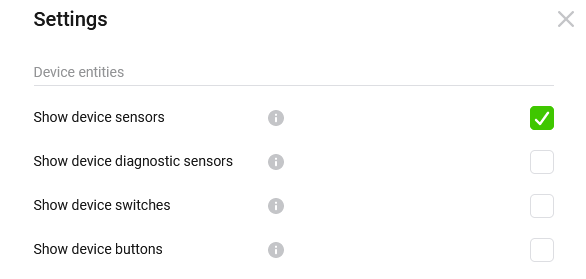


- Set a power sensor as cumulative sensor
For sensor and compound device you can set the device as cumulative power measurement device.
This will only work for devices, where the capability measure_power is added. That’s the case when a power entity is added as sensor decvice. It’s not working if the sensor is added as additional sensor from HA devices because it’s added as subcapability measure_power.xxx and such capabilities are not used by Homey for Energy summation.
When using a compound, please use measure_power as capability name.

Awesome works and so quick
So I tried direct by selecting consumption and set cumulative power but this does not show up as smart meter. Same for production. But how to select my electric device, could only select 1 of the device entities.
then I tried to add 2 compound devices also these don’t show up as smartmeter
also can I add consumption and production as 1 value to measure power.
thanks Edwin
homey:
  p1meter_production_compound:
    name: P1 smart meter production
    capabilities:
      measure_power: sensor.electricity_meter_power_production
      meter_power.tariff: sensor.electricity_meter_active_tariff
      meter_power.producedPeak: sensor.electricity_meter_energy_production_tarif_1
      meter_power.producedOffPeak: sensor.electricity_meter_energy_production_tarif_2
  p1meter_consumption_compound:
    name: P1 smart meter consumption
    capabilities:
      measure_power: sensor.electricity_meter_power_consumption
      meter_power.tariff: sensor.electricity_meter_active_tariff
      meter_power.peak: sensor.electricity_meter_energy_consumption_tarif_1
      meter_power.offPeak: sensor.electricity_meter_energy_consumption_tarif_2


added some sensor somehow, now it works. need to find out what was the trigger. also saw a total parameter when I did repair.
Good to hear it works.
I just made my example compound and that works, too (just to compare):
Compound:
energy:
  name: Stromzähler
  capabilities:
    measure_power: sensor.stromzahler_leistung
    meter_power: sensor.stromzahler_energie
Homey device:

Settings:

Homey energy is showing the compound as smart meter:

Doing the same with a sensor device using the same entity, I can add the Youless twice to consumption:

Enable cumulative and do repair and update capabilities did the trick.
My devices have beed added already as sensor/compound and I only set the checkbox in device settings. The mobile app showed instantly the smart meters.
Perhaps the mobile app (energy view) needs a refresh?
do you know if I can combine the 2 consumption and production in 1 compound measure_power , or make production negative at least
also if I do this, it is shown as watt and value is 0.58 which is kW
  p1meter_production_compound:
    name: P1 smart meter production
    capabilities:
      measure_power: sensor.electricity_meter_power_production
