Thanks for your translation.
I hope I changed all texts in the correct way. You can send me other suggestions as PM.
Schommelen modus gewijzigd → possibly change into AC modus gewijzigd
I’ll take “Luchtstroom” as title like it’s used in the condition card. The trigger card was not already changed.
And some clarifications:
The corresponding tag in the list is the first one (This flow). Below are other text tags from other capabilities.
This tag will have the value of the HA attribute. So if you want to check it with logic variables (what’s needed for integration specifiv values) you should check the possible values of your climate entity.
You can find it in HA developer tools, page “states”. Search your entity and check the attribute list. Ther you should find some mode lists with technical IDs.
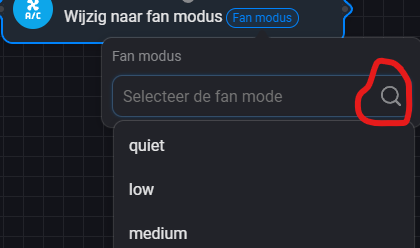
These HA values you can select in the cation cards with autocomplete fields like this:
As value list you will see the valid modes of your entity.
That’s possible for modes that are device dependent in most cases like Preset, Fan, Swing mode.
The condition cards are only using a static value list:
If your device has specific modes, you can use logic cards to check for the modes found in HA developer page (or just log the tags into the timeline to get the needed values).
I hope I answered all your questions or could clear up a few ambiguities.
Correction for dutch translation for climate device.
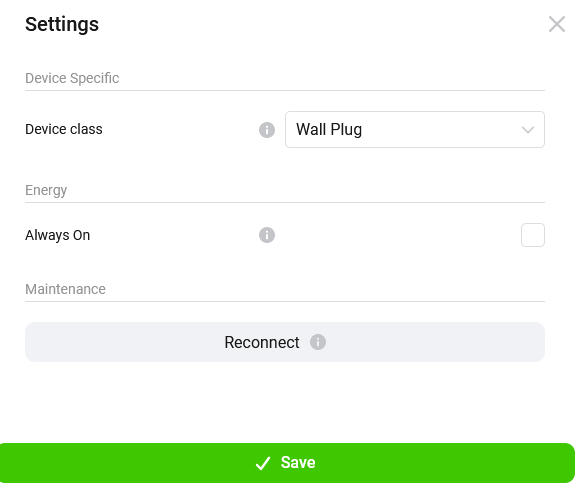
Added device class selection to device settings og Compound device
You can select a device class for compound devices. This way you can define a compound as light or socket.
Using “socket” offers the possibity to set “always on” and energy settings for the device.
There seems to be limitation: You need to have a onoff capability in your device. So just use “onoff” as capability name in compound definition for at least one entity you want to switch. Other entities can be added as subcapability “onoff.subname”.
Some technical details:
It seems the additional settings (“always on”…) are added to the device at pairing.
So the compound is paired as socket, but tranferred to sensor later.
Wheater and which settings are displayed seems to be dependent on the GUI (WebApp, mobile app).
So changing device class to other classes seems to keep the always on setting which could be nice to use this also for a “light” device class.
Switching the device class to socket for a device that was not paired as socket seems not wo work because ot the static settings. So this socket dependent settings will only work for new added compound devices.
Please test and give me a feedback if there are issues.
measure_generic is a text capability. Homey is showing units for number capabilities only.
You can use measure_numeric or (if available) a standard capability.
I checked the climate flows. I think I will change the condition cards for modes (fan, preset, swing) to autocomplete fields next time. So they will show a dynamic value list based on the entity.
That is an other approach but OK by me. I’ll wait until this is changed and check the flow cards then. Related to the capabilities, one translation is not updated: Change “Koel” into “Koelen”
Peter
I’m playing around with ways to add buttons to Homey from HA. I’m really not that good at HA, but it’s fun experimenting. I saw a solution in earlier posts that is also very doable.
But, right now I’m trying it out this way;
Created a helper boolean named “input_boolean.mysbelysning”.
The “input_boolean.mysbelysning” can now be added to Homey either directly as a Switch or as Compound. (I chose Compound if I ever decide to use all the capabilites, like longpress etc in the future and want an easy was to add sub-capabilites)
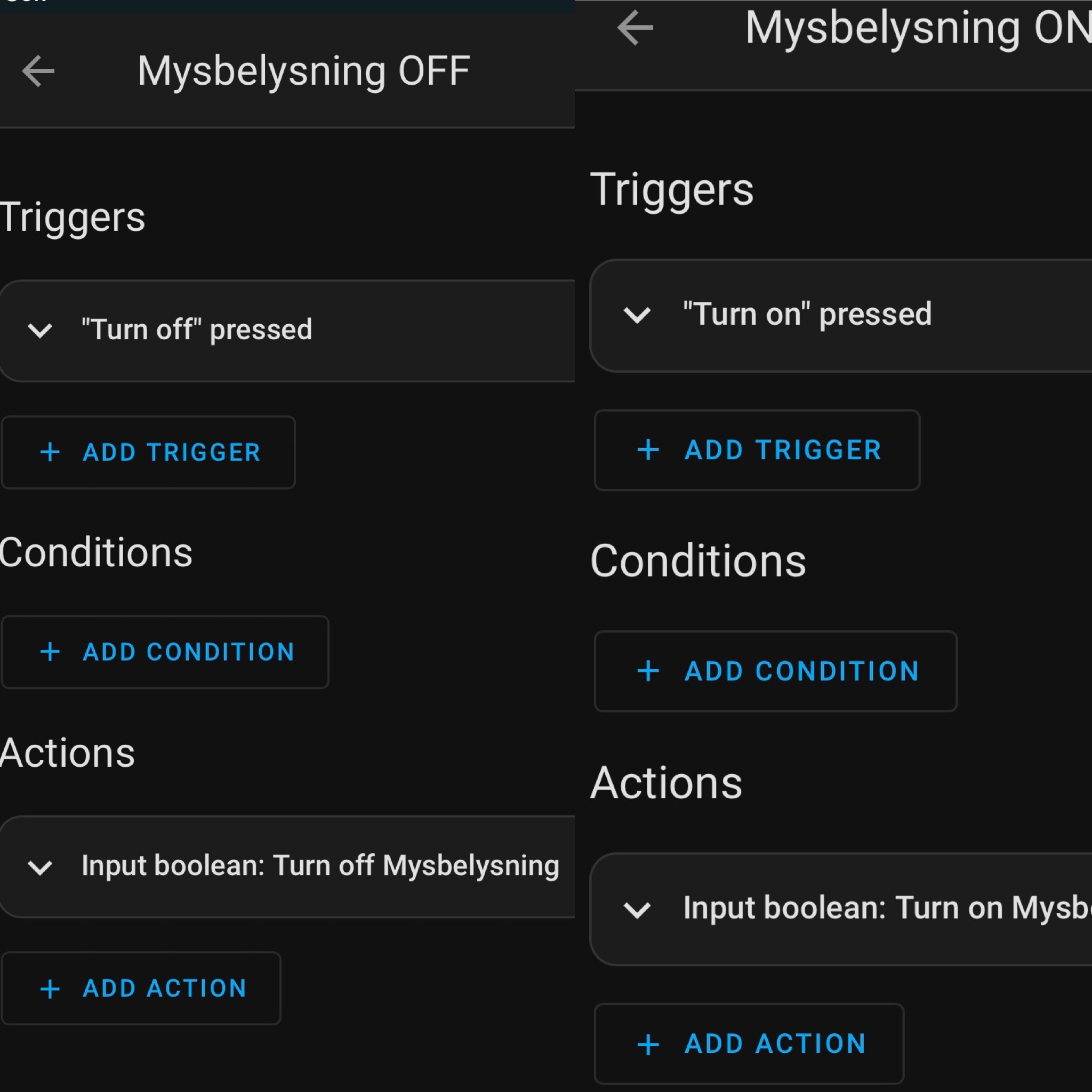
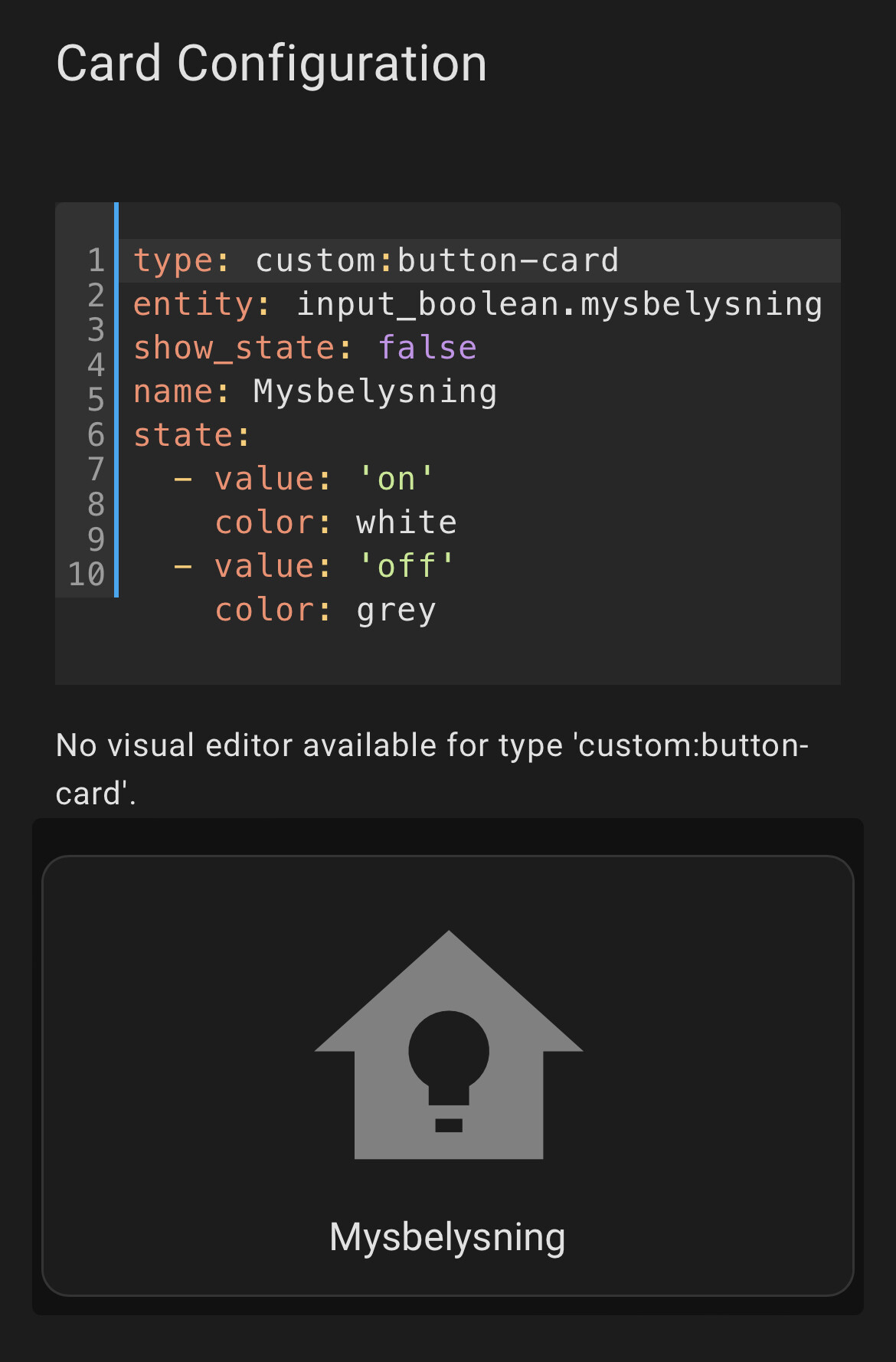
The “input_boolean.mysbelysning” now reacts to the physical button being pressed, the “Switch” in Homey being pressed and the Dash Button perfectly mirrors the state.
The “Switch” added to Homey can now be used as a “When” in flows.
I’m not saying this is the best or easiest way. But my thinking is that when it’s time to build a dash I want to do it in Lovelace and I want States to be shown on the Dash no matter what triggered the automation, and then the foundation for that is already laid. And of course the button can be added as a sensor as well, but I chose this way right now
Hopefully this may help some other HA-beginner as well.
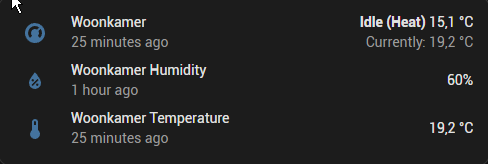
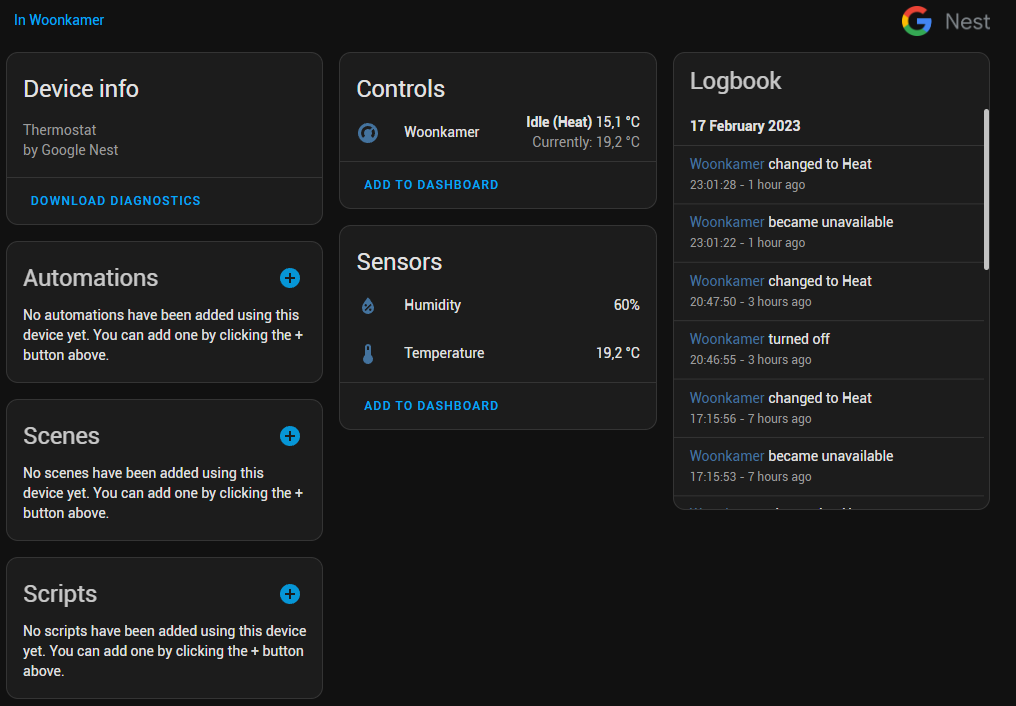
Currently I have a Google Nest Thermostate integrated as a device from HA. Several flows ensure that the pump of the floor heating is switched on when the thermostat updates HVAC = “heating” and modus = “active” until the modus is inactive (+extra time). However, these flows heavily depend on the availability of the thermostat.
In HA I can see the last updated data for the reported capabilities.
Using this data I want to create a flow that will notice if the link with the server down and the device is assumed to be unavailable. I’ve noticed that, if the device becomes unavailable, this is also reported in the HA logs.
Currently I can’t see any capability or variable that shows the device status. I’m not sure if this can be achieved by including a sensor such as measure_numeric (e.g. seconds after last update) or alarm_generic (HA reports the device as unavailable). However, I have no idea which data tu use for this sensor.
HA entities with state “unavailable” will be unavailable in Homey, too.
An unavailable device shoule now error in AdvancedFLows, so you can do some error handlings.
That will not affect Compound devices as they don’t have a single entity connected.
Climate flow conditions for ‘preset’, ‘fan’ and ‘swing’ modes are using autocomplete values now. The value list should present the current available modes of your device.
Playing with some flows for the thermostat device, I cannot trigger an event when the thermostat switches from idle to heating. Currently the only way to accomplish this now is to create a sensor within HA and create a compound device for the thermostat including this sensor (but I haven’t tried this yet). However, it would be so much easier a flowcard is available that is triggered by this tag. After all, the tag “Activity” (Aktiviteit) is already available for the device (idle/heating).
On the other hand, It is possible that I overlook an obvious solution to accomplish the same. However, changing the temperature does not trigger the activity immediately. The activity of the heating system can also be triggered by, for example, the heating system itself (because the temperature in the room is on the target level, but for example the system water temperature is not). Anyway, your comments are welcome.
Hi,
you are right. That’s a custom capability without a flow trigger. I will ad one. I wasn’t aware that a trigger is needed for and so it was intended as sensor only.