Same here Martijn, all my cameras are connected to the Homebase 3, including the indoor PT one.
Not sure if it helps, here is the diagnostic report 77959953-a43d-4838-9253-eac0da62cb6b
Same here Martijn, all my cameras are connected to the Homebase 3, including the indoor PT one.
Not sure if it helps, here is the diagnostic report 77959953-a43d-4838-9253-eac0da62cb6b
Thanks, yeah i’ll add the debugging soon 
The notifications are not processed for the HB3
Changelog:
NEW:
1: NEW: add Image decryptionFIXES:
1: FIX: Notification Images
2: FIX: added debugging for HB3 notifications
3: FIX: added debugging for Chime HB2 & HB3
4: FIX: added debugging for SoloCams security mode
If you find any issues, send a report via the mobile homey app
More - apps - Eufy Security - settings wheel right top - send diagnostic report (put your email in the input field to make it easier)
You can install the test version by clicking the link above and press install
Don’t want to be part of this test version? Install the live version → Eufy Security | Homey
Hi @martijnpoppen , my doorbell (Connected with HB3) sends images but on my 2c pro cam (Connected with HB3) it doesn’t. Vehicles and person detection is set enabled for that cam.
Notifications are enabled on the HB3.
Hi @Heula
probably related to the notification processing.
seems like a fault in the library. With the debug logs it should show what is wrong and it can be easily fixed.
PS: also added debug logs for the Chime. So you can try that and sent a report if you want
Thank you Martijn ! Funny, few days ago I reported that my battery percentage and temperature is not updated for days - it got updated 50min ago  Prior the 3.10.1.
Anyway, tried to play some sounds, changed the mode to include notifications, performed real detections (offic. app reported movement), no change on Homey side also no sound played.
Diag . 602cc275-e8e0-4eaa-be2b-f9fa959c095e
@Sharkys seems like debugging is not showing, fixed it in 3.10.2
so ehh… can you try again? 
No pb, more “sport”, just better
Sent.
Hey Martijn 9fe8766f-b53b-46da-8a77-7feecebd6099
Hi @martijnpoppen , ran the homebase 2 chime without any connected devices for you.
c4cbd971-9085-480c-8f3e-423099ea2f7d
Hope it helps.
Changelog:
NEW:
1: NEW: add Image decryptionFIXES:
1: FIX: Notification Images
2: FIX: HB3 notifications
3: FIX: solocams security mode
4: FIX: HB2/3 Chime warning when doorbell is not connected. (patched)
If you find any issues, send a report via the mobile homey app
More - apps - Eufy Security - settings wheel right top - send diagnostic report (put your email in the input field to make it easier)
You can install the test version by clicking the link above and press install
Don’t want to be part of this test version? Install the live version → Eufy Security | Homey
Hi @martijnpoppen , bummer but nothing you can do about it.
I will contact Eufy about it and ask them why this is not possible. Now this device is useless to every one that bought a HB3.
Thanks for trying.
@Heula yeah it was a hidden feature i guess. It does make sense that the chime doesn’t work without a doorbell (from the Eufy perspective). But i think it can really improve the setup. Even for people without a Homey integration
Martijn thank you - is it just chime or any sound ?
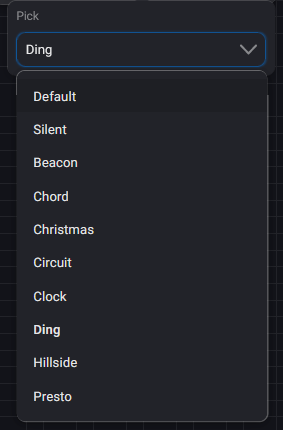
@Sharkys all the sounds
but actually I only heard Ding, the other sounds never worked…
You can use the hb2 as extra alarm sound. That is working for me.
Eufy should make it possible to add the hb2 as an automation. That way we can use it asca second alarm or chime.


