ugrbnk
February 1, 2026, 1:54pm
1
Hello everyone,
I hope you like the app and look forward to your feedback! I will try to respond to all requests as quickly as possible, but since I have a regular job, I will try to resolve issues as quickly as possible.
PayPal Support: If you like my work and want to buy me a coffee: PayPal.Me
Congratulations! Is this the official ESPHome app that @Doekse has been talking about?
ugrbnk
February 1, 2026, 2:20pm
3
Thank you, I made this app myself. @Doekse , adding devices to the app he made was a bit more difficult. If there are any bugs in the first version, I will try to fix them over time.
@ugrbnk Thanks for the new app. My Konnected Garage Door Opener (GDO V2 White) running ESPhome 2025.12.7 was very easy to connect using the new app. Unfortunately it sees the device as a fan or something. What information can I supply to help troubleshoot the issue?
Hi @ugrbnk ,
I"ve experimented with a presence sensor.
Pro 2026 v12.11.0App v1.0.21ESPhome v2026.1.3
H.A. ESP:
Homey:
.com.esphome.homeycom.ugrbnk.esphome
ugrbnk
February 3, 2026, 4:32am
6
Peter_Kawa:
I"ve experimented with a precence sensor.
Thank you, I will fix the problem.
@ugrbnk Configuration info for Konnected Garage Door Opener. Thanks for the putting an effort into this.
ugrbnk
February 3, 2026, 6:57pm
8
I sent a new test version. Would you mind trying it out?
@ugrbnk Testing v1.0.25. Progress for sure my friend but not there yet. I ran through the THEN cards and check what the door did and the ESPhome log. See crude test report below. This link to the Konnected GDO White API should help. Let me know what I can do here. Is there a better way to communicate?
ESPhome Controller v1.0.25 Test Report for Konnected GDOV2 White
ugrbnk
February 4, 2026, 5:29am
10
I sent a new test version. I may need your Yml file for better support.
@ugrbnk Test results for the v1.0.29 follows. I don’t have a yaml file using Homey. However, you the Konnected Yaml info between the Konnected link posted yesterday and the one below. Thanks again for taking on the ESPhome interface to Homey.
Hello Uğur,
If you’d like to extend the presence sensor entities/capabilities it’ll be very much appreciated.
Here’s the sensor yaml:
esphome:
  name: "presence-badkamer"
  friendly_name: "Presence Badkamer"
  includes:
    - uart_read_line_sensor_ld2410v3.h
  on_boot:
    priority: -100
    then:
      - script.execute: get_config

esp32:
  board: esp32-s2-saola-1
  framework:
    type: arduino

# Enable logging
logger:
  baud_rate: 0
  logs:
    sensor: INFO # DEBUG level with uart_target_output = overload!
    binary_sensor: INFO
    text_sensor: INFO

# Enable Home Assistant API
api:
  encryption:
    key: "xxxxx"

ota:
  - platform: esphome # uncomment when needed after 2024.6 update
    password: !secret presence_badkamer_ota
    #num_attempts: 3
    #safe_mode: none

wifi:
  ssid: !secret wifi_ssid
  password: !secret wifi_password
  #use_address: 192.168.
  # Manual IP if needed
  #manual_ip:
    #static_ip: 192.168.
    #gateway: 192.168.
    #subnet: 255.255.255.0


  # Enable fallback hotspot (captive portal) in case wifi connection fails
  ap:
    ssid: "PB Hotspot"
    password: "xxxxx"

substitutions:
  device_name: dev-sensor

web_server:
  port: 80
  version: 2
  include_internal: true
  ota: false

# Workaround for deprecation of custom_components:
# https://github.com/robertklep/esphome-custom-custom_component:
external_components:
  - source:
      type: git
      url: https://github.com/robertklep/esphome-custom-component
    components: [ custom, custom_component ]

captive_portal:

uart:
  id: uart_bus
  tx_pin:
    number: GPIO18
  rx_pin:
    number: GPIO33
  baud_rate: 256000
  parity: NONE
  stop_bits: 1

switch:
  - platform: safe_mode
    name: "Use safemode"
    id: use_safemode

  - platform: template
    name: "Config mode"
    id: configmode
    optimistic: true
    # assumed_state: false
    turn_on_action:
      # - switch.turn_off: engineering_mode
      - lambda: 'static_cast<LD2410 *>(ld2410)->setConfigMode(true);'
      - delay: 100ms
      - script.execute: clear_targets
    turn_off_action:
      - lambda: 'static_cast<LD2410 *>(ld2410)->setConfigMode(false);'

  - platform: template
    name: "Show Target stats"
    id: show_stats
    optimistic: true
    internal: true
    turn_off_action:
      - script.execute: clear_targets

text_sensor:
  - platform: template
    name: "Uptime human"
    id: uptime_human_readable
    icon: mdi:clock-start
    update_interval: 60s

sensor:
  - platform: uptime
    name: "Uptime"
    id: uptime_sensor
    update_interval: 60s
    internal: true
    on_raw_value:
      then:
        - text_sensor.template.publish:
            id: uptime_human_readable
            state: !lambda |-
                      int seconds = round(id(uptime_sensor).raw_state);
                      int days = seconds / (24 * 3600);
                      seconds = seconds % (24 * 3600);
                      int hours = seconds / 3600;
                      seconds = seconds % 3600;
                      int minutes = seconds /  60;
                      seconds = seconds % 60;
                      return (
                        (days ? to_string(days)+"d:" : "00d:") +
                        (hours ? to_string(hours)+"h:" : "00h:") +
                        (minutes ? to_string(minutes)+"m:" : "00m:") +
                        (to_string(seconds)) +"s"
                      ).c_str();

  - platform: custom # Deprecated - currently crashes ESP32
    lambda: |-
      auto uart_component = static_cast<LD2410 *>(ld2410);
      //return {uart_component->movingTargetDistance,uart_component->movingTargetEnergy,uart_component->stillTargetDistance,uart_component->stillTargetEnergy,uart_component->detectDistance};
      return {};
    sensors:

  - platform: template
    name: "Target Moving Distance"
    id: movingTargetDistance
    unit_of_measurement: "cm"
    accuracy_decimals: 0
    internal: false

  - platform: template
    name: "Target Moving Energy"
    id: movingTargetEnergy
    unit_of_measurement: "%"
    accuracy_decimals: 0
    internal: false

  - platform: template
    name: "Target Still Distance"
    id: stillTargetDistance
    unit_of_measurement: "cm"
    accuracy_decimals: 0
    internal: false

  - platform: template
    name: "Target Still Energy"
    id: stillTargetEnergy
    unit_of_measurement: "%"
    accuracy_decimals: 0
    internal: false

  - platform: template
    name: "Distance Detection"
    id: detectDistance
    unit_of_measurement: "cm"
    accuracy_decimals: 0
    internal: false

  - platform: dht
    pin: GPIO9
    temperature:
      name: "Temperature"
      id: temperature
      filters:
        - offset: -1.0
        - sliding_window_moving_average:
            window_size: 10
            send_every: 10
    humidity:
      name: "Humidity"
      id: humidity
      filters:
        - sliding_window_moving_average:
            window_size: 10
            send_every: 10
    update_interval: 10s
    model: DHT11

  - platform: adc
    pin: GPIO3
    name: "Illuminance"
    id: illuminance
    update_interval: '60s'
    unit_of_measurement: lux
    filters:
      - lambda: |-
          return ((x / 10000.0) * -20000000.0) + 1635;
          // KY-018 background: https://community.home-assistant.io/t/126274/11
          // https://community.home-assistant.io/t/126274/17

custom_component:
  - lambda: |-
      return {new LD2410(id(uart_bus))};
    components:
      - id: ld2410

binary_sensor:
  - platform: gpio
    name: "Detectie"
    id: mmwave_presence_ld2410
    pin: GPIO5
    device_class: occupancy
    on_state:
      then:
        - if:
            condition:
              - binary_sensor.is_off: mmwave_presence_ld2410
            then:
              - delay: 150ms
              - script.execute: clear_targets

number:
  - platform: template
    name: "Max Distance"
    id: maxconfigDistance
    unit_of_measurement: "m"
    min_value: 0.75
    max_value: 6
    step: 0.75
    mode: slider #default: slider
    update_interval: never
    optimistic: true
    set_action:
      - switch.turn_on: configmode
      - delay: 50ms
      - lambda: |-
          auto uart_component = static_cast<LD2410 *>(ld2410);
          uart_component->setMaxDistancesAndNoneDuration(x/0.75,x/0.75,id(noneDuration).state);
      - delay: 50ms
      - lambda: 'static_cast<LD2410 *>(ld2410)->queryParameters();'
      - delay: 50ms
      - switch.turn_off: configmode

  - platform: template
    name: "Sensitivity T.hold"
    id: allSensitivity
    unit_of_measurement: "%"
    min_value: 10
    max_value: 100
    step: 2 #5
    mode: slider # default: slider
    update_interval: never
    optimistic: true
    set_action:
      - switch.turn_on: configmode
      - delay: 50ms
      - lambda: |-
          auto uart_component = static_cast<LD2410 *>(ld2410);
          uart_component->setAllSensitivity(x);
      - delay: 50ms
      - lambda: 'static_cast<LD2410 *>(ld2410)->queryParameters();'
      - delay: 50ms
      - switch.turn_off: configmode

  - platform: template
    name: "Motion Hold"
    id: noneDuration
    min_value: 0
    # max_value: 32767
    max_value: 200
    unit_of_measurement: "s"
    step: 2
    mode: slider
    update_interval: never
    optimistic: true
    set_action:
      - switch.turn_on: configmode
      - delay: 50ms
      - lambda: |-
          auto uart_component = static_cast<LD2410 *>(ld2410);
          uart_component->setMaxDistancesAndNoneDuration(id(maxconfigDistance).state, id(maxconfigDistance).state, x);
      - delay: 50ms
      - lambda: 'static_cast<LD2410 *>(ld2410)->queryParameters();'
      - delay: 50ms
      - switch.turn_off: configmode

button:
  - platform: restart
    name: "Restart ESP"
    id: restart_esp
    entity_category: diagnostic
    on_press:
      - switch.turn_on: configmode
      - delay: 50ms
      - lambda: 'static_cast<LD2410 *>(ld2410)->factoryReset();'
      - delay: 150ms
      - lambda: 'static_cast<LD2410 *>(ld2410)->reboot();'
      - delay: 150ms

script:
  - id: get_config
    then:
      - switch.turn_on: configmode
      - delay: 500ms
      - lambda: 'static_cast<LD2410 *>(ld2410)->queryParameters();'
      - delay: 500ms
      - switch.turn_off: configmode

  - id: clear_targets
    then:
      - lambda: |-
          //id(hasTarget).publish_state(0);
          //id(hasMovingTarget).publish_state(0);
          //id(hasStillTarget).publish_state(0);
          id(movingTargetDistance).publish_state(0);
          id(movingTargetEnergy).publish_state(0);
          id(stillTargetDistance).publish_state(0);
          id(stillTargetEnergy).publish_state(0);
          id(detectDistance).publish_state(0);
and below’s the entities what Home Assistant comes up with
the number entities should be added to Homey as slider with these min - max values:
max_distance 0 - 6 / 2 digits
motion_hold 0 - 200 / 0 digits
sensitivity_thold 10 - 100 / 0 digits
binary_sensor.occupancy
button.restart_esp
number.max_distance (m)
number.motion_hold (s)
number.sensitivity_thold (%)
sensor.distance_detection (cm)
sensor.humidity (%)
sensor.illuminance (lux)
sensor.target_moving_distance (cm)
sensor.target_moving_energy (%)
sensor.target_still_distance (cm)
sensor.target_still_energy (%)
sensor.temperature (°C)
sensor.uptime_human (string)
switch.config_mode
switch.safe_mode
switch.show_target_stats
At the moment, this is what works, except for the dim capability
Added as Esphome device:
Added as Multisensor:
The dim capability errors with
Let me know if you need more info / testing.
Thanks!
ugrbnk
February 12, 2026, 4:37am
14
Hello, I tried to provide support. I created a test driver for you. Add it with the general Esphome driver. If you report the problematic parts, I will do my best. Have a nice day.
iPhone’umdan gönderildi
ugrbnk
February 12, 2026, 4:40am
15
Hello, I tried to provide support. I created a test driver for you. Add it with the general Esphome driver. If you report the problematic parts, I will do my best. Have a nice day.
Thank you.
I used the general Esphome driver
They look like the same distance entity in Insights.
As a comparison, the H.A. graphs
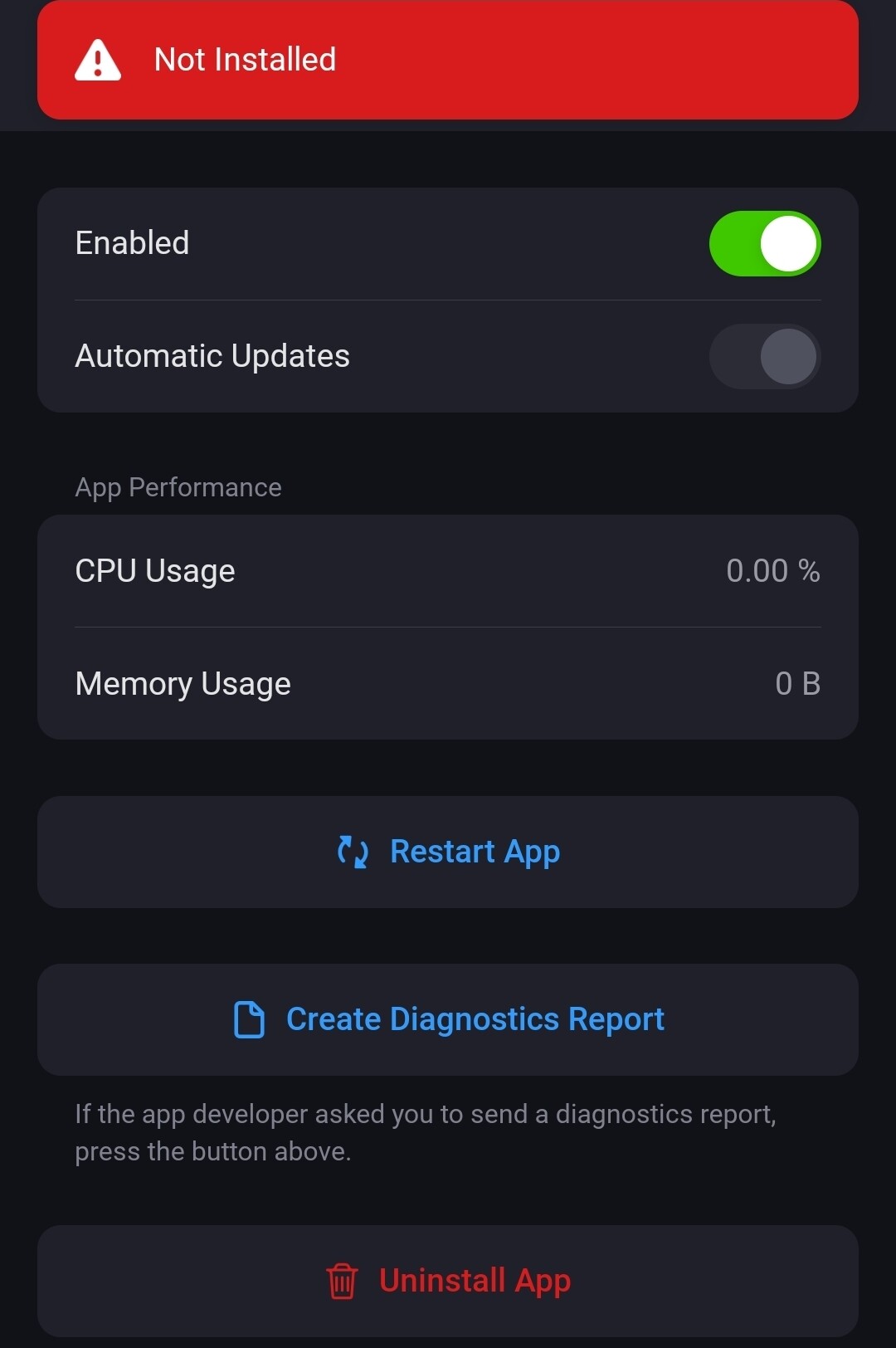
After updating to v1.0.53 I can’t select the app anymore to add new devices.37e900c6-8050-4339-986f-17be12c8ee07
When I press “Restart” it shows:
ugrbnk
February 12, 2026, 5:52pm
18
Yes, I am aware of the issue. Currently, I believe there is a problem with the Homey App Store; it is not downloading the packages correctly.
This phenomenon occurred with an other app as well, it was solved by publishing/uploading the app version again.
Just FYI, the stable version installs without issues.
ugrbnk
February 12, 2026, 6:11pm
20
I’ve sent many new versions so far, but the same problem occurred with all of them. I’ll wait for the system to be fixed. It contains fixes for your presence sensor.