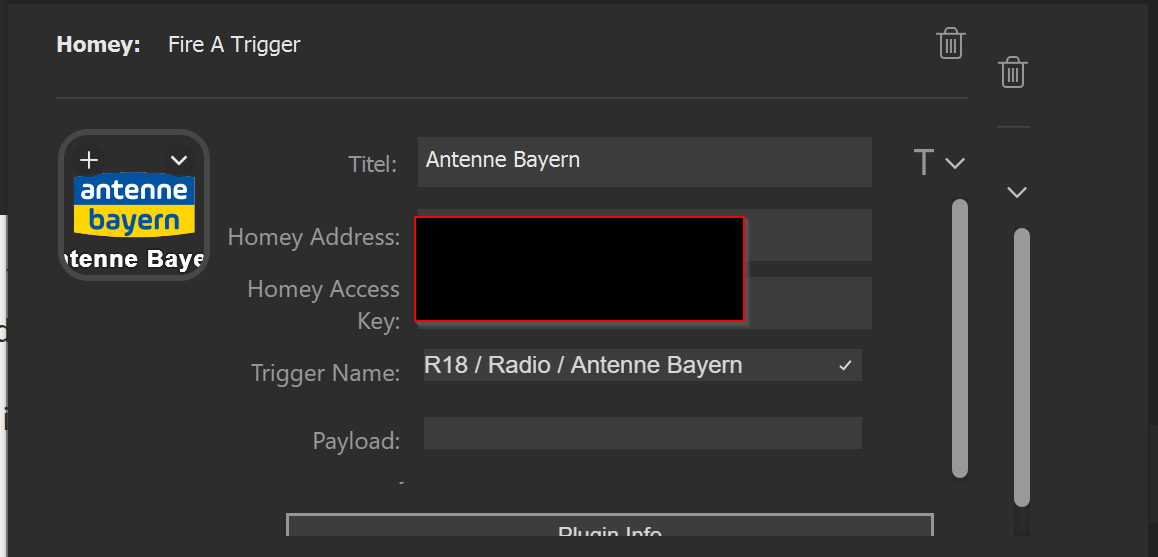
Thank you for your speedy reply.
The issue is only for the “Press a Device’s Button”.
I have created a report and sent it.
Thank you for your speedy reply.
The issue is only for the “Press a Device’s Button”.
I have created a report and sent it.
Just published an updated to tackle this issue. You should now be able to create advanced flows based on trigger buttons as you would expect it to work. Please update the app asap. It might contain a few more minor bug fixes 
Thanks for the effort. However with my setup a trigger action doesn’t trigger on Homey in an advanced flow. The settings are correct , as toggling devices etc. works correctly. Homey just doesn’t get the trigger. I also tested it in my old regular flow and this still works.
Sent you a diagnostic report with code e2f78798-2f2a-48be-9ee7-eb5d8a8fce8a
Now v2.0.2 works fine if only one trigger button is being used. If there are more than one, none of them works.
That sounds interesting. Can you please once more reproduce this behavior and right afterwards create an app diagnostic report for me?
Menu “More…” → “Apps” → “Elgato Streamdeck Integration” → Gear Icon → create diagnostics report
I will check if I can find any hints in the log file, but the submit report only sends the recent history of it.
Thanks in advance
I have created a report and sent it with code 758d8fa9-644f-4023-82e6-8b5d8ecadeb6
Thanks for helping.
Heya @Zawinul,
v2.0.3 is on route to you and everyone. It should fix your issue. I hope. 
Heya, was in the hospital for a couple of days so couldn’t test. It works for me now. As well as in advanced flow with multiple triggers.
Hey guys, I have a strange problem.
I´m fireing workflows, which play sounds on a Sonos system. This worked fine for some hours but then suddenly does not work anymore.
The flow-names are correct. Any idea, what could be the problem?
Maybe it is not the StreamDeck but the Sonos App? Did you try adding a different action for testing in the flows to check whether they actually get fired?
If you have not changed anything else, then it might be that your Homey suddenly changed its IP? Does your Homey have a fixed assigned IP on your network?
If not, try closing the stream deck app. Issue the command “ipconfig /flushdns” (assuming you are on Windows) and start the Stream Deck app again.
I checked it:
Is there a debug mode?
Yes and no Depends on what needs to be debugged really.
Okay. Let’s try to narrow down the root cause.
Other trigger buttons still work or just those specific ones? Do other features still work like toggling on/off?
If other things still work then I would like to have a look at the homey app log.
For this, please reproduce the issue once more and immediately afterwards please generate an app diagnostics report from the Homey app menu “More…” → “Apps” → “Elgato StreamDeck Integration” → little gear icon → hit the generate report button and add your forum name to the message field. I will have a look and see if I can make out any potential issues. And also see if the command arrives to begin with.
Yes, other buttons like hue is still working.
Here is the code: f877e957-8d4c-4f13-8ec9-9cc3a1405740
Yeah, the solution is simple. Your auth key for those buttons is incorrect.
OK, that sounds great, but actually I tought this was a feature:
Is this a bug of the streamdeck software?
Thaaat is pretty weird. I have never seen that happen before. The app just caches the last homey and key you entered for making it easy to create more buttons for the same Homey. It does never replace those two fields. At least this is not intentional. I wonder what could cause such a behavior…
The settings are saved as soon as you go to another field. That is not the most nice implementation at all but well. Maybe it is a timing issue. Try wait 2 seconds after entering your key and then click into the title field before chaning anything else. See if it behaves different.
I now entered the key as my password, but it doesn´t work either:
Then I saw, that for one key, the adress was wrong (only the new passord). I tried to correct, it, but I cannot change it… it always is automatically changed.
I also waited some seconds.
I just created a new report with the “working button, which does not trigger the flow”:
a987afa2-3d63-4d07-86bf-41f15a28fbba
But looks better. I’ll DM you as for confidential data
Mh, also flow-name are correct and flows can be started out of homee, I cannot trigger any flow from the streamdeck.
Besides, I´m not able to edit 2 out of 4 correctly 
That really weird. Well from the logs it looks like the trigger is fired but there is not trigger card subscribed matching the event name. Not sure what could possibly be wrong to be honest. I’ll let you know if another idea strikes me.