I just renamed the flows and tried again, but the workflow is not triggered from streamdeck.
Is it possible, that it is bug with the newest streamdeck software version? I created all workflows afters the update.
I just renamed the flows and tried again, but the workflow is not triggered from streamdeck.
Is it possible, that it is bug with the newest streamdeck software version? I created all workflows afters the update.
hmm… which version of the SD software do you have at the moment?
5.3.1.15197
hmm… you might have something there. I just updated my own SD app and now I can reproduce the behavior of the button editor you described last time.
I need to have a deeper look into the SD Plugin SDK to find out what is happening there.
Sorry for the bad news, this might take a bit of time.
Okay. This is a really strange behavior. I got no fix for this yet but a workaround for you.
Create a new button. Enter the correct access key. Click into a different field. It will show the wrong key again but the correct setting ends up in the app cache. Now delete the button and create a new one again. It should get autofilled with the correct key.
I will try to find a solution for this but I do not yet understand what is causing this behavior.
I got a hotfix ready but I just came to notice that the supporter I used to work with is no longer with Elgato. Might take a few days until I can publish it.
Hello Chris,
I have the same problem on my Streamdeck connected to my MacOS Monterey.
How did you solved this?
Kind regards,
Wouter
Hi there,
got your issue resolved?
In most cases it is related to the DNS resolution of your local DHCP (typically your router not resolving homey’s local hostname as expected) Check the FAQ for the hosts file workaround in that case.
First of all great thanks for building the stream Deck app.
I having troubles connecting it with homey, I keep getting an error: SyntaxError: Unexpected end of JSON input do you have any idea how to fix this? I already tried the refresh trick.
Hi @Teun_van_Olphen,
that actually is pretty weird.
Let’s see what the Homey side says first.
Please reproduce this failed attempt. Preferably on an empty page of the StreamDeck to prevent noise from other buttons.
Then go into the Homey app menu “More…” → Apps → StreamDeck Integration → little gear icon and create an app diagnostics report for me. DM me with the report ID. I will check what Homey says.
YAY! I received the StreamDeck+ today!
So yes, of course I will look into those shiny fancy knobs and the touch display stuff in regards to the Homey plugin.
It will however take some time, because am currently busy with making all my Homey apps fit for Homey Pro 2023. So that has priority of course. But I will get back to the knobs when this is out of the way.
Tiny teaser 
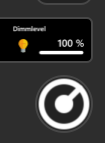
Still hell lot to do there though…
Sneak peak on upcoming SD+ feature

So I might have done a little overboard with the customizability of the knob stuff here. But hey. Why not.
So the prototype sports following features at the moment (no guarantee things might not change still):

So at the moment am not planning to add more features to the knob, but who knows.
Also, this requires an update of the Homey app to be supported, which is currently in the process of making it compatible with the new Homey Pro. So no ETAs right now.
But any feedback is very welcome.
UPDATE
v2.2.0 of the Homey app is now rolling out. Which includes compatibility with the new Homey Pro 2023 and support for the SD+ knobs.
I still need a bit more time for the StreamDeck plugin though. Mostly for testing and some polishing. But it is getting closer to release.
UPDATE UPDATE
v1.8.0 of the StreamDeck plugin is now passed on for review by Elgato. If there are no major findings it should be on the way to you soon™.
Looking forward to being able to use the StreamDeck+ knobs for something useful! How long does Elgato take to review? 
That’s literally random. Would say 3 days tops. Maybe tomorrow morning already. Or tonight. Hard to tell
It got approved already. Should be available on the plugin store by now. Or maybe your SD already updated automatically.
Hi,
Firstly, love this app! It is great to link it to my Stream Deck and makes some activities so easy to run!
Since I have received and installed my new Homey 2023 and applied my Homey 2016 backup to it. With this being said, I have noted that my Stream deck is no longer able to trigger a previously working flow. I have updated the name of the Homey to the new one (On the stream deck app) and I have a few device switches working perfectly and the displaying of device data, but flows not working at all. I have even tried a dead simple flow that just takes the fire of a workflow and sends me a message and this does not work. Is there something I am missing?
SD Version - 6.1.0.18521
Homey SD app - v2.2.0
Report ID - 06a0bf32-8c7e-4088-90fd-58bc19e7acf0
Hi @stuartp44
I have checked your submitted report. It does look like there could possibly a bug but I am not 100% sure. I will try to reproduce this.
Are your trigger flows simple flows or advanced flows?

