[APP][Pro] Device Capabilities - Enhance the capabilities of devices

Thank you for your suggestions!

The alarm works but you cant add alarms to the dashboard for some reason so that ruins the idea with the kiosk mode dashboards.

I have tried with the calender but it got cumbersome, especially for the Wife.

I think I will try to either do a app or if I just could make a widget that writes to a variable.

1 Like

Oohh that’s odd, it’s like someone forgot to add the alarms as dashboard widget.
You can request it per https://homey.app/support

1 Like

Hi Arie,

Nothing happens when i presse it…

Hi Peter,

Pro 2026
DC app v2.16.3

I guess you didn’t update the field with the red line:

I also picked a random TEF, and it works as well on my end.

Hi Peter,

That field doesnot show up here. Maybe because of the SHS???

Tried another flow where the user shows up, but again no result….

Let me try on the SHS
@Peter_de_Vos Same OK result on a SHS :face_with_peeking_eye:

When you tap on the user field (if there), a (list of )user name(s) should pop up, does it @ your SHS?

Yes, it does if it shows up. Also tried firefox in stead of chrome. Same result.

When i try it with an simple flow with just a trigger and a then card it work just fine :thinking:

Maybe its because there are more triggers in one flow​:thinking:. Guess i have ro rebuild al my flows​:astonished_face:. Would be nice if the advence flows could be imported

They can be exported/imported, but you’ll need a keyboard with an Alt key.

1 Like

Thnx! Will check out tommorow. Took me 9 years to build them, so no hurry.

1 Like

Hi,

I want a light device with 4 buttons. 1 to control all 3 lights, the other 3 to control the lights indepentenly. I also want a dim and a menu to change the color. I like it how it is with group devices but can’t get that for the color and temperature.


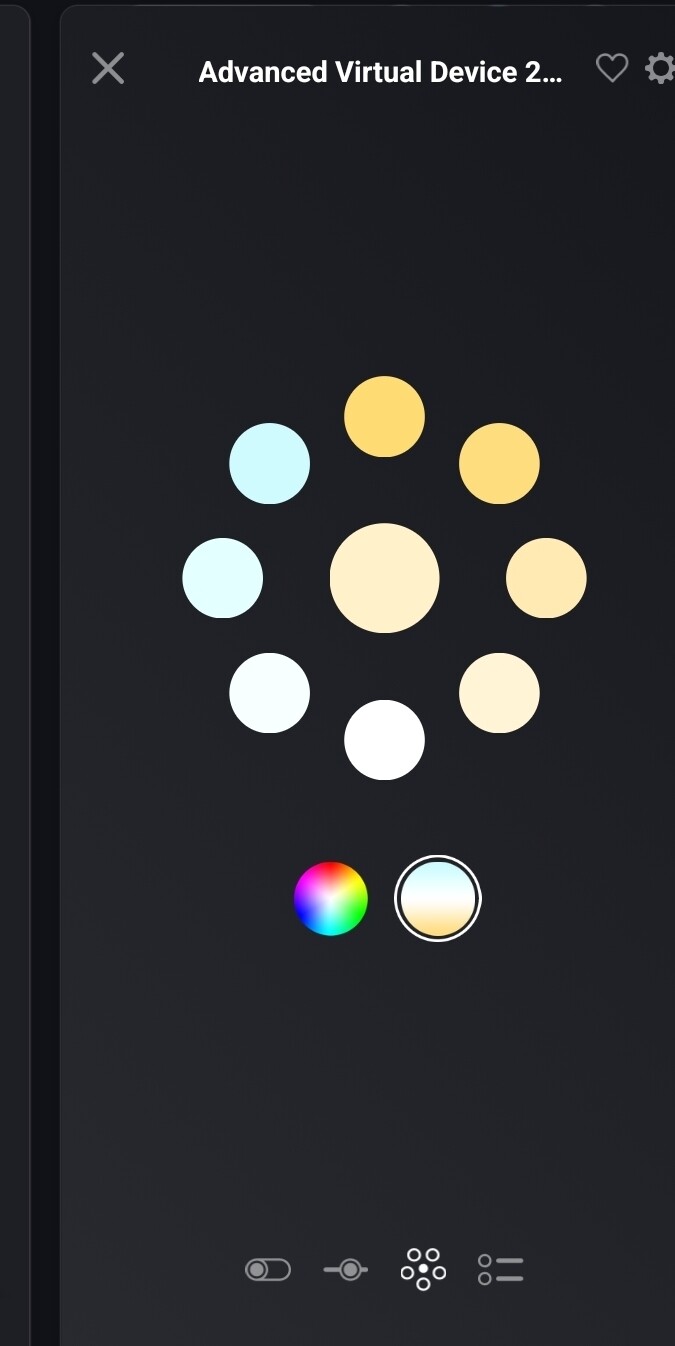
I want something like that but the only thing I get with this app is this.

This is on desktop. On mobile I see the version with only colors but want something like the top. Is this even possible or do I need to use a different solution.

For that, you need to add all necessary fields. I believe (from head right now) a number field set to Hue plus a number field set to Saturation.

And both field, you need to Check the Create Real Fields checkbox.

I think I’ve missed the checkbox, going to check this tonight. Thanks.

On Mobile I need to select
Color Temperature(+ checkbox real fields) and Hue(+ checkbox real field.
It’s bugging on mobile but I see both fields. On Desktop I only see this

If I add a third field color saturation with checkbox I see this on Desktop

But I’m unable to select the colors. On mobile I can select colors but the temperature will still be highlighted and you see flashing images of the temperature when you are on the colors.

What am I doing wrong. I almost have what I want :slight_smile:

Thanks for the help!

Hi Daniel,

(When you didn’t already) Afaik you’ll need to add all numeric values of an RGBW light + the light mode.
The device class should be set to ‘light’.
(Check the Device settings screenshots below)

Device settings:


Result:

Phone app


Web app


2 Likes

I think I’ve missed the checkbox in the List block. I feel so stupid for take your time. But I’m happy that’s finally solved. This is a perfect solution for the Hue Beyond. That has 2 lights one down and one top and now I can control it with one device in Homey.

No problem!
In hindsight I better could have asked you to post the settings of your AVD :face_with_peeking_eye:
I’m glad it solved your issue.