Ah I see! Thx!

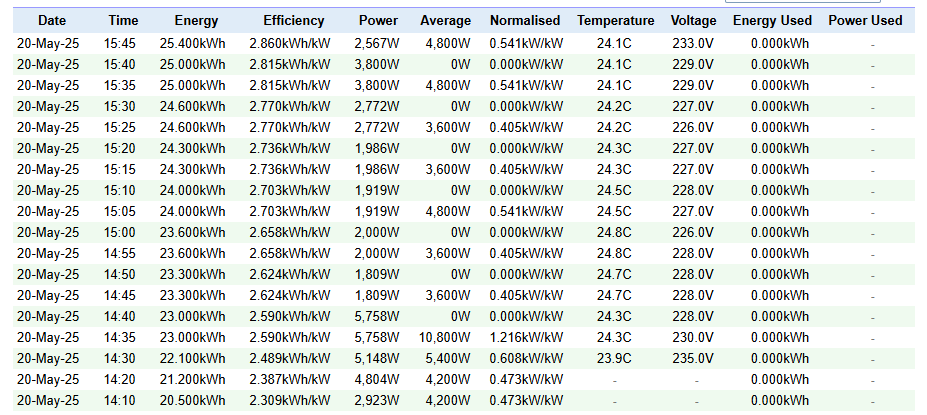
It looks simular to what I have. So I guess it is normal. It can take a day to get the average values right. Are you using the special triggercard or are you triggering on a time card?

Looks good. The kWh used (today) is a mystery for me still. I dont know what it is for and how it shows on pvoutput.org
You could try leaving it out of the flow
I have a ‘Power by the Hour’ on my P1 meter, and take the ‘kwh this day’ value, which represents the actual kwh my house has used.
so far it is clear. What is not clear to me is what PVOutput does with that value 


The Average figure varies because the Energy is being incremented in 300/300/400Wh lumps rather than “smoothly”. You will note that Average is zero when Energy is unchanged from the previous data submission. I had a similar experience - but even more exaggerated - my inverter only reports Energy in 1kWh lumps - so I would see lots of rows with Average = 0. Then suddenly one row with Average = 12000W. Uploads are at 5 minute intervals; there are 12 intervals in an hour so a 5 minute jump of 1kWh is an Average power of 12000W.

To smooth things out, I have reverse-engineered my very lumpy Energy readings into a smoother curve by accumulating the Power over time. I use a virtual device and upload the data using its capability values. If I compare lumpy and smooth Energy the two curves look very similar. And now my data in PVOutput is nice and smooth…


Nice simple app that supports the PV Output site - thanks Robin G. I, too, would advocate for the ability to upload Export values, alongside Import that I note is available from the API document. Agree that separating the “simple” use case from the more complex on separate flow cards is a good way to proceed.
For some reason I don’t get the result I want.
I’ve an Homewizard 3f kWh-meter. In general you’ll get the input from the Dongle. Is this maybe the reason it doesn’t work? Did you guys some tests with a separate kWh-meter? Or is it just a setting I don’t know?
Nb, my set is max 2000 Watt on the West.
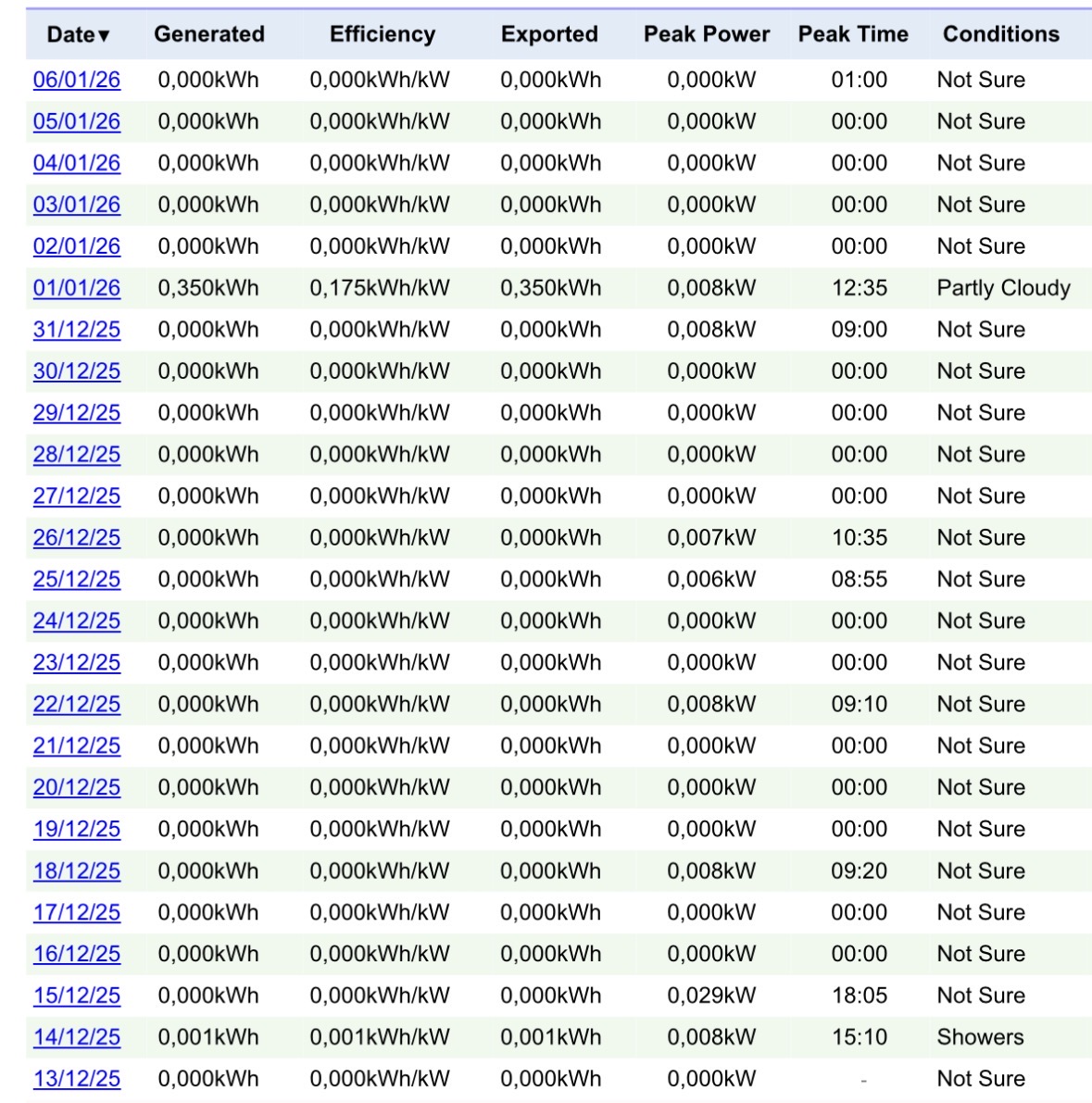
Found my problem. Solution is in the Dutch section.
Where can I find the ‘Dutch section’?
I tried this nice app.
When create an output with ‘just’ integer values, some of the values in the card are indeed uploaded:
- Energy produktie = 20 kWh
- Energy verbruik = 21 kWh
- Dagelijks = Ja
- Vermogen = 22 W → Power 22W
- Voltage = 23 V → Voltage 23.0V
- Temper. = 24 C → Temper. 24.0C
But when I add value from a ‘tag’, and save and reopen the card, Homey returns an error ‘Invalid value for argument &’ for each tag. - Energy produktie = not filled, since not uploaded
- Energy verbruik = not filled, since not uploaded
- Dagelijks = Ja
- Vermogen = from a ‘Zonnepanelen’/‘Solar Panels’ app, Growatt PV
- Voltage = from a randomly available plug with voltage meter
- Temper. = from ‘Weather’
(How) can I see what values are passed, and why they are invalid?
He probably referred to the Homewizard Dutch version topic
Usually links to app topics are mentioned on the app page at the homey.app store.
Major new app version 2.0.0 is ready for testing
- Added new flow: Upload net export/import power
- Added new flow: Upload end-of-day output summary
- Added battery and message fields to PV data upload
- Added extended data (v7-v12) readout
- Flow fields now accept tags
- Fixed several upload bugs
- Translated to 13 languages
Lots of fields were added to the upload flows. The extended data is only available for donor accounts. I have not been able to test that myself. Please provide feedback if you find any issues.
I started my own topic.
Sorry that I didn’t see your question earlier. For some reason I don’t get notifications.
