Could you post a screenshot of your flow. I’ll look into it next week as I’m going on holidays right now.
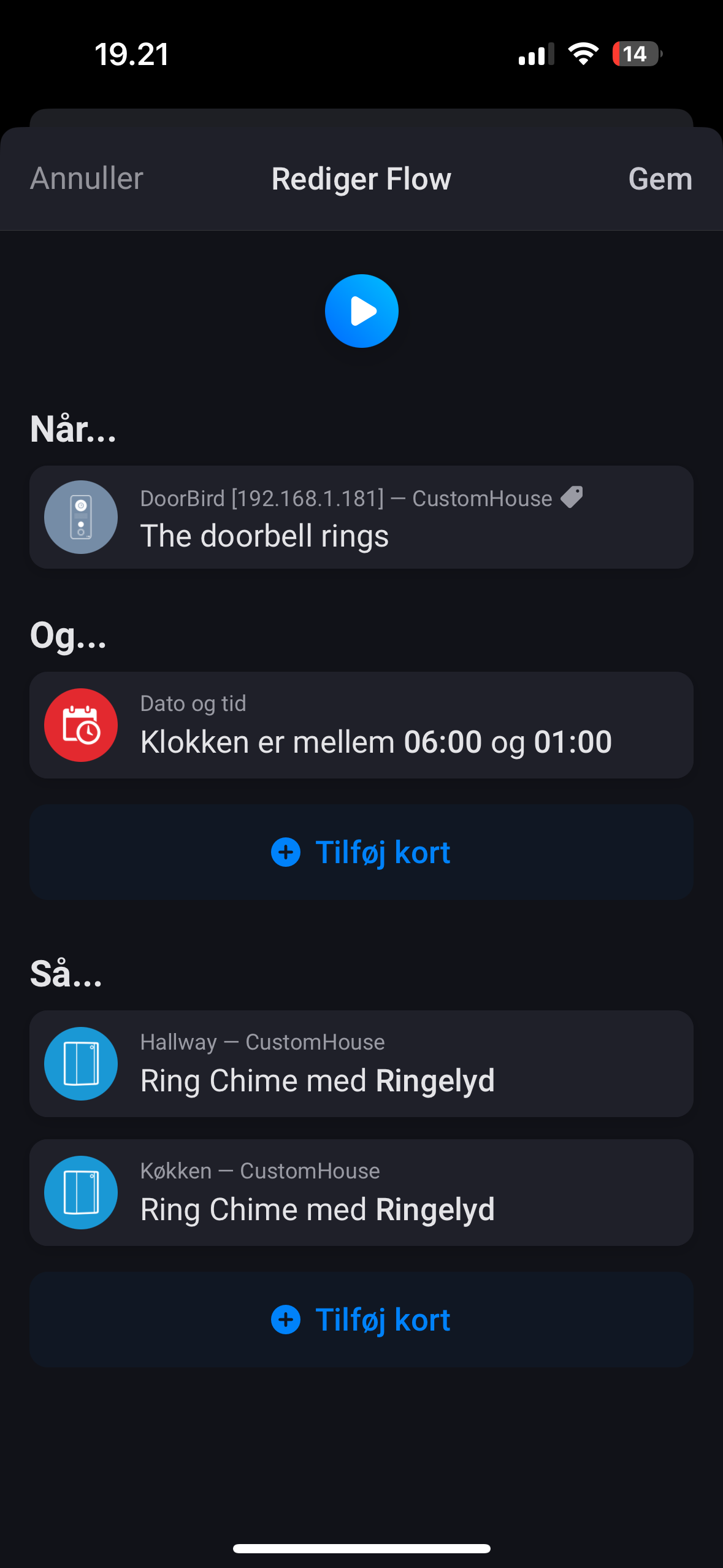
Remove and re-add the HTTP notification schedule from the advanced settings of the device in Homey or do it manually from the administration settings of the DoorBird.


As mentioned, you need to do this in the DoorBird administration (in the official smartphone app). You need to check it the schedule if set up correctly.
Is this in Homey Cloud or Pro? If it’s on Pro you need to check your network, if it’s on cloud you could try reinstalling the app to force an app restart.
I am the admin area of doorbird. I removed the links. And went into the Homey add, and reset the new links. This was sent to the doorbird.
Yes Homey Pro - Network is fine - on the same network. (Wifi) Doorbird screenshot is also loading.
It works - but with button #2 - Not the Button #1 for my home… How do I change this ?
GOT IT! Works now ! Many thanks!
Currently, I don’t have any specific flow. I play with the device itself from the UI and try to get the integration working. After that I will invest my time creating some flows that suit me.
I’m facing an issue. When adding DoorBird D2103V I receive the following message: “Invalid Capability open_action_9” ? Any idea how to add my DoorBird to Homey? Im trying to add the
How many relays are connected to this model? More than 8?
Could you post the output from http://yourdoorbirdip/bha-api/info.cgi
here it is
{“BHA”: { “RETURNCODE”: “1”, “VERSION”: [{“FIRMWARE”: “000142”,“BUILD_NUMBER”: “16920020”,“WIFI_MAC_ADDR”: “XXX”,“RELAYS”:[“1”,“2”,“A@1”,“A@2”,“A@3”,“B@1”,“B@2”,“B@3”,“C@1”,“C@2”,“C@3”,“D@1”,“D@2”,“D@3”],“DEVICE-TYPE”: “DoorBird D2103V”}]}}
But this was a great hint! I unchecked the relays that are not in use. That got me under 8 and now homey and DoorBird are connected!
Many thanks!!
Hello,
I have problem to add doorbird on the app.
It’s a d101 model.
I must use admin user. Other users are not recognized.
When account IS added, It’s impossible to have a picture.
An Idea of the problem?
Thank you
For Homey Cloud this is correct, only the admin user is valid.
When paired with Homey Cloud it can happen that the images are not available. The workaround is to reinstall the app from the app store to force an app reboot. This should eventually result in the images being displayed.
Hello,
Reinstall the app doesn’t change anything.
I would liké try the solution before perhaps buy the homey pro.
It’s an expansive solution but it’s not good for this moment…
You cant compare Homey Cloud with Homey Pro like that. Interface might be similar but the way the app communicates is completely different. You wont see this issue on Homey Pro, that’s for sure.
I think that there is a problem somewhere between Honey Cloud and Doorbird API. Maybe broken integration because the API from Doorbird was changed.
From my example notifications from the device are working normally and this is because the configuration is on the device to send HTTP notifications for these events to Homey. The other way around is not working.
Also, when the event is triggered by Doorbird the snapshot is not loaded.
Example:

It seems the snapshots are indeed broken on Homey Cloud due to a change made by Athom in the OAuth2 module. I’ll fix that. All other tests are fine though. Make sure you have the HTTP(S) notifications set up correctly and dont test with a snapshot token (as they are currently broken).
Notification from the device is working normally. The other way around is not working (Homey Cloud → Doorbird):
- Getting live stream,
- Getting the last doorbell snapshot,
- Getting the last motion sensor snapshot,
- Trigger relay
Should all be fixed with the latest release (3.2.7).
