Make the HH in the reflect bll expression lowercase.

Well, that seems alright, altho the lowercase d should be between 2 double quotes: "d".
But yeah, the coding looks alright, straigns that it doesnt work correctly.



Please create a ticket. I might have the split line for day (in effect) on 24:59 instead of 23:59.
@Arie_J_Godschalk
Newbe question, apologies, but how do you actually create a timer?
If on my Homey Pro 2023 go to Devices → New device-> Chronograph → Timer (For example) → Install → It says “No new devices found”
Using Chronograph v2.0.12
Thanks for the help!
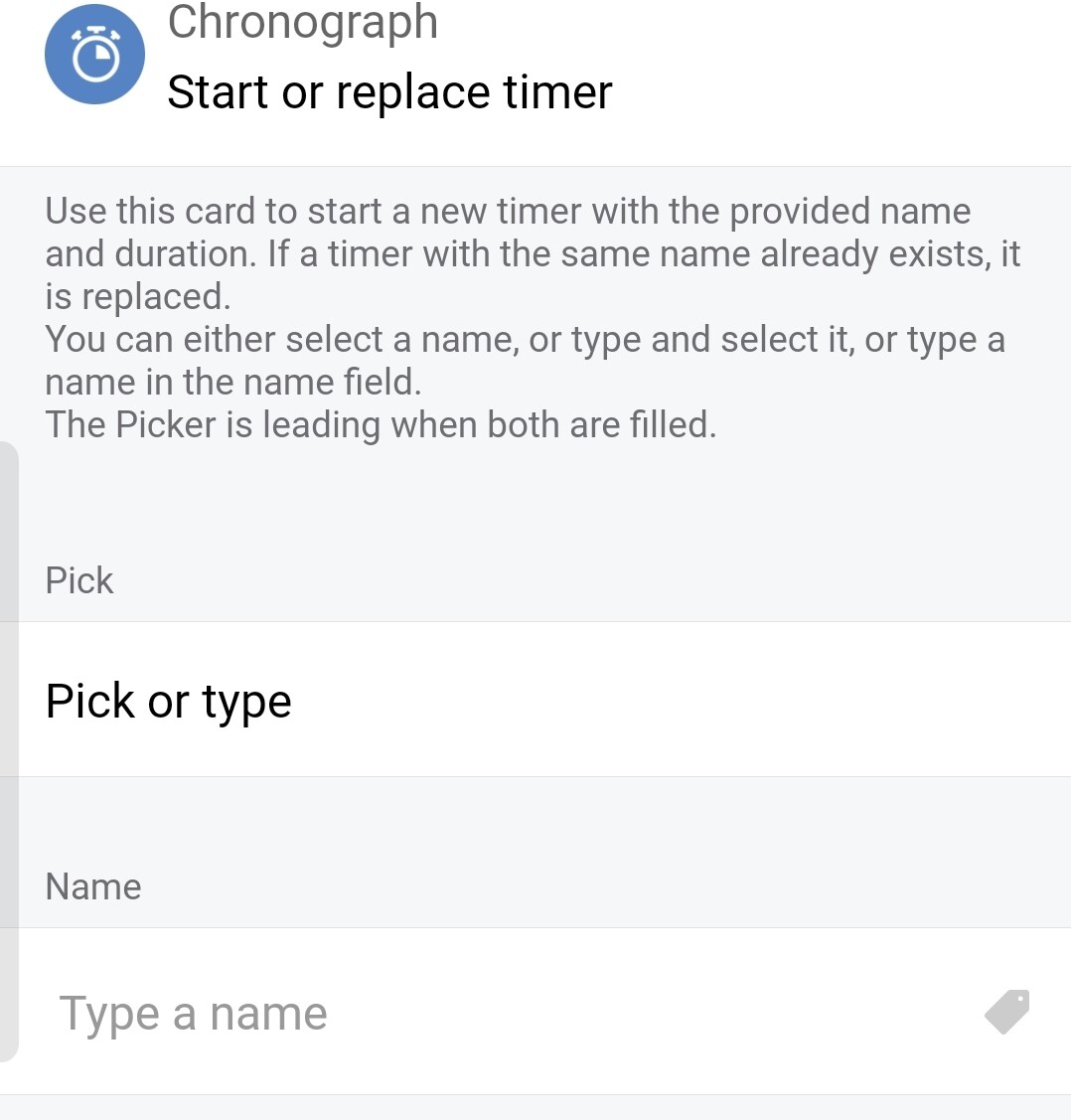
P.S. If i do it trough a flow → then → Chronograph → Start or replace timer → it asks me to choose a type, which there are no items to choose from
Update
Never mind, appareantly you can just type your name there and it’ll create it. I was off guard by it saying “No results found” and stopped there 
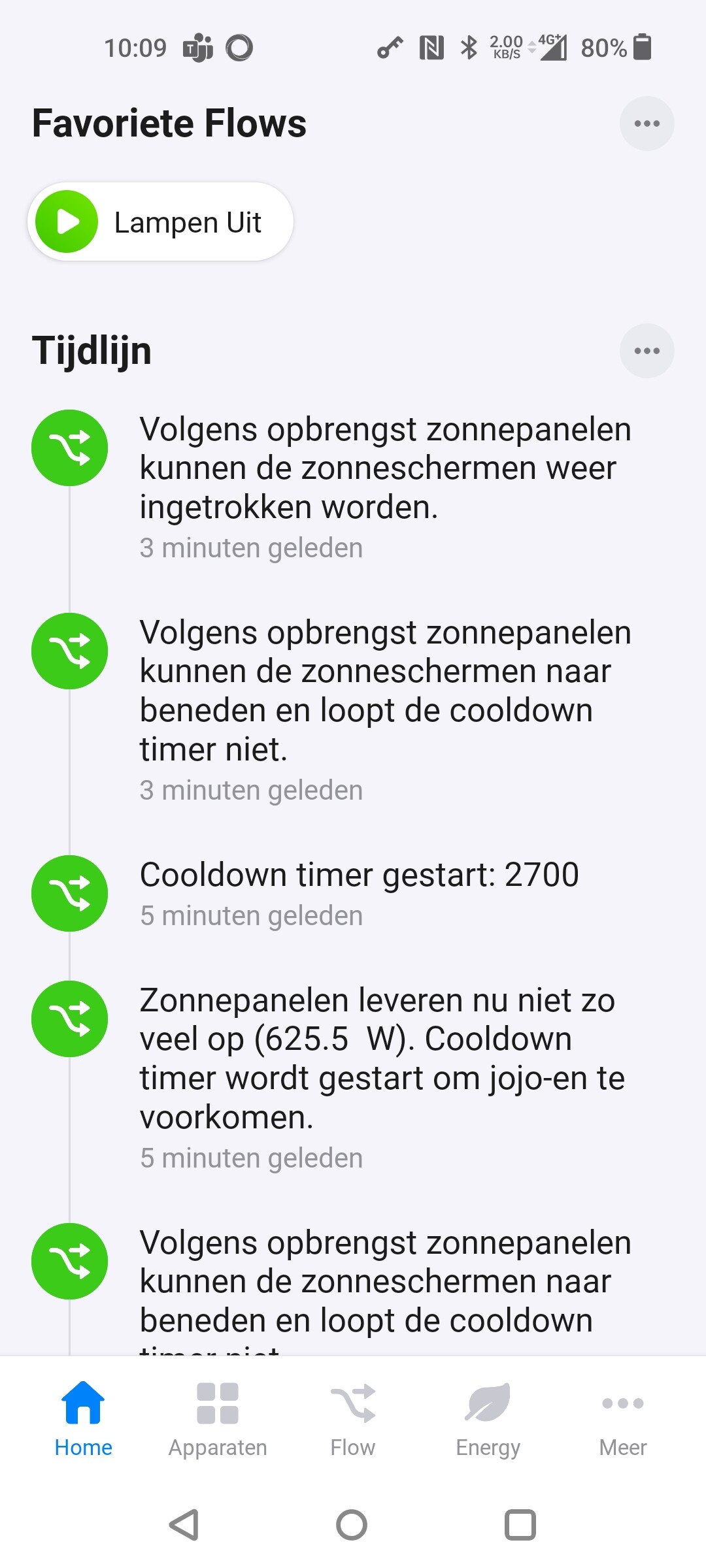


Please share the whole flows, i am missing information that may be vital.
This is very straings, because the condition card works fine for me.
Just tested/created a flow which is about the same, and for me it goes like expected.
@Kringloper Do you have more flows to show?
Because zonnigVolgensZonnepanelen is changing both ways of course.
From 200W to 2600W and from 2600W to 2500W is also changing.
Could you startup the timer (by hand or whatever) and than press the test in the flow you shared and send a printscreen?
I wonder how it looks if you test it by hand, which cards go green etc.
Oke, strange. The flow stops at the timer check (red exclamation mark) when running the flows (so that is how it is to suppose to do - and therefore not strange  ). But somehow, the then clause (logging on timeline) was executed sometimes even though the ‘and’ conditions were not met.
Since the timer check was the first in line, I figured that that functionality was causing the the problem (sorry).
Still no clue why it is running the then clause when not expecting. Maybe a restart will help. Anyway, thanks for your support and I will investigate some more.
 system was right. My son was rebuilding my flow into an advanced flow (made a mistake and forgot to mention that he had done this).
And because he was using the same logging message, I didn’t see it (browsing an advanced flow on a mobile is really hard to do).
@Arie_J_Godschalk
I think there is a timer listed in the configuration page of the app for which I’m quite sure its not used. It doesn’t have a date/time mentioned as well. I alrready checked all my flows but was wondering:
- is there a way to be sure it’s not used?
- is there a way to remove it from the list on the configuration page?
thanks for your response.
Well, you can use the Device Capabilities apps flowcard: Get Flows containing *** and search for chronograph to find all flowss containing chronographs.
The list with timers is build from you flows, so if its in there, i am pretty sure you are using the name somewhere.
@Arie_J_Godschalk thanks! Using Device Capabilities worked. It was in a flow which I skipped because I was sure ( ) that there were no timers in it.
Just a quick one - timers do not support bindings with devices, like in Timers app, correct?
Eg. Start timer for device - when started, it’s automatically on, when finished, device get off. So no Start/Stop flows/triggers for devices are required.
Just looking for potential replacement or Timers and Countdown apps…
