Well, this would be an Homey bug, not much i can do about that.
You should fill in a support ticket with Athom.
Somehow all dropdown fields get auto-focussed, never had that before.
But yeah i can replicate the issue 
But i now notice this behavior with all apps that have a optional dropdown menu as first argument.
But this is really something athom must fix, i have no control over this.
I know there is a card “Timer has reached…” that also does the trick, but would it be possible to add a WHEN card: “When Timer X has Y m/s/h left”
That would make it a tiny bit easier when the timer duration changes.
I am a bit confused, why are there 2 fields for the timer? Choose and Name in the card? In “old” flows I see name is used, but the (i) does not tell me the difference between them. What is right? Do I need to use them both?

Hi Marco
The first one (‘kies’) is a new feature. Now you can pick an existing timername in Chronograph cards.
Arie decided to keep the original text field (‘naam’) as well, so not all your flows wouldn’t break. The field still works as it did
I understand, but it does not make it easier to understand these kind of decisions. Conversion from old to new is also a very good plan to take care of in an app if new methods are introduced, the app is getting messy now and there is no place in apps for good descriptions 
It could even lead to dropping apps like this by me, (even when they are really good) because they are mutated/changed too often and that is not what I need for a stable home automation at home (and keeping the WAF high)
You can consider helping out by suggesting a more clear description maybe. Also, the way to create timers is still unaltered, that’s also a reason to keep the text field present on the flowcards. I also get your point about changes, for example I can’t find anything anymore on a f Windows 11 machine 
I don’t know if there was a survey, but I was under the impression a wanted feature was a drop-down with existing timernames to choose from → no longer need for remembering timernames, or having to look them up in the app configuration.
Personally I think this is a big improvement on using the flowcards in a more convenient way.
You’re ofcourse free to look for another timer/stopwatch/transition app.
Hey @M_a_r_c_o
Well, the issue is, i as developer cannot convert your flows, thats limited by athom.
Al i could have done is create double flowcards, making the app way less useable because it already has so many flowcards.
To get dropdowns was a feature request made by many, many users, on this topic. But since you want old flows to keep working, and the possiblity to use tags for names, placing one more argument in each flowcard seemed to me (and other users) as less complicated.
And i wished i could have changed it like i did for Countdown and Better Logic Library, but that was not an option or old flows would stop working and you cannot use tags (which a lott of users do use).
And a lot of my apps have this exact same way of working c.q. have the same flowcard-arguments: a pickable and typeable name, and a tag/type-name argument. So for users using my apps, this is more consistent.
Also note, double flowcards would make the app use a lott more resources and have a increased loading time.
Well, you do not need to make any changes! All your flows will just keep working as the did before!
And i am unsure what you mean by changing to often?
Except for adding new flowcards for durations, and more stability and other background stuff, i have hardly changed the Chronograph app, just a lot of bugfixes.
And more information in the App Settings, seeing which names are used, that kind of stuff.
Well, i could use the hints beter i guess, but personally i expected for most users to get what the point was, espesially since i used the placeHolder field for description: Click on the Pick and it says what was needed already: “Pick or type”.
And in the description for the flowcard i have:

If you have any suggestions how to make it more clear, i am open to suggestions
But we can hold a little survey on what is more clear, a slash or parentheses: Next post.

Option 2, with parentheses

If you like option 2, leave a like on this post.
Both is fine for me.
You are doing a gr8 job @Arie_J_Godschalk by adding what we users ask for, and solves it in the best way possible without breaking old functionality.
One suggestion from me is to add a remark to the card descriptions to specify which of the two fields is leading (so which is used when both are filled).
Thanks, i have added this to the decription:
“You can either select a name, or type and select it, or type a name in the name field.
The Picker is leading when both are filled.”
Okay, i have changed it to a slash in the testversion:
Let me know what you think!
Also, all flowcards have a description/hint about the pick/name fields:
“[…]
You can either select a name, or type and select it, or type a name in the name field.
The Picker is leading when both are filled.”
Also, the namefield now has a placeholder: “Type a name”
Good evening!
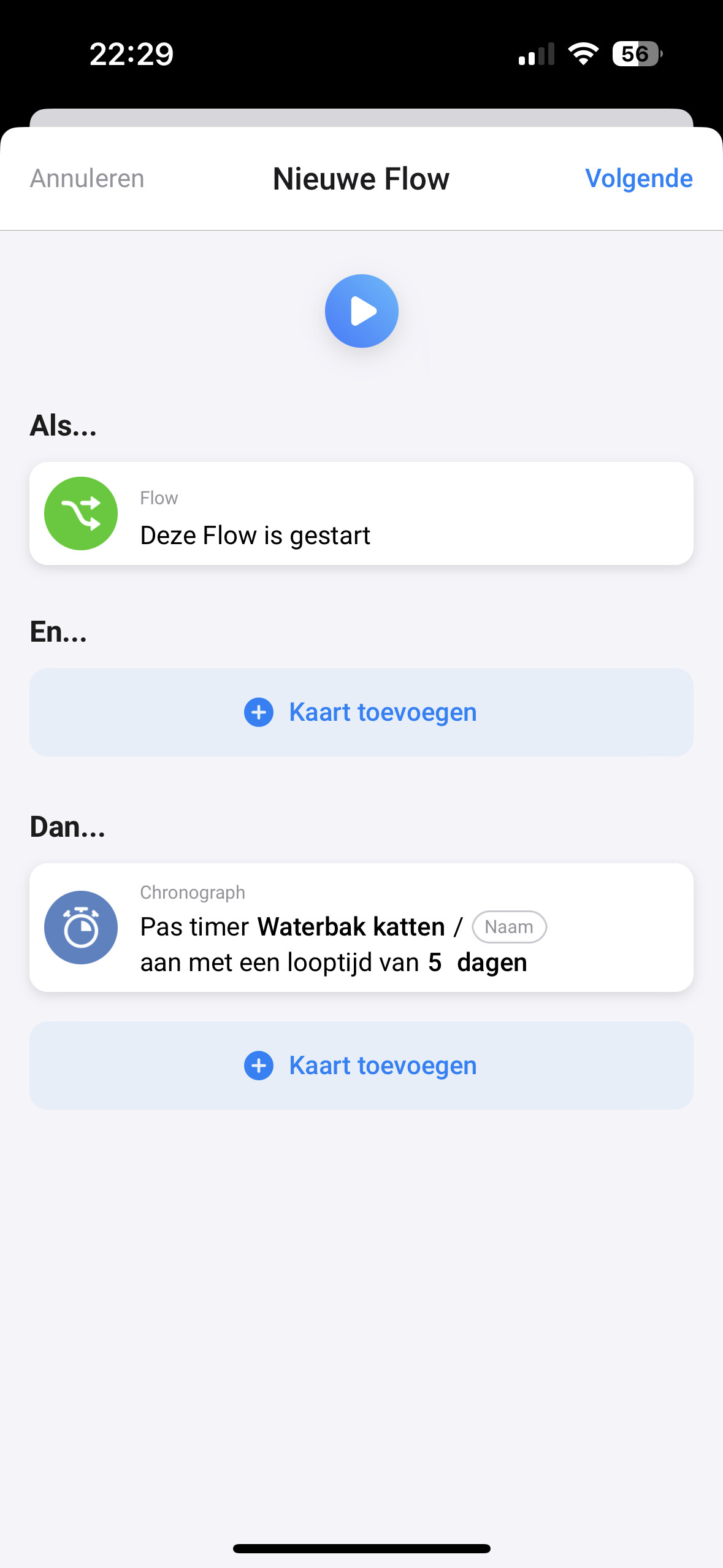
Maybe that it is just me, but when starting a timer from a ‘old flow’ (not advanced flow) with a duration of 5 days, it is every time starting with 5 hours. I’ve tried it serval times now, but the result is the same.
Maybe that I have to do it different?
Example flow that is not starting a timer for 5 days:

This is starting a timer for 5 hours:
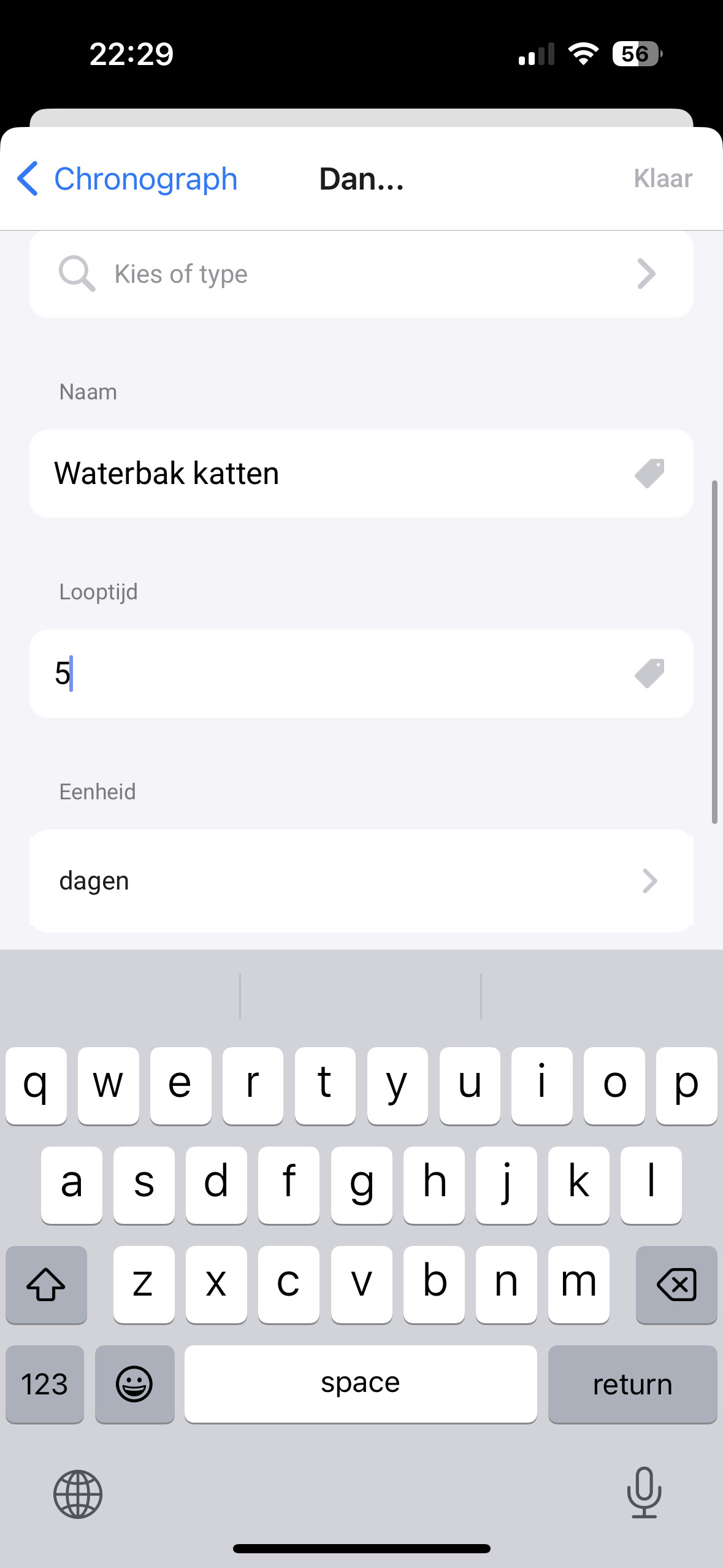
And typing the name of the timer is not allowed, the selection is mandatory:
Thanks for any help!
Ps. Need the timer now because all SurePetcare implementation is down for homey and HA.
For if needed/helpful: 2ad3e436-c95e-46e3-80de-e3eac5128ce1
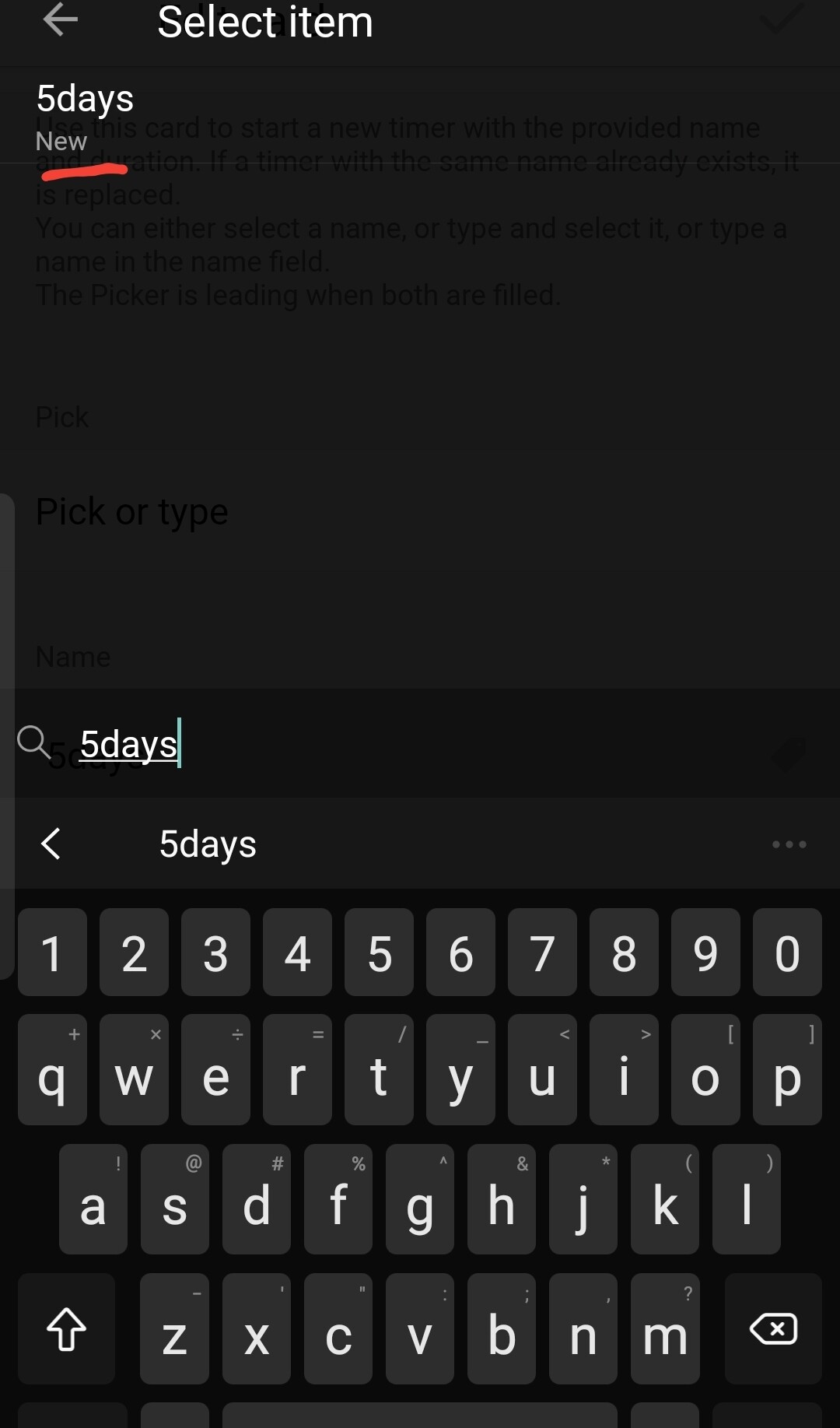

Ahh, thanks for help! The timer is indeed working when selecting 120h! 
Just the reflection in an advanced device is still not correct. But that is maybe an error on my side. It was working but maybe something in the app changed
Are you using the new Homey App?
Because both fields are optional.
Edit: just checked, the old Homey App also ignores the fact that the picker is optional.
I guess its a bug in the Homey Apps.


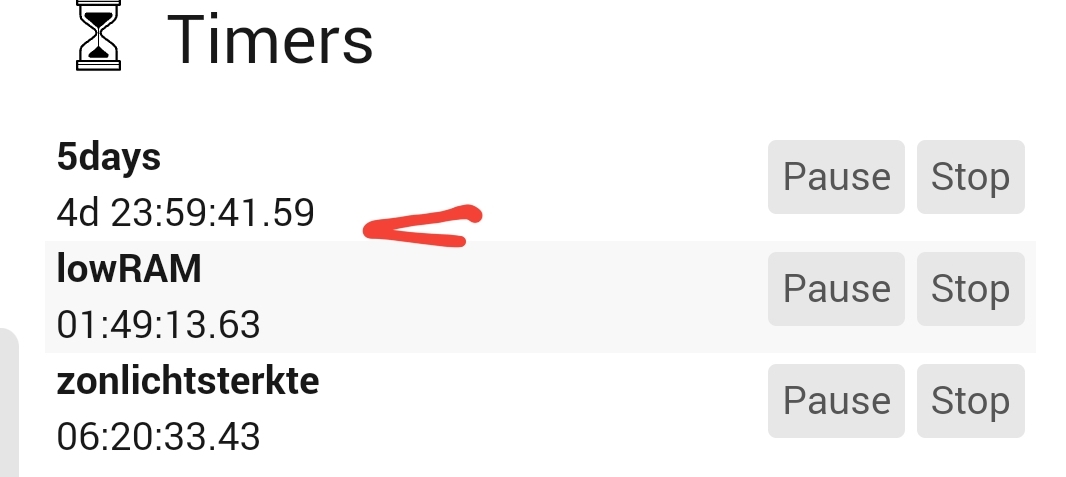
What is not working with the reflection than?
Ahh. Sometimes I do not understand what is happening.
Yesterday I was trying to start a countdown from 5 days. Whatever I did; it was not working. Sometimes the countdown timer starts but sometimes not or not the days. For now, a reboot fixes that problem 
What I did to test things what’s start countdown timers longer and longer. 1 hour. 10 hours, 25 hours, etc.
In this case (stil happening) a countdown timer of 25 hours is reflected as 1 day, 24 hours, 59 minutes and x seconds. Is this also just me?
Many thanks for the help from both of you!


