Hello,
Could you please add a tag to the “start recording a new camera video” with the video id ?
I’d like to record a video when triggered and then be able to export it
Thanks
Start record a video is an async API call. The camera will start recording and stores the video.
The result should the “A liveview was recorded” trigger when video is stored and this provides the video id.
Incredible work with creating this app for Homey while also providing fantastic support to all in this thread!
I recently started out my Homey-adventure with the purpose of getting rid of subscription-based alarm system. Hence, I want to have the following work flow:
Activate Heimdall (ARMED status)
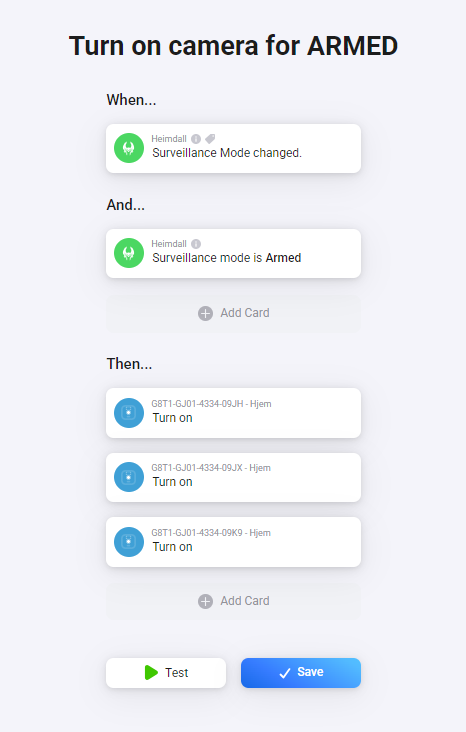
Automatically trigger flow to turn on Blink cameras. I suppose this can be done like shown below.
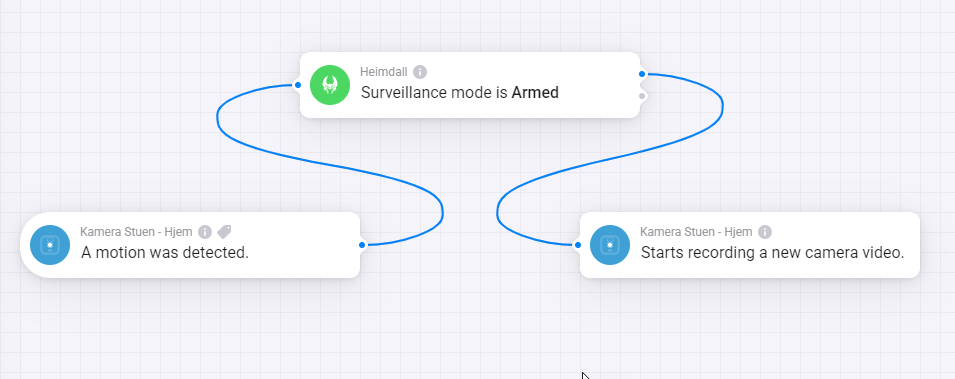
If motion is detected, I want only the camera(s) that detect motion to record. For now I will store on cloud while on free subscription, but going forward this will be USB. I suppose flow would start out like this, but which cards should i activate and with which inputs?
Yes, you can turn on/off the camera. That means you will turn on/off the motion recognition for this camera. This way you can arm the cameras.
Another way would be to arm/disarm the system (where the cameras are assigned to - the SyncModule). It’s similar to arm/disarm systen in Blink mobile app.
If motion detection is on for a camera (and the system is armed), the camera will record if a motion is detected. No need to check this in Homey.
The “motion was detected” trigger will just inform you about a recorded video.
For cloud storage it’s fast. For local storage it’s really slow. You won’t be able to use this as instant messaging in Homey.
But the video is recorded in any case and you get the push message from Blink.
But if want to process instant actions in Homey you will need a motion sensor in addition.
So is there a way only using Blink Cameras to start recording on these cameras based on motion?
Cameras can start recording if window sensors are activated, but I want to use cameras for outside motion detection.
I basically want it to work the same was as when arming the cameras in the Blink App directly where all motions are detected and captured. Is that possible?
Yes. You can activate/deactivate motion detection from Homey (turn the camera device on/off).
If motuon detection is activated, the cameras will record and store the video.
I use this with time based flows to activate garden camera at the evening and for away state (like you would do it with Heimdall app).
The motion detection and video recording only seems to be working directly in Blink app. In Blink app, if i arm the system, it does what I expect it to - Record if movement is detected.
In homey, however, nothing happens.
First flow activated with Heimdall. After this flow, the camera is activated and the icon in dashboard is no longer grey. But there is no video being recorded.
So i guess i have to have a second flow to trigger recoding based on motion. I currently have below flow. This is not working. Even if I remove the AND card, it is not working. If I run the flow as TEST, it works as expected.
First, please read the first post and the description how motion detection is done in this app.
It’s not based on any trigger or push message. It’s based on already recorded video.
When you turn a camera device on in Homey, it won’t record. It just turns on the motion recognition for the camera. I think that’s what you want to do in the first flow. You should see in Blink app that motion alert is turned on in Blink app.
Your second flow won’t work in real scenario. If a motion is detected, the camera records. If you have cloud storage active, the camera still records while the flow is started. In this case, you can’t record again because the camera is busy.
Just send you a push message from Homey to check it this flow is started.
If the motion recognition is being activated (=motion is being detected), I suppose the Blink app wil start recording, right?
Now I have removed all flows for my camera except the one turning it on after arming Heimdall. But no motions is being detected.
If i turn on the camera device via homey (activating the motion recognition) by clicking the icon and place the camera in front of me for 2 hours, nothing happens. But if i Arm directly in Blink app, it works flawlessly.
Did you also send the diagnostics report at 20:39h?
Just to know if it’s yours. Because sending a report is really useless if it’s not requested and I know how to answer
Got it. Yes, I did send a report with a comment like “camera isn’t working”
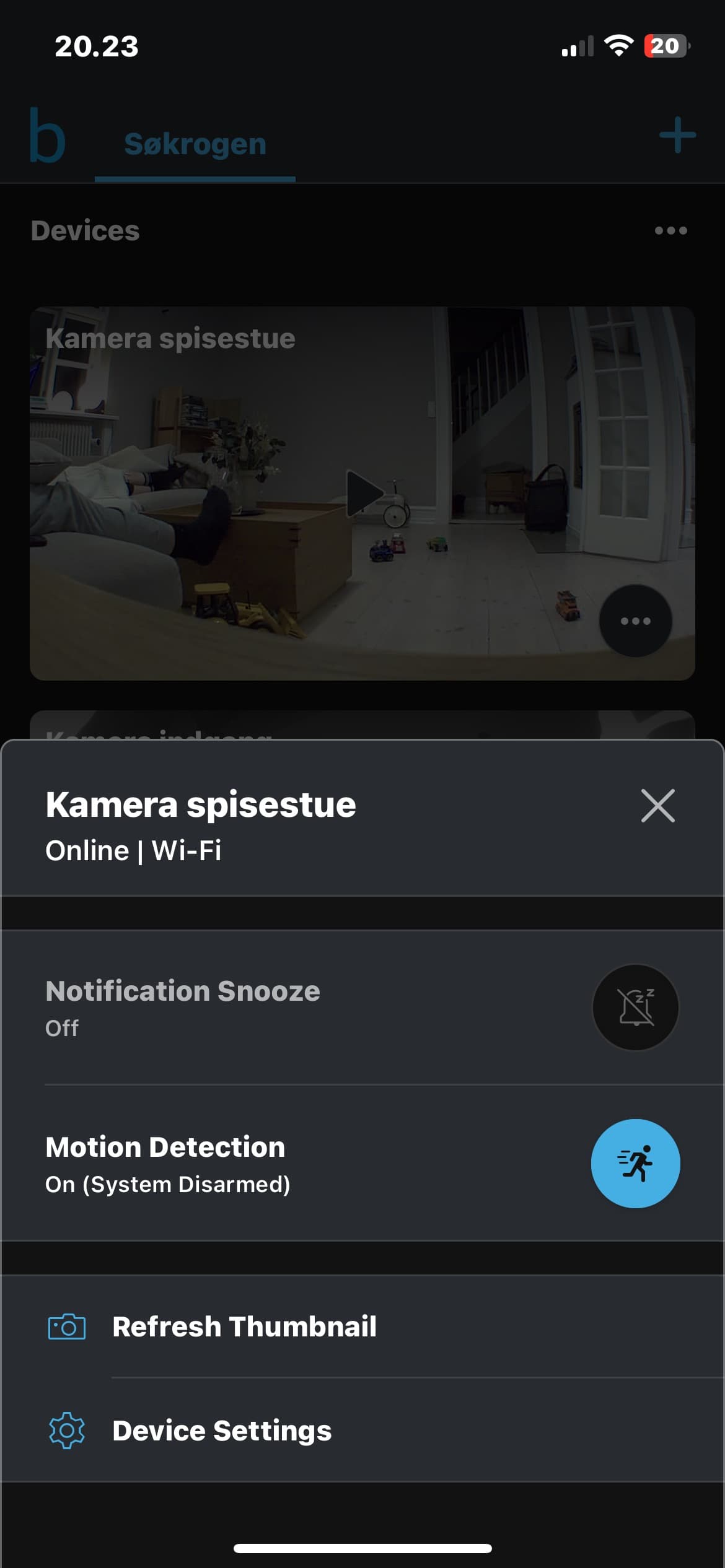
I am constantly looking into this - what status should the system have in Blink app? As you can see above, I have motion detection activated. But should the Blink app itself be armed or disarmed?
In your diagnostics report I can see rate limits from Blink cloud (http errors).
If you are doing a lot of tests, read images, send command, you will get a rate limit soon.
Please check the account device. It has an alarm icon if a http error happens. And you can see some details in device settings.
Normal case:
You switch a camera on in Homey => The motion detection for this camera will switch on in Blink app directly.
Both apps should be in sync this way.
If you switch something in Blink app, it will be synced back to Homey based on the interval that’s set in account device (1min default).
If you send commands like motion on/off while ea rate limit is active, this won’t be forwarded to the camera ba Blink cloud. Then you have to wait a time (up to some hours). Just stop playing and wait until the account device has no error icon.
So, my issue was that I had too much testing. I also learned that the system must be Armed in the Blink app but with Motion Detection turned off on all cameras. Turning on the cameras in the Homey app then turns on the motion detection in the Blink App which then records and saves video in Blink app when detecting motions.
@RonnyW: I have added a flow that sends me a notification every time an API Error occurs which is more or less once every hour - even when the camera is turned off. What impact does that have that i get API errors? I only have two flows (one that turn on and one that turns off the cameras when arming/disarming the system).
In my Blink app I record videoes of 60 seconds and Retrigger time is set to 10 seconds. Does this have an impact on API error?
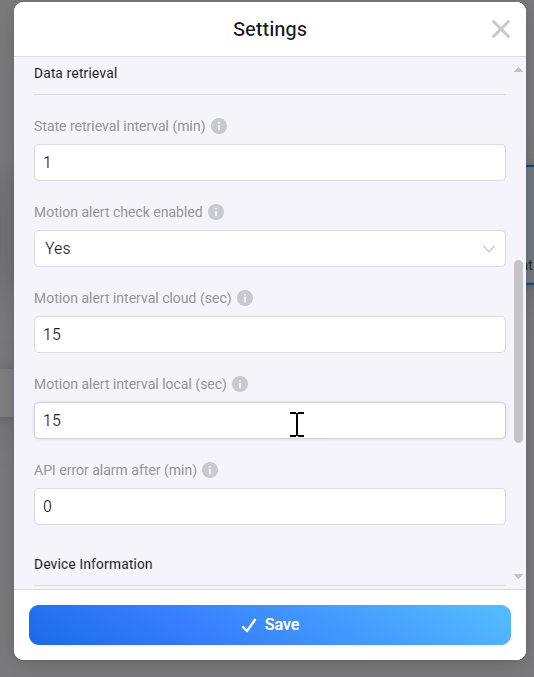
I currently have these settings for my Blink Account.
You are using local storage, right ?You can set the cloud motion alert check to a default value (60 sec). Your value is higher than the variable range
The app known your storage type and is using only one of the settings.
I can only see some http 409 errors for camera access. This happens if the camera or sync module is in use at this moment. With local storage, the sync module is used a lot and you will get access errors from time to time.
Hello, for 2 days now my cameras have not turned off with the flows in the morning, however they turn on well in the evening when I go to bed, always via 1 flow. It worked well before and I see that the blink application has had 1 update (nice green colors instead of blue). Is the problem known and general?