[APP][Pro and Cloud] Daikin ONECTA

@rosei , not a know issue. Here’s a screenshot from last 7 days, indoortemp and outdoortemp from mu unit.

For you knowlegde, every change in Daikin ONECTA app or remote control will be send over a websocket to Homey and will be processed and every 5 minutes a full update is processed by the app.

Is it still possoble to control your unit(ss from homey?

Try to repair your devices and if that doesn;t help, remove devices, remote app and start over again.

Thanks! Repair did not want to work because the forwarding to the Daikin site did not work. To create new devices, the registration worked, after creating new devices and deleting the devices, the previously installed devices could also be repaired. Now everything works again.

No power consumption in this app either? Or do I miss something?

It’s there in the iPhone Daikin ONECTA app, while it wasn’t in the old Daikin Controller app

The implementation for the power/energy in daikin is very different then on homey.
Homey use (nearly) real time energy consumption, Daikin is per hour / day / week.

Basicly ithe power/energy can not be implemented in homey its useless.

1 Like

Version 3.6.1 is live.

Changenotes :

  • Added Altherma III GEO heatpump.
  • Better errorhanding.

Hi there. Great to see this app. Installed recently but unfortunately I had quite some ‘the app is not available’ or similar.
Today it seems out of sync/info outdated compared to Daikin’s app. When I try to repair:

Did the app works in the past?

If repair doesn’t work,. Try to delete the devices,.delete the app, install the app, pair your devices.

Basically start over,. Make sure your using the right Daikin credentials.

Since the install, I had the timeouts and now this, so not reliable yet. I’ll do as you suggest!

Do the devices need a static IP?

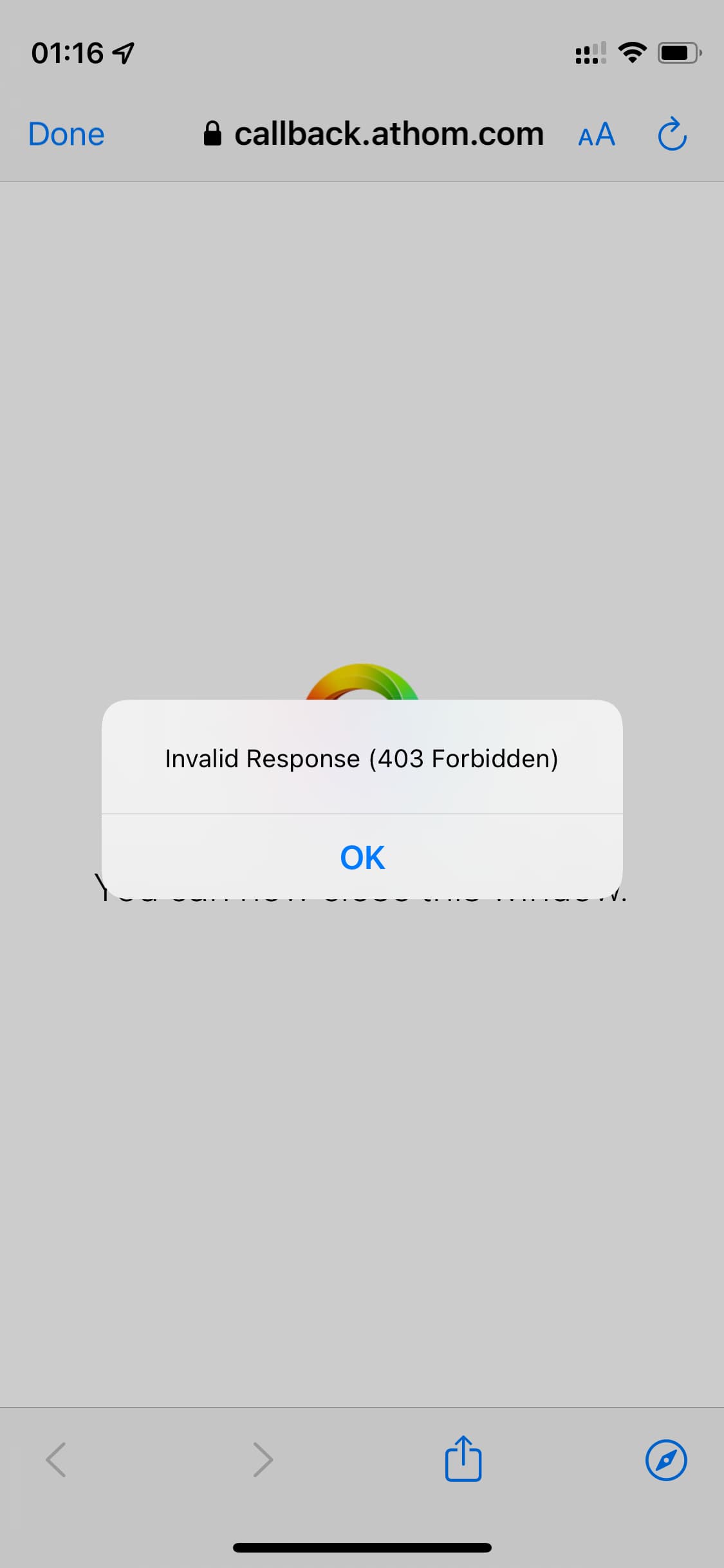
I’ve deleted the devices, the app, rebooted, reinstalled your app, and when adding a device, it forwards to daikin’s site for authentication. I see some pages loading in quick succession and then:

If I refresh that page I see:

{“success”:false,“message”:“Invalid Token: undefined”}

Some more attempts:

iPhone12mini.

My advice is to give the Daikin units and homey (pro) a static ip-address.

The Homey ONECTA app uses the Daikin cloud to connect and the Daikin cloud connect to your units.

A good stable WiFi signal and internet connection is a must. So check that first.

The units needs to be first added to the Daikin ONECTA app, after that you can pair them in Homey ONECTA app.

The app has about 400+ installs with more then 800+ units and you are the only one with this problem.

Maybe the Daikin ONECTA app is not supported in your region?

That’s weird. Maybe that server in belgium is offline? I’m in the Netherlands. Homey and aircons are now on static address.

The issue is the authentication at the moment and I think it’s not on my end.

So please test the authentication process please. :slight_smile: @Mickel_Luiten

I’ve also seen it go as far my.daikin.eu until it gave the 403 error during adding of devices.

Just Tested it. i’ve got the same 403 forbidden error…:frowning:
Looks like the authentication serrvers from daikin are broken…

1 Like

I feared as much. I’ll test twice daily and report.

Yes same for me, hope they get this sorted soon.

Hi @Rodge , @Hakan_Tillberg , just tested it again and looks like everthing works again as expected.

Unfortunately not on my end. Still 403 forbidden. Tried deleting browser data and cookies. No luck.

Ok, tobad. Did send a mail to Daikin they confirmed a bug and working on at to fix it asap.

What I did on my end is first logout the Daikin ONECTA app and login again and after that the paired my device in homey again.
That works for me.

1 Like