Daikin has problems with their own app. I could not control Daikin with the Onecta app. Now it is working fine again.
Exactly. The problem is in their own app or cloud. I have a test version so I reported the problem in Test Flight.
top, thanks for your repley. will you keep me informed?
Nothing to worry, if have depecreated some drivers because they all have the same functionalities.
use the Perfera(FXFM) driver if you want to get rid of the message.
The message means that in future the driver will be deleted…but till that everthing still works as expected.
Please stay on topic everyone, only Homey Daikin ONECTA related questions please.
If you think that with the LG deal all other integration supprt has stopped you wrong.
So if you are so negative about is please buy LG AC’s.
If you have read this topic better you should already found the problem ans solution for it.
Daikin has revokes all access en refresh tokens with means that you need to reauthenticate with homey towards daikin.
Deleting and readding most of the time don’t work.
You need to clear you browser cache and cookies and the repair ALL homey daikin ONECTA devices. If this is done just to be sure also restart the Homey daikin ONECTA app.
The clear cookies and browser is most important beacuse then you need to reenter your daikin credentials.
This should fix your problem.
Thank you for your help. I’ve done that and it works fine, without showing me this massage anymore.
In my situation, the Daikin flow started working again after I reinstalled the app on both my iPhone and in Homey. Now, I just need to rebuilt my flows—I bet there was a better solution to this .j
I have repaired my devices and the flows work again after the update, but I am experiencing huge delays, sometimes even minutes until the unit responds, but it is not limited to Homey flows as it is happening in the Daikin ONECTA app as well. Are there any known issues with the Daikin servers currently?
Status page can be found here.
If both homey and Daikin ONECTA (iphone/android) are slow there is nothing I can do about it
Hi.
I’m missing a trigger card. “When outdoor temperature has changed”.
Is it possible to add this?
You have the higher then x and lower then x triggercards for (outside) temperature
These are default (homey) cards and should be enough.
Well, not if I want it to trigger on any temperature change. I want to send the outside temperature to my homey dashboard and need it to trigger on any change. Not just if it’s lower than x or higher than x.
Hi @Mickel_Luiten. With the addition of the new energy tab, it would be great if we could track energy usage for Daikin devices.
I have this working for my own Daikin devices using my own Homey app.
What I did is take the monthly energy usage data from consumptionData, converted that to a nicely indexed object with the year-month as the key, and store that JSON data using setStoreValue. On every refresh, I take the current consumption data and merge it with the JSON in the store, overwriting the updated value for the current month.
By summing up the monthly energy usage, you can output that sum as a meter_power capability and it will be picked up in the energy tab nicely.
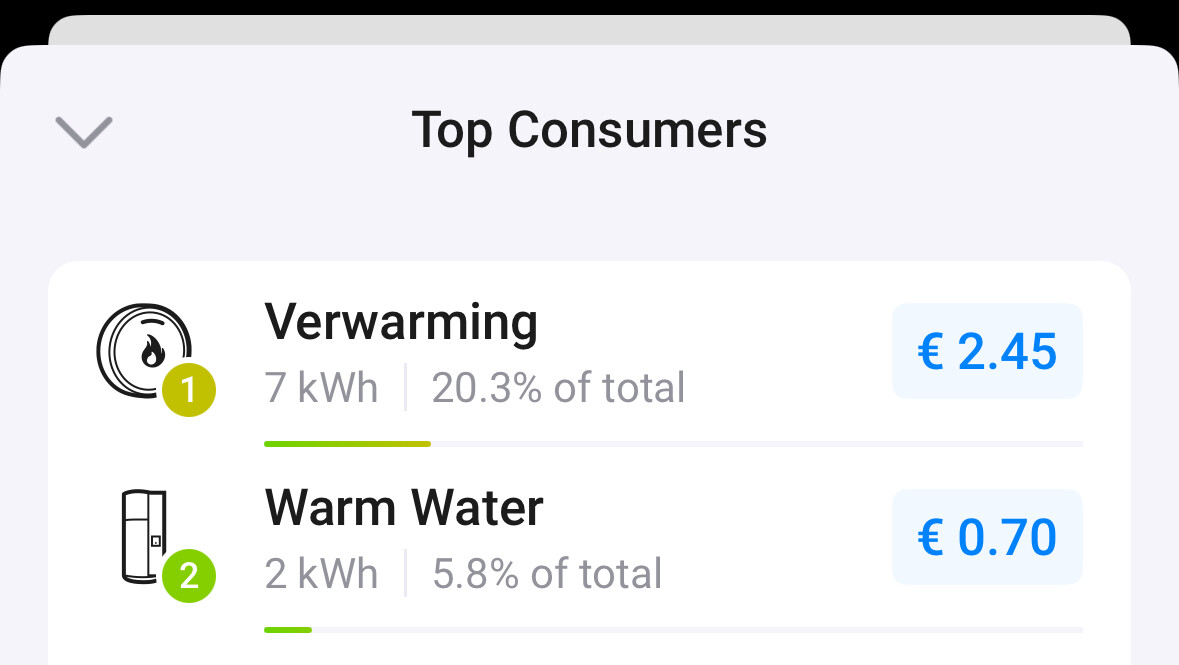
Happy to contribute this myself if needed.
Welcome here @jenssegers , I would be very interested in such an addition to this Daikin app, otherwise I’d be interested in your app!
Why trigger? i think you just can just set the capabilty tag to your dashboard.
User the Enhanced Device Widget App Enhanced Device Widget App voor Homey | Homey
With this you can only show Outsite temperature.
Additonal to that i working on a new driver that support all AC models , I can take a look at the outsidetrigger if this driver is ready
@jenssegers , Interessting  , code is closed because of the NDA with Daikin but lets have a PM chat to see of this can also be implemented in the code.
As said , i working on a new drivers that support all AC models and later on also the Altherma Space Heating and Alterhma Domestic Watertank…
Have send you a PM
I know there are other ways, but I use the progress bar widget from the DataVista app to display all the temperatures on my property. I don’t want to use another widget for just one temperature sensor. That would look ridiculous on my dashboard. And that widget needs to get the temperature data from a flow, and that is why I need it to trigger on any change. But don’t worry about it. Thanks anyway.
OK, that more a “issue” how the DataVista app is works and how the gaterhing the data.
But as said , keep the upcoming app update in mind. there i can make the trigger(s) and the energy
Hi,
I use the onecta app to manage my Daikin FVXM50A. Sometime i see red message on the screen "No netwerk connection, error).
I use a Android phone Galaxy A13. All updates installed. Android Version 14 .
The Daikin device does not apply my commands, for example I change de temp. from 17 to 18 degrees, several seconds later this change is reversed.
Anybody an idea?
With kind regards, Ben
