The Webhook shown nothing  I sent you the Log, but at first it shown me error.

I’m not seeing the lines in the log that show it registering the webhooks:
-
Homey Webhook registered for devices {
“$keys”: [
Can you restart again a keep watching the log to see if those lines appear?
I’ve sent you the log again. I didn’t notice this line.
The message should appear within a couple of minutes after restarting the app.
Hi there, my floor led light is no more recognised by the app. I can’t add it anymore.
Are you trying to add it via the Hub or BLE driver?
Could you open the app settings page and select the Detected tab then tap Get HUB Devices and then on Send Log.
I do have a hub mini, and I try to add it through light bulb (hub).
Here is the log in the app settings :
{ "deviceList": [ { "deviceId": "90E5B16878C6", "deviceName": "Lampe sur pied", "deviceType": "RGBICWW Floor Lamp", "enableCloudService": true, "hubDeviceId": "" }, { "deviceId": "B0E9FE575615", "deviceName": "Meter Pro", "deviceType": "MeterPro(CO2)", "hubDeviceId": "000000000000" }, { "deviceId": "C1889A680315", "deviceName": "Hub Mini 15", "deviceType": "Hub Mini2", "enableCloudService": true, "hubDeviceId": "000000000000" }, { "deviceId": "CA5F45C67348", "deviceName": "Jardin T°", "deviceType": "WoIOSensor", "enableCloudService": true, "hubDeviceId": "C1889A680315" } ], "infraredRemoteList": [], "sceneList": [ { "sceneId": "9c6efc8d-9753-41b5-acc3-7da2c31a7de3", "sceneName": "Nouvel an Luc" } ] }
Did sent the log also
And my hub mini is also not available.
When I look at the change log, there should be an option to add BLE presence sensor. But in Homey I do not see the option to add an BLE presence sensor. BLE motion sensor and other BLE devices are available.
I have no BLE hub, and want to add the devices directly to Homey.
Any idea?
There is no such thing. I even copied and paste it and searched document for key-words with zero results.
and when I add them to the SwitchBot app and use the HUB option, it finds the device but gives me this error

I am currently testing that and waiting for some confirmation about identifying the devices from SwitchBot.
1 Like
Hello Adrian, since today my devices doesn’t update their status in Homey,i have to restart the app ….I restart the switchbot hub and Homey box but no change.
Here a screenshot of the log.Thanks

Why I don’t get this Webhook information? I started to wonder, maybe it has something to do with the way I added HUB 2 to Homey? I couldn’t add it via matter so I tried choosing “Temperature and Humidity” and it worked. I did the same with the Outdoor Meter. Both of them have issues with not updating data but the Presence Sensor is working. I have also Vacuum S10 and it also updates data.
Do you have any thoughts about that?
The webhooks service (webhooks.athom.com) is currently offline due to the Homey outage
You have added the hub and temperature sensor correctly.
I’m still not sure why they are not updating.
I got the new switchbot presence sensor but I can only integrate it via the switchbot app, but it can’t work without the switchbot hub because at the moment I only have bluetooth… is there a way to integrate it directly on homey pro via bluetooth or matter?
I have published a new test version that has the BLE driver for the presence sensor.
1 Like
Well, this morning none of my BLE-driven curtains and CO2 monitor worked. All had red triangles (could not be reached).
As the wife was a little angry (again something goes wrong with my automation) I just restarted Homey Pro 2023 and it all worked. No time to create a log file.
The version of the SwitchBot-app was 2.0.59.
Both the curtain which is controlled directly from Homey Pro as the curtains controlled over ESP32 units did not open.
Just FYI.
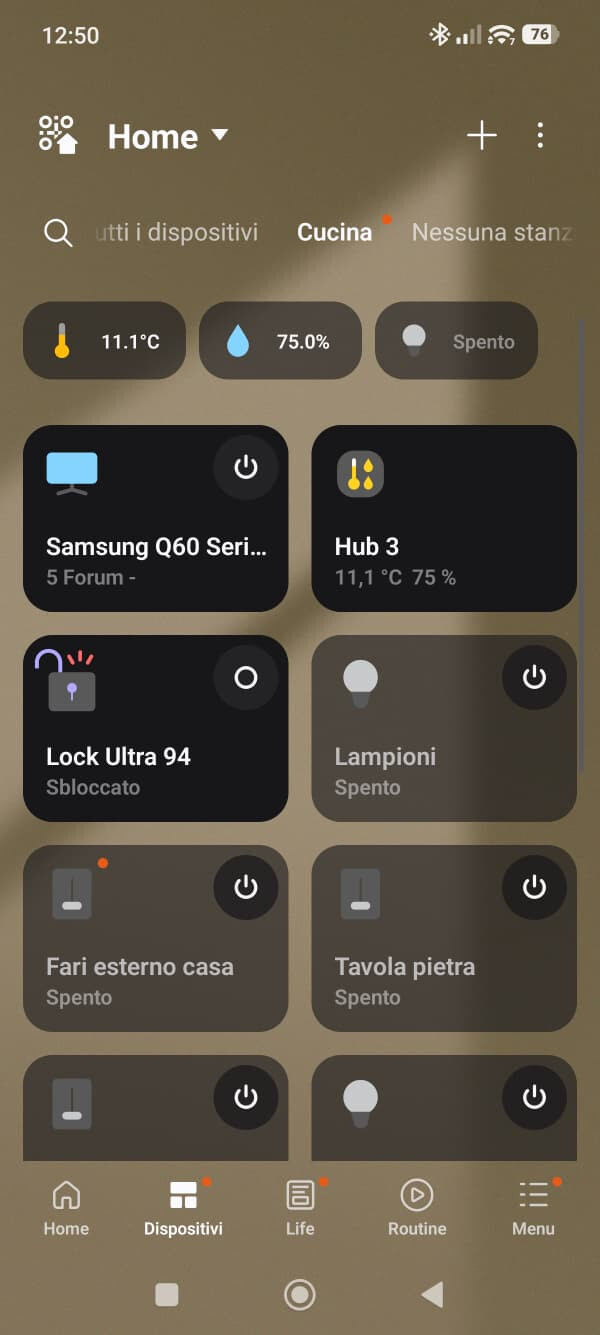
The Lock Pro connected via hub is correctly recognized as locked or unlocked in Samsung SmartThings, but in Homey the lock status is not detected or updated.
In Homey there is no proper lock state feedback — at the very least, a lock/unlock icon or status should be shown. Other smart home platforms already handle this correctly, so it’s unclear why Homey does not.
The current implementation feels incomplete. Using a basic switch-style workaround (like the SwitchBot “switch” step) is not an acceptable solution for a smart lock and results in a poor user experience.
Please consider improving lock state recognition and synchronization in Homey, taking inspiration from how other ecosystems manage this essential feature.


Hello,
The application for my connected lock and my Mini Hub has always worked on Homey 2023 until today.
This morning, a red triangle appeared on both the hub and the lock, and no data is coming through anymore.
I have tried everything:
-
repair,
-
manual token update,
-
adding a module to refresh the token,
but nothing worked.
I then updated your application to test version 2.0.59.
The lock is now visible again, but only the Flow cards “contact alarm activated” and “contact alarm deactivated” are working.
All other Flow cards are not working.
So I have two questions:
-
Are you going to fix the issue with the other Flow cards, such as lock and unlock?
-
Is the previous version definitively obsolete, or should I reinstall the old version to remove the red triangle and get functional Flows again?
Thank you in advance for your help.
