If you have a Homey Pro, could you open the app settings page and select the Diagnostics Log tab and tap on Send Log.
I have my homey setup in Swedish so a little bit unsure of which log is the correct one, but I’ve sent all three logs
Hi Adrian,
First of all: thank you for the app, it’s working great. With my Somfy Connectivity Kit I had to add my Somfy IO external solar creens as external blinds (i.e. tilting), but that’s really no issue at all.
Second: perhaps I missed it, but if there’s a way to buy you a cup of coffee, I’d gladly do so. I couldn’t find a link to do so. 
Third: is there any way to use the ‘My’ position, as configured in the Tahoma app (as well as the IO remote), in Homey? I’d love for flows to automatically set the screens to the My position, as well as being able to use Google Assistant to set the screens to that position (the Tahoma → Google Home integration doesn’t seem to support it). If not, I’ll just create a flow for it instead. Apologies if this question has already been asked! 
1 Like
Could you send the Device Log from the App settings page. I will check the capabilities to see if I can add the My position.
I have published a new test version that supports the “io:DynamicExteriorVenetianBlindIOComponent” using the “Exterior Venetian Blinds (io)” driver.
Hi again @Adrian_Rockall
Any updates on the app disconnecting from the TaHoma switch? Ive tried sending the device log again, also sent a diagnostics report.
Hi @Adrian_Rockall, thanks for this app. I’m very glad with it. I have an external solar sunscreen which I expected I could add by using "vertikale buiten zonwering (io). My other devices (sunshade io and rolling shutter io) get recognized but this one doesn’t. It’s the middle one. I ll send u a lot as I post this.

I have published a new test version with support for the ‘io:DynamicBlindIOComponent’ via the ‘Exterior Blinds (io)’ driver.
You re a hero 
Hi,
first of all, thank you for this App!
I connected my 5 Somfy oximo io and 2 velux shutters.
Unfortunatly I can’t connect my 2 sunis sensors (io). The app does not find them although they are properly connected to my Tahoma switch box.
By the way: all the roller shutters could not get connected as comfy oximo io. I got a hint from another user that I should connect them as velux shutters, which worked.
Can somebody (or the mastermind behind that App, @Adrian_Rockall) assist or explain what I can do? I even tried the latest test-version. Also did not work.
Thanks in advance.
I presume you have tried the Sun Sensor (io) driver?
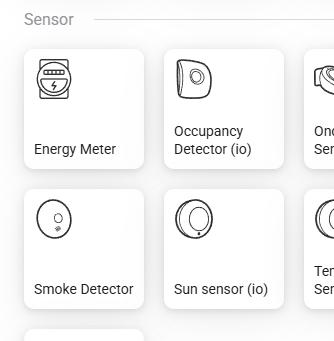
Could you send the Device Log from the app settings screen.
Hi Adrian,
Correct.
I sent you the code of the logfile via pn.
Thank you
Ah, unfortunately the standard log doesn’t help. Could you open the app settings page, select the Device Log tab, then tap on Get Log followed by Send Log.
Hi Adrian,
Could you add Terrasverlichting to the app, as Homey can’t find it.
See log ID: 1662176418, name of the light is Overkapping.
Thanks in advance
Hi @Adrian_Rockall,
Don‘t know what happened, but out of a sudden…..
- I was able to now include the sunis sun sensors (io)
- All my shutters (Somfy Oximo io) do no longer work. Repair device does also not work. I deleted one and now I was able to include it correctly as „Rollladen (io)“ („Shutter io“ I suppose), which is good because I now have the „MY“-button also accessable in homey. In the past inclusion only worked via „Velux Rollladen (io)“.
Have you changed something?
That one is a bit of a challenge as it has no feedback (being RTS), so I can’t use the standard capabilities. I will try to add it over the weekend.
I haven’t updated the app since the 8th, so no changes at my end.
Doesn’t it work with the Somfy RTS app. It has a device “Switch”?
Hi Ardian,
When I take my Homey Pro offline by disabling the internet connection, I notice that I’m no longer able to control my window coverings through Homey. However, I do have developer mode enabled on my TaHoma Box.
What can I do to ensure everything continues to function properly in case of an internet outage?
Does it fail immediately or after a period of time?
The local API still requires the Internet to periodically refresh the access token.
