Which homey platform are you using and when added as a unknown zigbee device, which manufacturer and modelID does it show when logging into the Zigbee page of the Homey Developer Tools?
Thanks. Looks like a really nice release! Before I set it up on the Homey (as opposed to my zigbee2mqtt shadow network), does it also allow disabling the heartbeat like z2m?
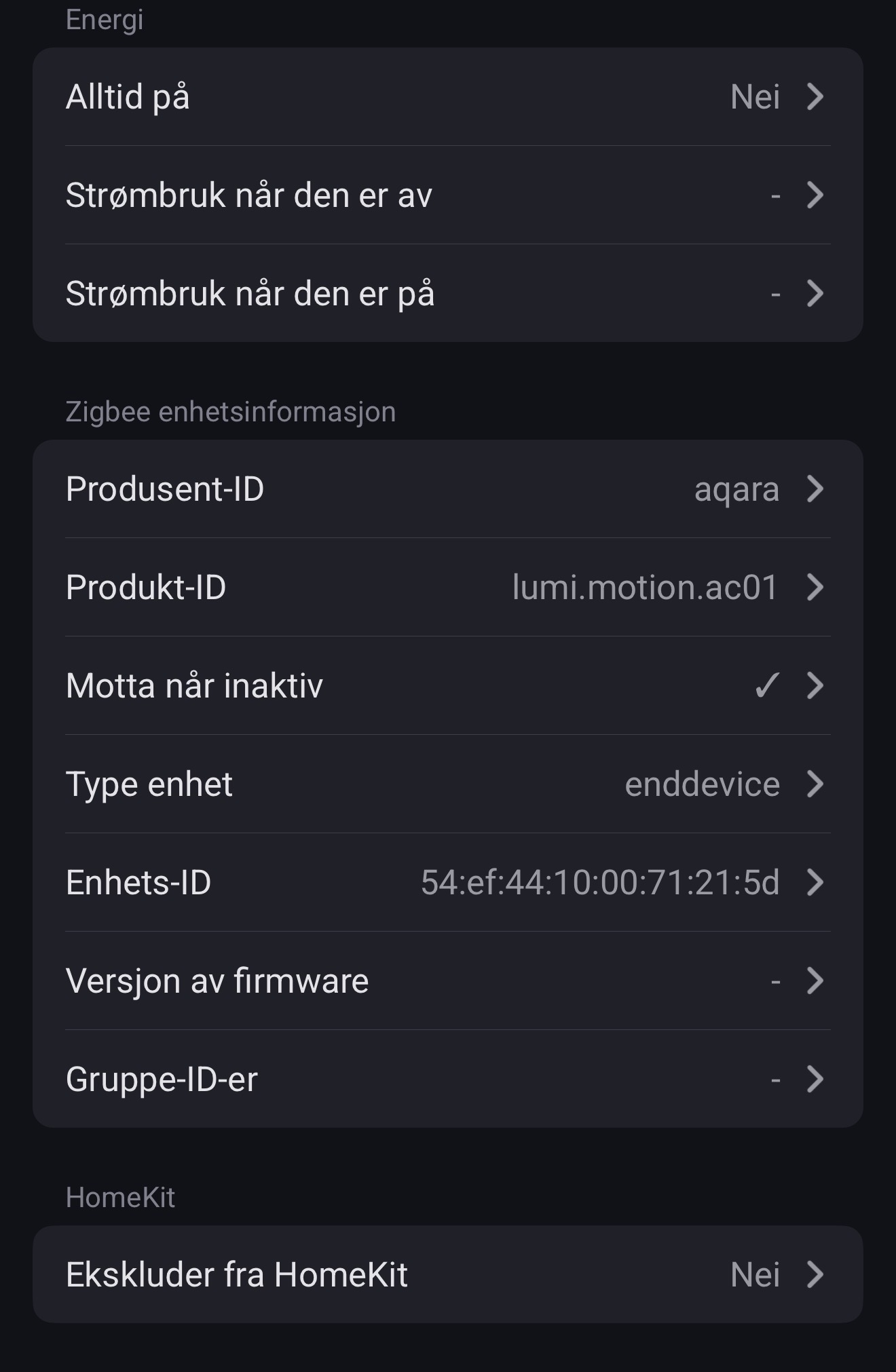

That is the Aqara FP1 presense sensor, not the FP1E.
Fixed in 1.14.1. Once more, thanks for reporting.
The heartbeat (blinking LED) is disabled by default and can be enabled (and disabled) through the advanced settings. Selftest functionality is also embedded as well as triggering the smoke alarm’s siren.
Really cool, thanks a lot!
Oh. I througt they were the same..
Thanks for the quick fix! The settings are available again  .
.
@TedTolboom
The Aqara App was rocksolid for months.
Unfortunately after the latest update - Homey tells me that the app is not installed and I cannot restart it.
I tried to re-install it via the App Store but with no success.
All my Aqara devices are offline and my flows are broken.
Debug: 6d3ab843-fcd9-4f16-92f2-e2e9092d82ed
Edit: I tried to install 1.14.1 but with no success, too.
@Philipp_sch the app diagnostics log doesn’t say anything (on why the app didn’t install)…
Did you try restarting your Homey Pro 2023?
Stack Trace
Note: this log has been manually submitted by a user.
    Log ID: 6d3ab843-fcd9-4f16-92f2-e2e9092d82ed

    User Message:
    App not installed (Homey message)

    stdout:
    n/a

    stderr:
    n/a
I see it is a more common problem, related to Homey and not so much on the Aqara app…
Please try to re-install the app from the app store. Do NOT remove the app or remove any of the devices..
Can you Add the Aqara W500??
search result “W500” leads to: post #6806
Hi @TedTolboom
Thanks for quick updates and responses!
A while back I asked about the E1 Thermostat in that has been around for a while (post [APP] Aqara & Xiaomi Smart Home - Simplify your life with a smarter home - #6756 by TLjunggren ).
I have four of them added directly to Homey but unfortunately settings the temp, both directly and through flows, is like a lottery.
No problem for me to help troubleshooting but to do that I would need some guidance.
Best regards,
Tobias
Yes, but no configuration options available.
I can completely confirm your comment about the Aqara W100, just tried myself (Homey Pro 2023, no extra hub from Aqara) with the exact same result.
I will send it back because of the fact that the user cannot see what the buttons are actually doing combined with the circumstance that the 2nd temperature that could be shown on the display cannot be configured via thread in Homey - which could be the target temperature and therefore the user would also see what he is doing if that number changes once pressing the up and down buttons.
Besides the measured temperature was not sent completely reliable. Homey did have lots of refreshes of the temperature, but after like two hours I checked and it said “Last update 40 minutes ago” and the temperature on the display actually deviated 0.4 degrees from what was shown in homey.
Last but not least I was disappointed with the readability in dark environments.
So… once again: Almost very good but basically not usable.
Insane how nothing seems to deliver what one is wishing for: A permanent display of current and target temperature and two buttons to change the target temperature without any extra hub with reliable transfer to the router. Apparently too much to ask for.
Hello. Aqara curtain driver E1 maintainence mode stopped working a few days ago. So no maintainence option is working. Always pushes an error. Maybe someone can have a look at this. Everything is updated.
I can see the SD S01E model is added. Hope the SD S01D will be added soon 
@TedTolboom do you know the difference with SD S01E and SD S01D smoke detector models?
@JVO SD-S01E is online (Zigbee) and SD-S01D is an offline version.
I got SD-S01D and it works with zigbee. So I think the online need a internet connection and the offline does not. Maybe im wrong.
