Hmmm…I believe I misinterpreted the way motion detection works with Aqara sensors and deCONZ. My understanding was that the PIR fires at most every 90 seconds. Therefore I set my flows to keep the lights on for 150 seconds, so there’s 60 seconds left to detect new motion and start the timer again.
What I am seeing in the logbook (of Home Assistant, also using deCONZ) though is that the PIR status of ‘detected motion’ changes back to ‘cleared (no motion detected)’ much later than the 90 seconds. So apparently the motion sensor replaces the need for a timer and stays on ‘detected motion’ for the time I’m actually in the room.
A few questions:
Is this correct and the way it should work?
In my homey insights I only see the battery level of the sensor, not the time it detected motion and it was cleared. Is that correct?
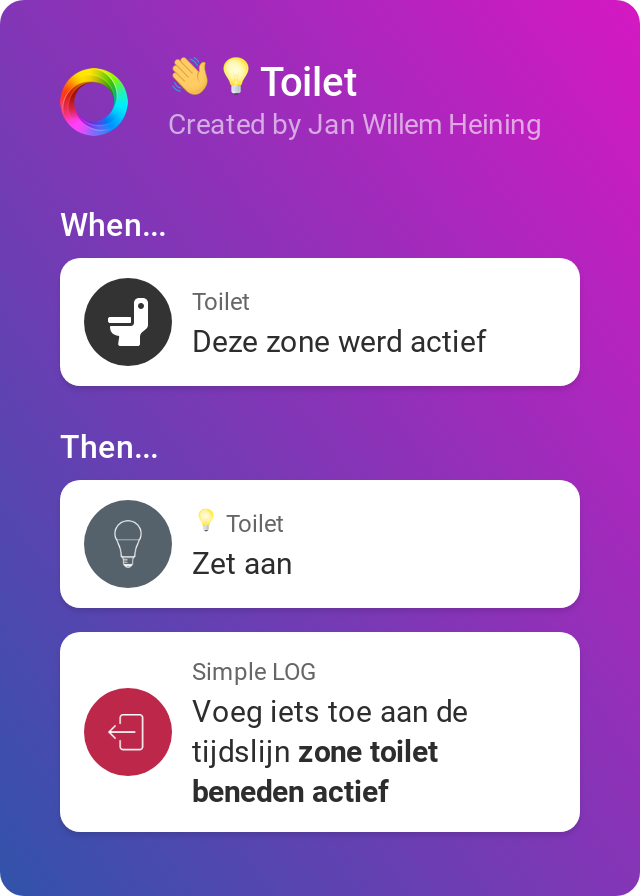
Would it be better to use the ‘zone activity’ to enable/disable lights in rooms? So WHEN this zone became active THEN turn on lights + WHEN this zone is inactive for 2 minutes THEN turn off lights. If so, how can I keep track of what’s happening (logging zone activity and follow ups)?
Sorry for the overload of questions, but I want to get it right now. Help is much appreciated!
I’m not entirely sure (and too lazy to test at the moment), but I think that the Aqara sensors themselves only fire a “motion detected” signal, and it’s deCONZ that handles the “cleared” signal.
I think it works something like this:
the sensor detects motion and sends a signal over Zigbee to deCONZ
deCONZ emits a “motion detected” event to its listeners (for instance the Homey app), and it starts a timer for 90 seconds (default)
the sensor has a blind time of 60 seconds (default), so for 60 seconds it does absolutely nothing
after 60 seconds the sensor starts detection motion again
if motion was detected, it sends the signal again and deCONZ restarts the timer; deCONZ does not emit a new “motion detected” event
if motion wasn’t detected, and the timer expires, the “cleared” event is sent by deCONZ
So as long as motion gets detected in the 30 seconds between the blind time expiring and deCONZ’s timer expiring, the timer will be restarted and hence the state change can take much longer than 90 seconds.
It’s possible to change the blind time of the sensor from 60 seconds to 5 seconds using a simple hardware hack. You also need to change the default timer duration in deCONZ if you want it to send the “cleared” event faster.
As for your second question: I assume that the deCONZ app uses the alarm_motion capability, which is a boolean, and Insights doesn’t track boolean capabilities. You can work around that by creating a virtual device with a numerical capability (like dim) and change the capability value between 1 (motion detected) and 0 (cleared) from a flow which gets triggered when motion was detected/cleared.
That’s right, the motion sensors send a “motion” detected and a “no more motion” detected event. The proposed usage is to use the two events “motion alarm activated” and “motion alarm deactivated” -> you do not need to setup your own timers. Note: in the advanced settings of the device you can use the no motion timeout setting to enlong the time until the sensor gets marked as no motion in homey.
The amount of time needed for a sensor to report “no motion” depends on the hardware and usually cannot be changed.
You’re right that the motion alarm gets not reported in the insights, but in the device details in the most right panel you see the activity log (this is all homey’s default behavior). I think I could add this to the insights too, but I don’t know if this is a good idea (anyone?).
Lastly, I would not recomend to use zone activity. In my expirience this feature is a little buggy and does not respond particularly well. Instead I recommend you to use the motion alert trigger cards if you have just one sensor or use the group app if you want to use mutliple sensors per zone.
The Aqara motion sensors detect also incoming light, but they only take a measurement when they detect motion. So you if you track the brightness of the sensor in Insights, you also detect motion on the changes.
I don’t know if this is the right spot but i will give it a try.
i’m using deconz for a long time already and i’m very satified with it, but just now i had a strange thing happening. al my devices that are connected on the conbee 2 turnt on by them self. all the lights and outlets and relays everything. never seen it before. i’m running the conbee 2 with the raspberry pi 4, could it be that the pi just rebooted by itself and therefore deconz?
Very strange, I do not know what exactly happened here. The only thing I can imagine that there was a request to turn on all lights (group 0, includes plugs). No idea if this is even possible.
A reboot might be possible, but I don’t see why this would turn everything on
no indeed, that is what i thought. and normally it would not be a issue but i do run things like air compressors and automatic doors on the conbee. and this resulted in the compressor turning on and the door openening. and if this would happen in the middle of the night, than that would not have been fun.
@Jan_Goudriaan, I know this in a way makes more sense. Because I’ll be controlling lights from 2 devices (Phoscon web app & Homey). But as the scene editor in the Phoscon app lets you create more advanced scenes way easier, i.e. have a ‘soft light’ scene where only 1/3 spots are on. If I want to have this scene and also have a ‘normal’ scene where all lights are on, I have to control them all individually in Homey. In the Phoscon app that’s way easier.
If the Phoscon app was a bit more advanced, I might have cut out Homey completely in the scenarios where I only use Zigbee devices. Simply to reduce the chance of errors:
Trigger > Conbee > Homey > Conbee > Device
And I have the idea my Conbee2 on RPi3B in general is more reliable and stable than my Homey (relying on wifi, starting up more apps, etc), i.e. after a powercut.
@MadMonkey It took me some time to figure out the Xiaomi EU plug (ZNCZ04LM). 7 of the 8 plugs needed some additional steps in Deconz GUI and Phoscon to get sensor information in the rest-api. Once this is done your app does the rest. Great app!
I’m using a Innr SP 120 smart plug to detect if a game-console is on. it’s using the “Generic Plug” device from the Deconz list. I need to know if there’s a game console is on to trigger some secondary devices. So I use “the energy is changed” flow chard to activate the flow with a “Energy is bigger than [15]” in the “and”. the problem is that the stand-by power is apparently not stable enough and triggers this flow too many times that Homey deactivates the flow. Is there a way to add a “threshold” option to the device to trigger “the energy is changed” only if a bigger threshold is broken?
If I look at the energy levels from past hour it spikes between 0W and 4W:
Hey Satoer
What you want is basically a flow card that contains the previous value s.t you can check the difference? I think that it is maybe not the best idea to provide this as feature of the app because most likely you have many other devices/use cases with the same problem. Also this is a default capability so athom must provide that feature in that case. So there must be a more generic way. How about this:
create a numeric variable
create a flow that is based on the “energy changed” trigger
when the flow is triggered you have the new value and the one of the variable, if it is >5 you can interpret this as your game console has been turned on and act accordingly
after the check you write the energy value to the variable
Ps: I am thinking about to create a generic app that would be able to analyse the insights. For example you could then have a flow like "value x increased/decreased by y during the last z seconds/minutes
And this works great. The problem however, is that the standby energy of the console isn’t stable. It has lots of small spikes. En on every spike this flow gets triggered (and ignored because the energy is less than [15]). Because of this, Homey disables the flow after a day. Because it gets triggered too much.
It would be great if there’s some kind of adjustable threshold option inside the device configuration. That prohibits the execution of the “The energy is changed” trigger when there’s just a small power consumption change.
So, this isn’t possible because homey disables this flow because of the amount of triggers it gets: