iam using this
On a Homey Pro 2023, @RoyWissenburg?
Yes Pro23
Ok, will try that one as well tomorrow then. Thx!
Post 7 
I can not get it to work. I am not using tags, so I should be able to just omit that from the url.
This doesn’t work in my case:
http://192.168.1.4/webhook?event=Test
Also not using the tag option. Just the event. But to get it working also type the tag stuf in the webhook. Like my example
Thx.
Just found the problem. My laptop somehow has problems sending webhooks (by the Windows Store app “Webhook”. Must be blocked somehow by my company laptop (which normally can access local destinations).
This does not work for me with the self-hosted Homey and the local IP of the system.
When I enter the URL http://IP-Address/webhook?event=Test&tag=my_tag in my browser, I receive a message stating that no connection to the server can be established.
Does a specific app need to be installed on Homey for this to function?
You need to use the correct port, of course.
Thanks for your quick reply.
In fact, I was able to find an unusual port running on 7777 with nmap, which appears to be an HTTP service. The modified HTTP call (http://IP-Adresse:7777/webhook?event=Test&tag=my_tag) returns an OK in the browser.
Unfortunately, the webhook still does not trigger the desired action in Homey. When I try it using the “Test” button in the flow, it works.
Perhaps some background information: I am trying to call the webhook via an action from a Shelly Motion 2 to turn on the light in a room when motion is detected.
Why search for an other port?
Did you test with the used Homey SHS port first?
If you didn’t pick your own, it should be:

Works perfecly fine with my linux/Docker setup
http://192.168.12.90:4859/webhook?event=2026&tag=pro
.
http://ip-adresse:7777/webhook?event=Test&tag=my_tag
About “Test”:
I always refrain from using capitals, because it’s not a Windows system, which doesn’t care;
linux however is case sensitive
An accidental error is right around the corner:
-
This flow won’t trigger,
testdoes not match:
-
This flow will trigger,
Testis a match:

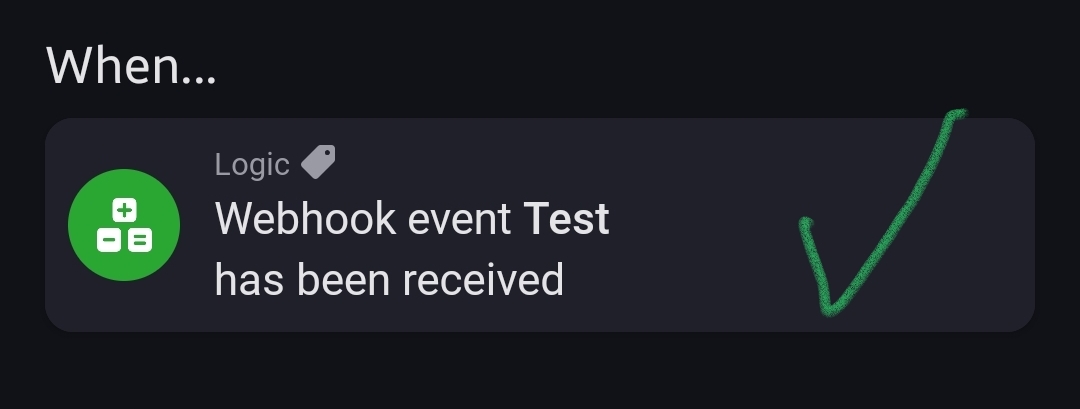
.
That’ll always work, because the test command replaces the trigger card.
In other words, you can’t test the functioning of a flow trigger with the test button.
Thanks, that tip helps me a lot. Now it works!
