→ Applies to any Homey model ←
An alternative to Homey Presence, no Homey app needed.
It uses a phone app which can trigger on certain geofences and or wifi, and which is able to send webhooks as a result.
Usecase:
In order to have a flow set your status home/away, you can use the webhook and a specific flow trigger: Logic card “Event x is received”;
This sends a command to Homey (all models incl. Homey Cloud), and you can have a flow ‘listening’ to it.
Webhook
- This is the format to use:
https://webhook.homey.app/my_homey_id/my_event_name?tag=my_tag
3 parts for you to change:
my_homey_id:
go here https://my.homey.app/settings/system/general and find your HomeyID in the “Cloud” section. That long number is part of the web app link as well.
my_event_name:
This is the description to which the flow “listens” to. For examplegeofencemy_tag:
The optional tag is a word or value or whatnot, which is sent along and can be used as filter. For exampleaway

Now, with the example data, the webhook looks like this:
https://webhook.homey.app/61123456789123456789/geofence?tag=away
Flow:
This is the trigger card to use:

In the [Event] field, enter the my_event_name, which is geofence in this example
Now the flow looks like this;
-
when
my_tag=awayit would mean you left home; -
use an “And” logic card “text is exactly [text]” and enter “away” to build a switch:
-
- when it’s exactly
away: start “Then” cards
- when it’s exactly
-
- when it’s anything else: start “Else” cards
-
When acknowledged or without push confirmation it’ll start the “Then” cards:
-
- Optional:
With the push confirmation it’ll asks to continue:
- Optional:
-
To trigger the “back home” part, you can use the same webhook, only you should use an other tag, like,
home:


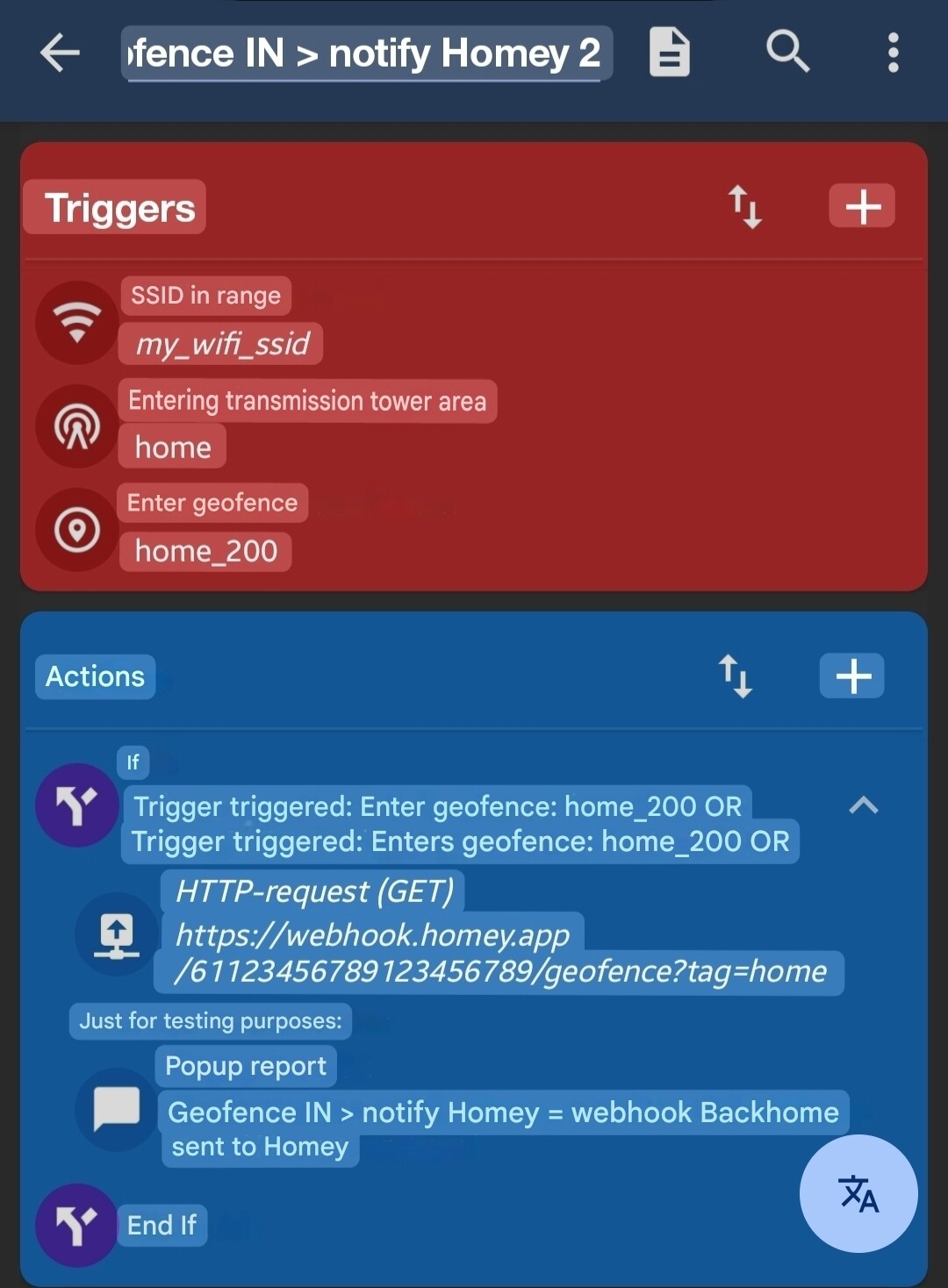
https://webhook.homey.app/61123456789123456789/geofence?tag=home
- The flow will start the “Else” cards:

MacroDroid
Install Macrodroid
As macro trigger, you can use leaving or entering:
-
(a) predefined geofence(s)
-
the area between 3 transmission towers
-
(a) known @ home wifi SSID(s), in or out of reach


Enter the webhooks as http request in the action field

Leaving:
use webhook tag=away

Returning:
use webhook tag=home